67
8
MEMORY/CALL CHANNELS
1
2
3
4
5
6
7
8
9
10
11
12
13
14
15
16
17
18
19
■ Memory bank setting
The IC-91A/91AD has a total of 26 banks (A to Z). Regular
memory channels, 000 to 799 (A band)/000 to 399 (B band),
are assigned into the desired bank for easy memory man-
agement.
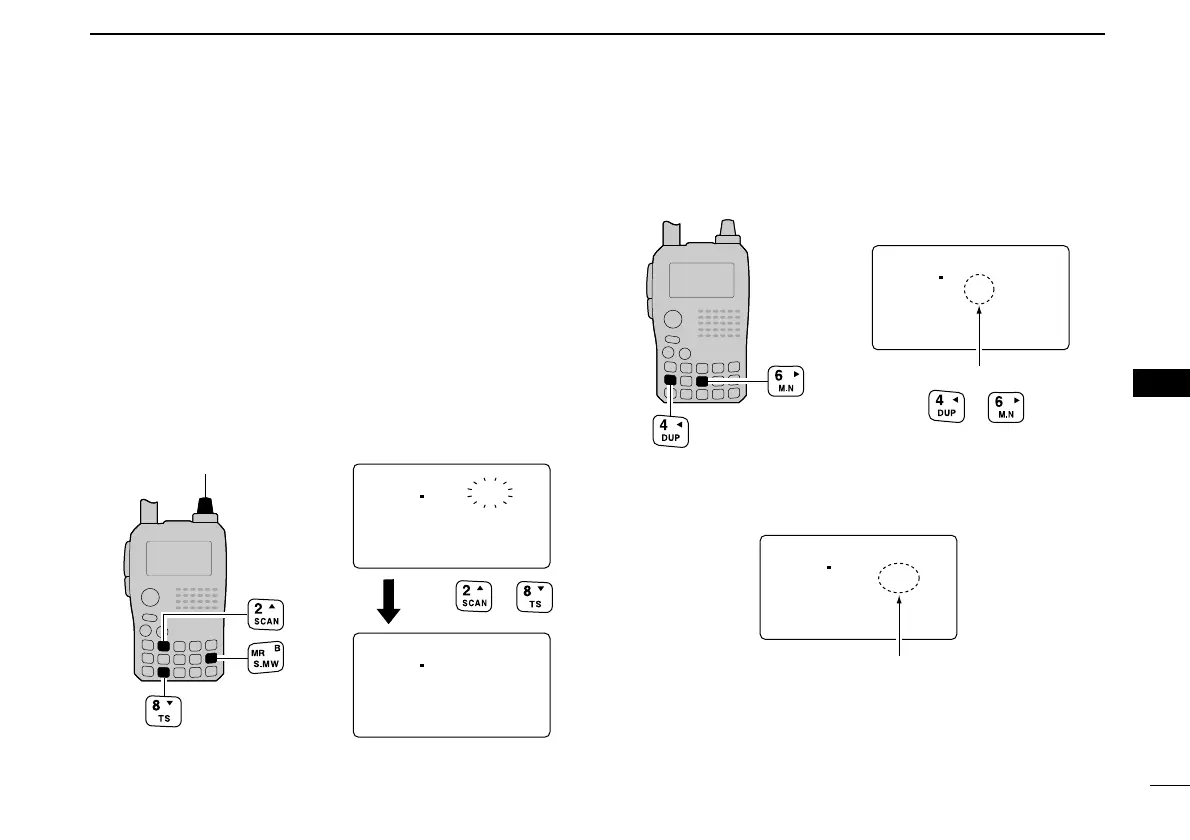
qPush and hold [MR/S.MW] for 1 sec. to enter select mem-
ory write mode.
• 1 short and 1 long beep sound.
•“
µµ
” indicator blinks.
wRotate [DIAL] to select the desired memory channel.
ePush [2/SCAN](
∫∫
) or [8/TS](
√√
) to select “BANK.”
• Bank group and channel number is displayed if the selected mem-
ory channel has already been previously assigned into a bank.
rPush [4/DUP](
ΩΩ
) or [6/M.N](
≈≈
) several times to select the
desired bank group from “A” to “Z.”
tRotate [DIAL] to select the bank channel number from “00”
to “99.”
• Vacant bank channel numbers will only be displayed.
yPush and hold [MR/S.MW] for 1 sec. to set the channel
into the bank.
• Return to the previous indication.



 To Next Page