51
7
DV MODE OPERATION (Optional UT-121 is required for IC-91A)
7
■ Break-in communication
The break-in function allows you to break into a conversation,
where the two original stations are communicating with call
sign squelch enabled (p. 00).
qWhile receiving an another station’s communication, push
and hold [CALL/RX➝CS] for 1 sec. to set the communi-
cating station’s call sign.
• When a call sign has not been received correctly, error beeps
sound and no call sign is set. Receive the call sign included in a
communicating signal again, or set the call sign manually in this
case.
wPush and hold [9/T.SCAN/BK] for 1 sec. to turn the break-
in function ON.
•“BK” appears.
eWhen both stations are in standby, push [PTT] to transmit
a break-in call.
• Programmed call sign station receives the break-in call as well
as your call sign.
rWait for the reply call from the station who receives the
break-in call.
tAfter receiving the reply call, communicate normally.
yTo cancel the break-in, push and hold [9/T.SCAN/BK] for
1 sec. to turn OFF.
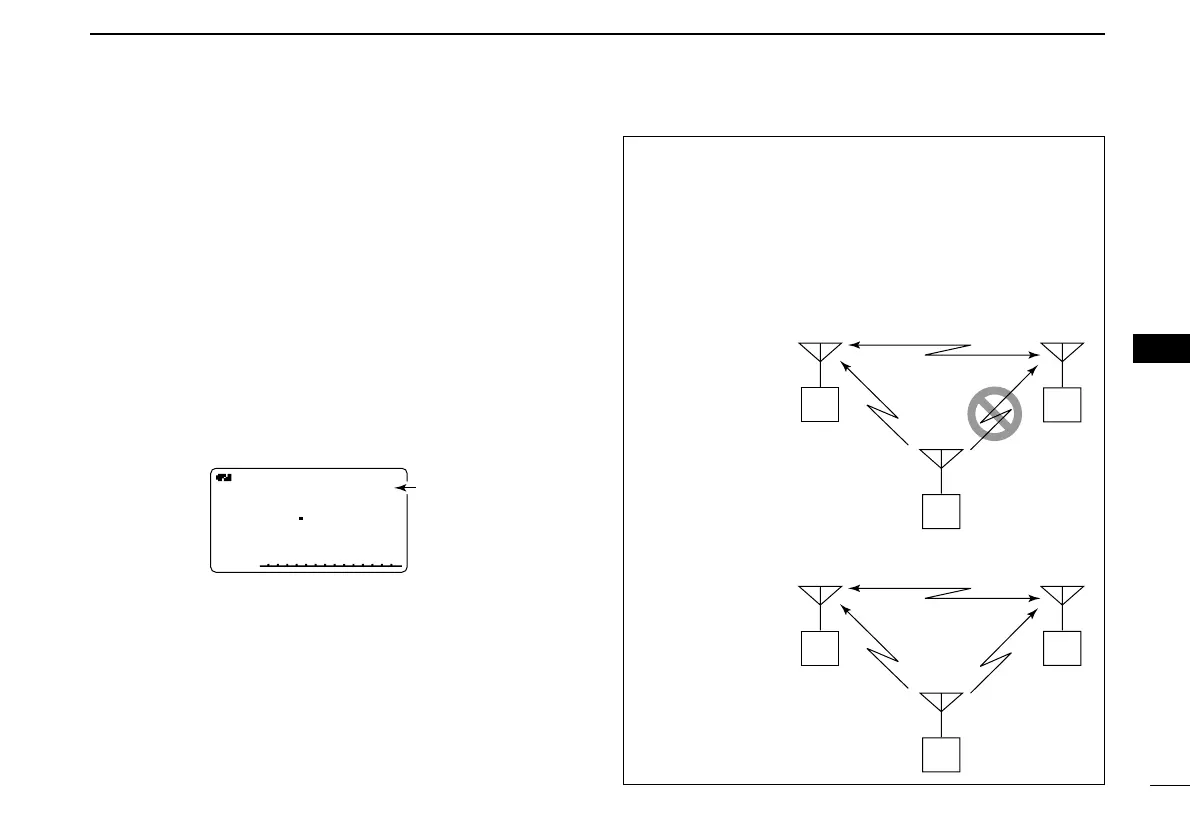
• How to use the break-in?
While operating with the call sign squelch (p. 00), the
squelch never opens (no audio sounds) even if a call is re-
ceived, unless your own call sign (“MY”) is specified.
However, when the call including the “BK ON” signal
(break-
in call) is received, the squelch will open and audio sounds
even if the call is specified for another station.
Station A Station B
Station C
• Station C calling to Station A with “BK OFF”
Station A Station B
Station C
• Station C calling to Station A with “BK ON”
Station A and B are
communicating us-
ing the call sign
squelch.
Station A and B are
communicating us-
ing the call sign
squelch.
Station B never hears that
Station C is calling Station A.
Station B also hears that Sta-
tion C is calling Station A.



 To Next Page