11
4
BASIC OPERATION
New2001
Weather channels D
(U.S.A. and Australian version transceiver only)
The transceiver has 10 weather channels. These are used for
monitoring broadcasts from NOAA (National Oceanographic
and Atmospheric Administration.)
The transceiver can automatically detect a weather alert tone
on the selected weather channel or while scanning. (p. 17)
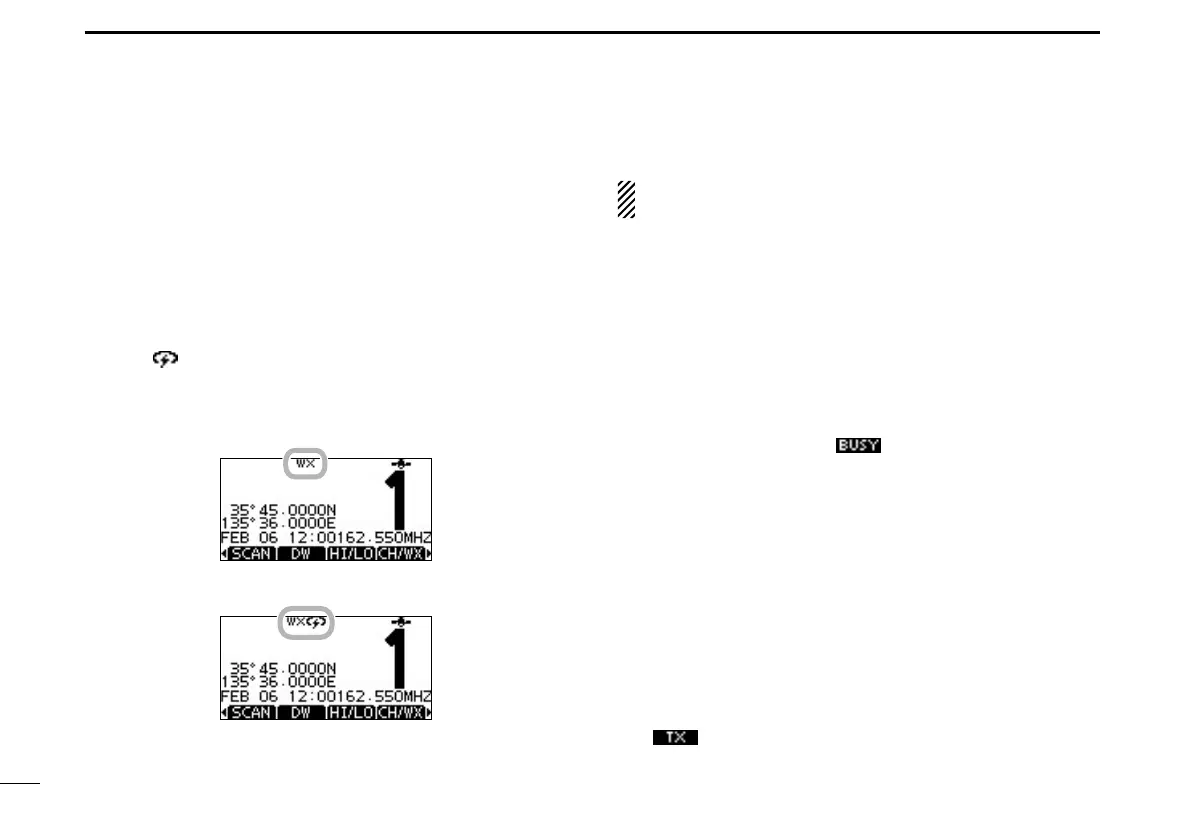
Push [CH/WX] once or twice to select a weather channel. q
•“WX”appearswhenaweatherchannelisselected.
•“WX ” appears when the Weather Alert function is in turned
ON. (p. 78)
Push [ w ∫](CH) or [√](CH) to select a channel.
•Pushing[Y]/[Z] on the microphone selects only Favorite chan-
nels.
When weather alert is OFF.
When weather alert is ON.
Receiving and transmitting ■
CAUTION: Transmitting without an antenna will damage
the transceiver.
Hold down [PWR](Dial) to turn ON the power. q
Set the audio and squelch levels. (p. 15) w
First, open the squelch. Then, adjust the audio output ➥
level. After that, adjust the squelch level until the noise
just disappears.
Change the channel group. (p. 10) e
Push [ r ∫](CH) or [√](CH) to select a channel. (pp. 9, 10)
•Pushing[Y]/[Z] on the microphone selects only Favorite chan-
nels.
•Whenreceivingasignal,“ ” appears and audio is heard.
•Furtheradjustmentofthevolumelevelmaybenecessary.
Push [LO/DX] to turn the receive Attenuator function ON t
or OFF, if necessary.
•OnlyU.S.A.andAustralianversiontransceivers.
•“LOCAL”appearswhenthereceiveAttenuatorfunctionisON.
Push [HI/LO] to select the output power, if necessary. y
•“25W”appearswhenhighpowerisselected,and“1W”appears
when low power is selected.
•Chooselowpowerforshortrangecommunications,choosehigh
power for longer distance communications.
•Somechannelsareforonlylowpower.
Hold down [PTT] to transmit, then speak at your normal u
voice level.
•“ ” appears.
•Channel70cannotbeusedfortransmissionotherthanDSC.
Release [PTT] to receive. i



 To Next Page