53
7
DSC OPERATION
Receiving D a Distress Relay Call
When a Distress Relay call is received:
The emergency alarm sounds for 2 minutes. ➥
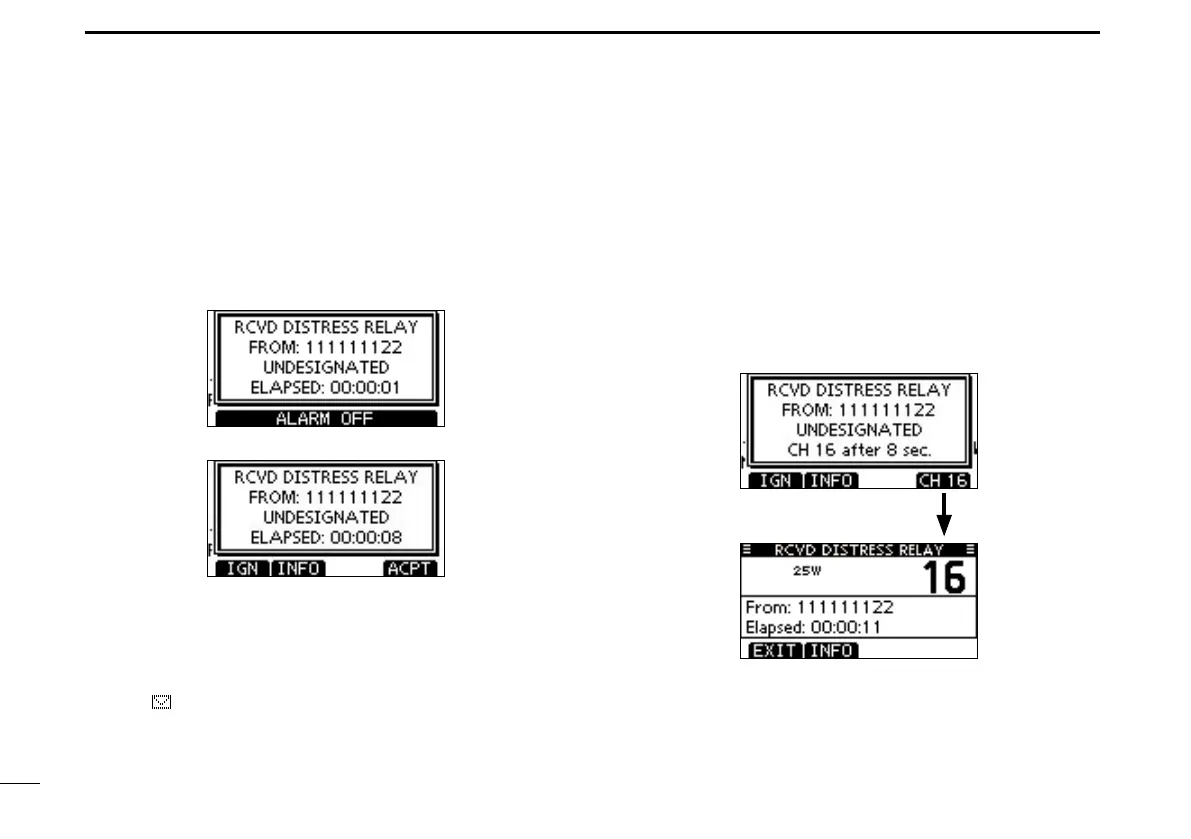
“ RCVD DISTRESS RELAY” pops up and the LCD back- ➥
light blinks.
Push [ALARM OFF] to stop the alarm and the blinking q
backlight.
Push a softkey to select your desired action. w
[IGN]
➥Push to return to the normal operating mode.
•ThetransceiverexitstheDSCmode.
•Bypushing[PTT],thetransceiveralsoexitstheDSCmode.
•“ ” continues to blink and the Call is stored in the Received
Call Log.
[INFO]
➥Push to display the Received call information. (p. 64)
[ACPT]
Push to accept the call. ➥
And then, push [CH 16] to switch the operating channel
to Channel 16, and then monitor it, as a coast station
may require assistance.
•Ifyouhaven’tpushed[CH16]within10seconds,theoperat-
ing channel automatically switches to Channel 16. (p. 67)
Push



 To Next Page