24
7
DSC OPERATION
1
2
3
4
5
6
7
8
9
10
11
12
13
14
15
16
Distress call ■
A Distress call should be transmitted if, in the opinion of the
Master, the ship or a person is in distress and requires im-
mediate assistance.
NEVER MAKE A DISTRESS CALL IF YOUR SHIP OR A
PERSON IS NOT IN AN EMERGENCY. A DISTRESS
CALL SHOULD BE MADE ONLY WHEN IMMEDIATE
HELP IS NEEDED.
Simple call D
Confirm no Distress call is being received. q
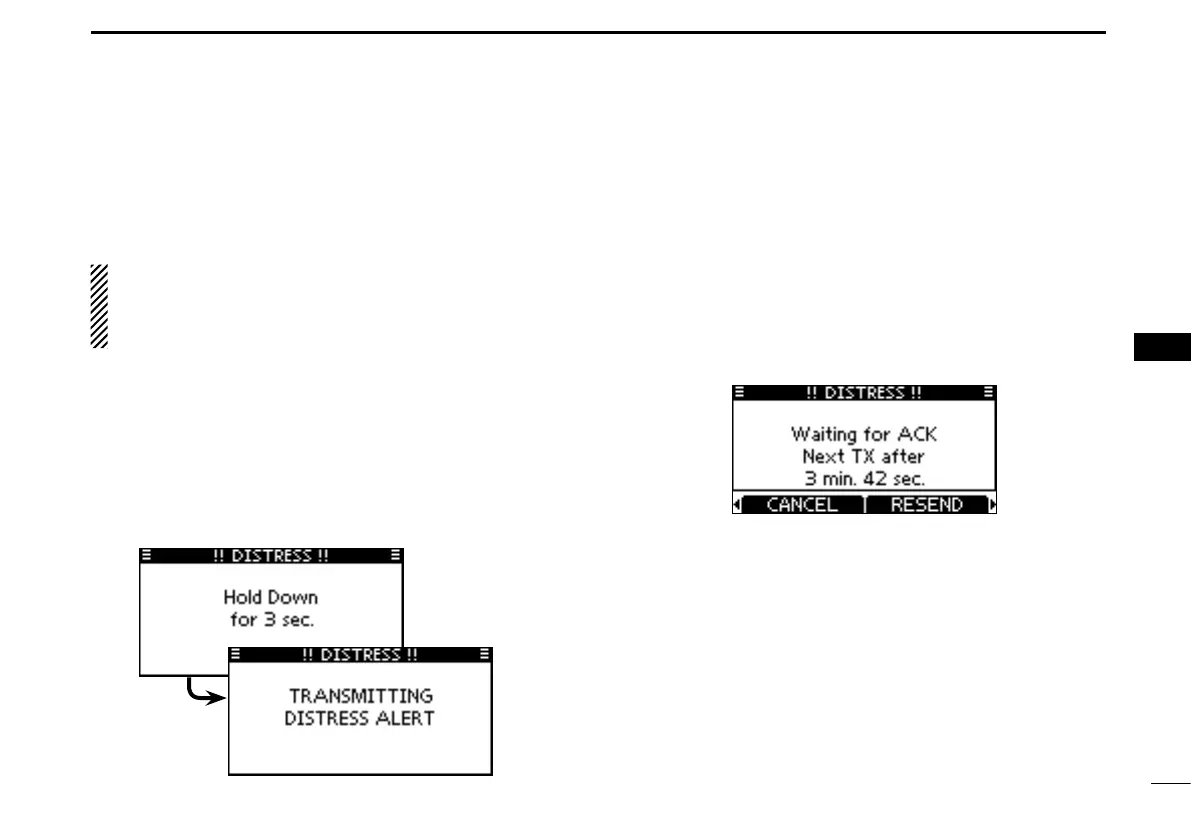
While lifting up the key cover, hold down [DISTRESS] for 3 w
seconds to transmit the Distress call.
•Whileholdingdown[DISTRESS],countdownbeepssoundand
both the key and display backlighting blink.
•DSC channel (Channel 70) is automatically selected and the
Distress call is transmitted.
After transmitting the call, the transceiver waits for an ac- e
knowledgment call.
•The Distress call is automatically transmittedevery 3.5 to 4.5
minutes, until an acknowledgement is received (‘Call repeat’
mode), or DSC Cancel call is made. (p. 27)
•Push[RESEND]tomanuallytransmittheDistressrepeatcall.
•Push [Ω]/[≈] then push [INFO] to display the transmitted Dis-
tress call information.
•Push[Ω]/[≈] then push [PAUSE] to pause the ‘Call repeat’ mode,
push [RESUME] to resume it.
After receiving the acknowledgment, push [ALARM OFF] r
then reply using the microphone.
A distress alert default contains: ➥
•Natureofdistress :Undesignateddistress
•Positioninformation:The latest GPS or manual input position
is held for 23.5 hours, or until the power is
turned OFF.



 To Next Page