56
7
DSC OPERATION
1
2
3
4
5
6
7
8
9
10
11
12
13
14
15
16
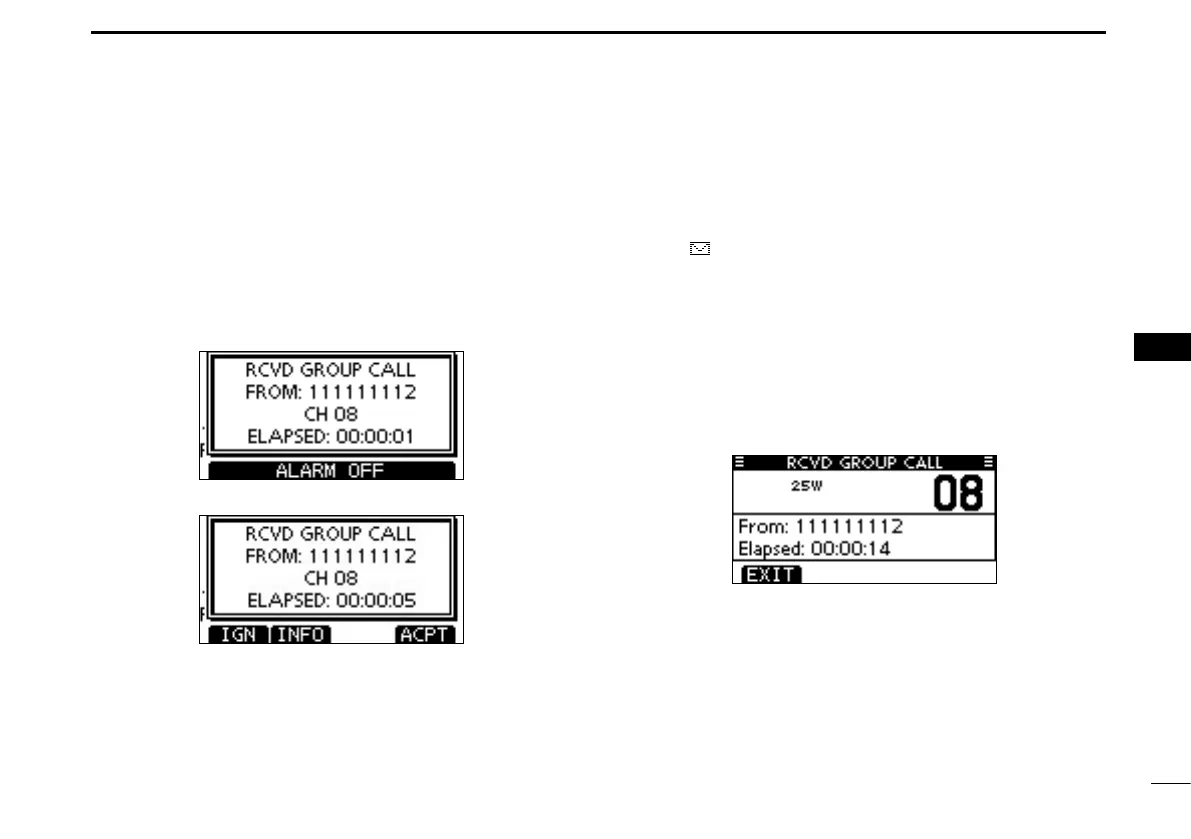
Receiving a Group Call D
When a Group Call is received:
➥ The alarm sounds for 2 minutes.
➥ “RCVD GROUP CALL” pops up. The LCD backlight may
blink for 2 minutes, depending on the received Category.
Push [ALARM OFF] to stop the alarm and the blinking q
backlight.
•If[ALARMOFF]isnotpushedwithin2minutes,thenextscreen
may appear, depending on the received Category.
Push a softkey to select your desired action. w
[IGN]
➥Push to ignore the Call and return to the normal operat-
ing mode.
•ThetransceiverexitstheDSCmode.
•“ ” continues to blink and the Call is stored in the Received
Call Log.
[INFO]
➥Push to display the Received call information. (p. 65)
[ACPT]
➥ Push to monitor the channel specified by the calling sta-
tion (Example: 08) for an announcement from the call-
ing station.



 To Next Page