68
7
DSC OPERATION
New2001
1
2
3
4
5
6
7
8
9
10
11
12
13
14
15
16
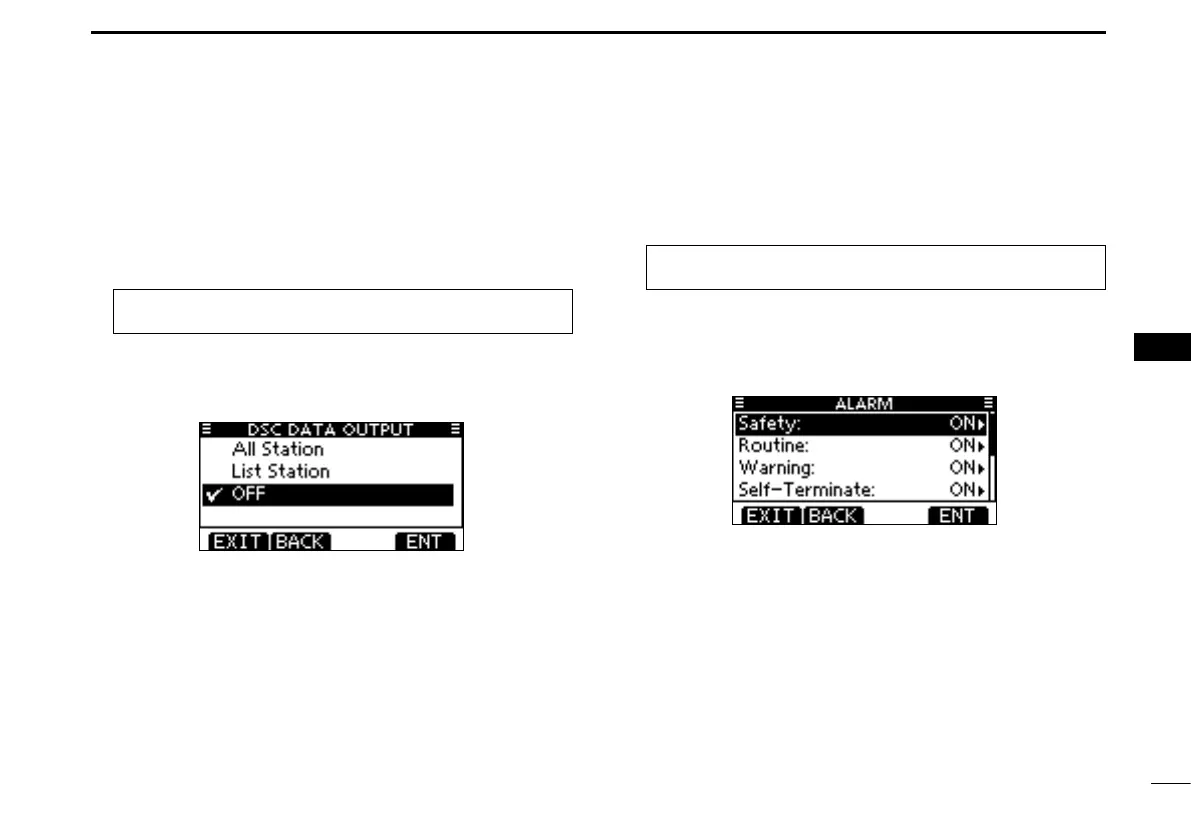
D DSC Data Output
Select an option for the DSC Data Output function.
When receiving a DSC call, this function makes the trans-
ceiver send the DSC data from its NMEA Output port to a
connected device.
q Enter “DSC DATA OUTPUT”
in the DSC Settings menu
.
MENU ➪ DSC Settings ➪ DSC Data Output
(Push [MENU])
(Rotate Dial, then push [ENT].)
w Rotate Dial to set the DSC Data Output function to “All Sta-
tion,” “List Station” or “OFF
,” then push [ENT].
•Push[BACK]tocancelandreturntotheDSCSettingsmenu.
(default)
All Station : Outputs the call from any vessel from the
NMEA Output port.
List Station : Outputs the call from any vessels listed on the
Individual ID screen.
OFF : Does not
output any call to the external equip-
ment.
Push [EXIT] to return to the normal operating mode. e
D Alarm
Set the Alarm function ON or OFF, depending on the Cat-
egory or Status.
q Enter “ALARM”
in the DSC Settings menu
.
MENU ➪ DSC Settings ➪ Alarm
(Push [MENU])
(Rotate Dial, then push [ENT].)
w Rotate Dial to select
the status, then push [ENT].
•Push[BACK]tocancelandreturntotheDSCSettingsmenu.
•“Safety,”“Routine,”“Warning,”“Self-Terminate”and“Discrete”are
selectable. (default: ON)
Rotate Dial to set the Alarm setting to “ON” or “OFF.” e
Push [EXIT] to return to the normal operating mode. r



 To Next Page