77
9
MENU SCREEN OPERATION
New2001
Radio Settings items ■
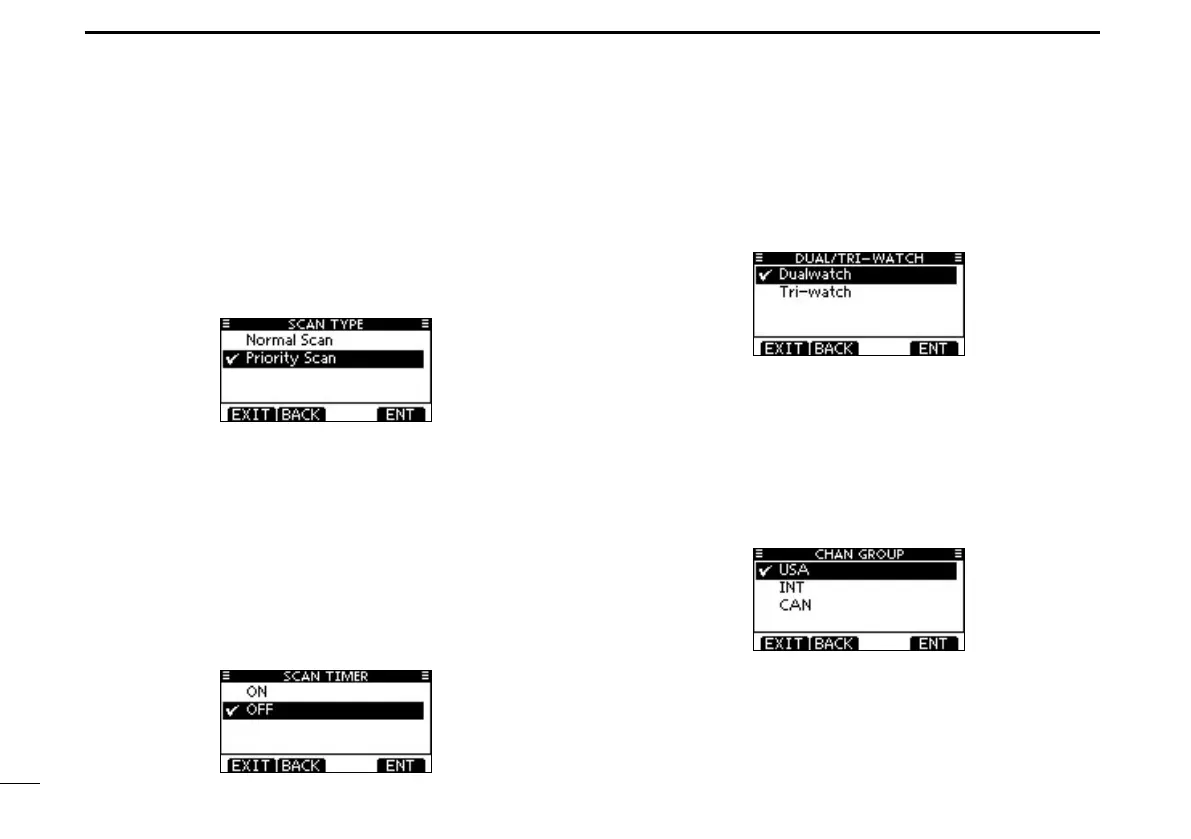
Scan type D
The transceiver has two scan types; Normal scan and Priority
scan. A Normal scan searches all Favorite channels in the
selected channel group. A Priority scan sequentially searches
all Favorite channels, while monitoring Channel 16.
(Default: Priority Scan)
Scan resume timer D
The scan resume timer can be selected as a pause (OFF)
or timer scan (ON). When OFF is selected, the scan pauses
until the signal disappears. (Default: OFF)
• Priority scan
When ON is selected, the scan pauses for 5 sec-
onds and then resumes, even if a signal has been
received on any channel other than Channel 16.
• Normal scan When ON is selected, the scan pauses for 5
seconds and then resumes, even if a signal has
been received on any channel.
Dual/Tri-watch D
This item can be selected as Dualwatch or Tri-watch. (p. 19)
(Default: Dualwatch)
Channel Group D
Except for the Europe version, a channel group suitable for
your operating area can be selected. Depending on the trans-
ceiver version, INT, USA or CAN may be selectable.
(Default: USA)
See page 10 for details.
•ThescreenbelowshowstheU.S.A.version.



 To Next Page