32
7
DSC OPERATION
1
2
3
4
5
6
7
8
9
10
11
12
13
14
15
16
Manual ACK:
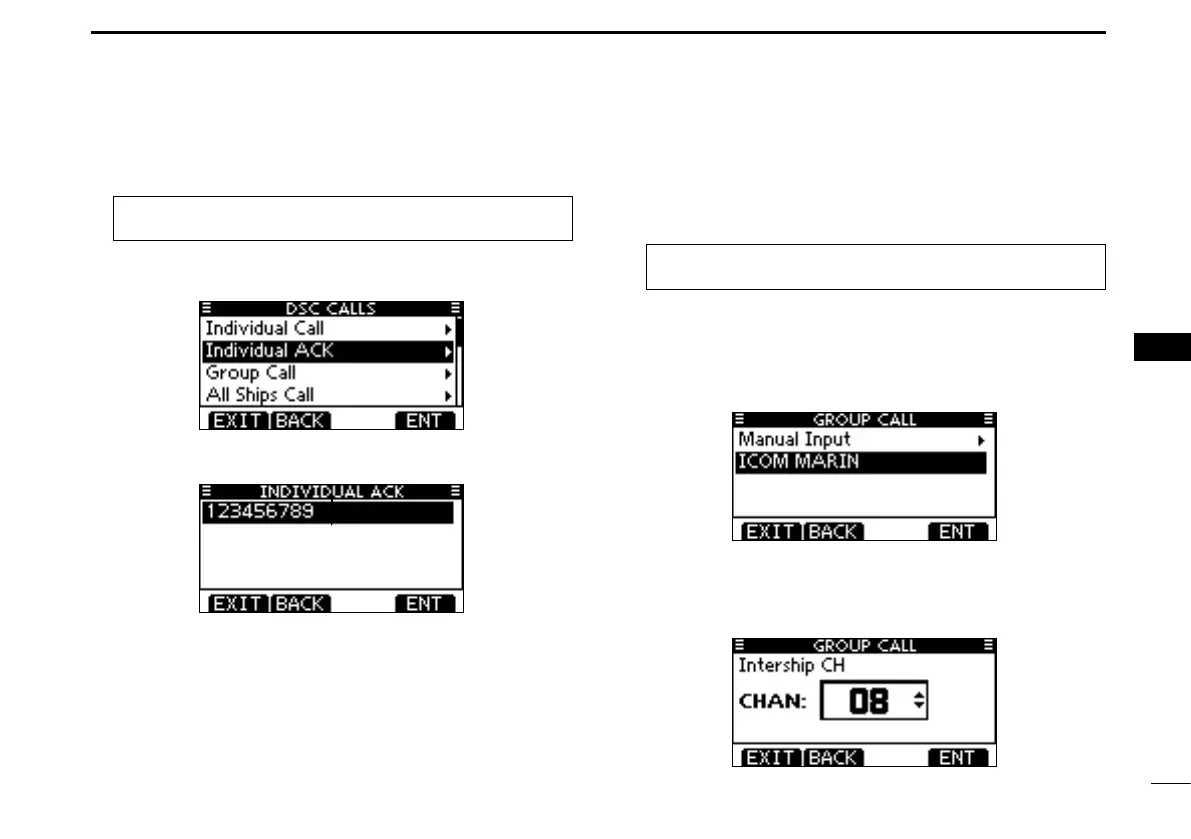
Enter “INDIVIDUAL ACK” in the DSC CALLS menu. q
MENU ➪ DSC Calls ➪ Individual ACK
(Push [MENU])
(Rotate Dial, then push [ENT].)
•WhennoIndividualcallhasbeenreceived,“IndividualACK”item
will not be displayed.
Select a desired individual address or ID code to reply to, w
using Dial or [Y]/[Z], then push [ENT].
Perform steps e e to u, as described in “Quick ACK:,” be-
ginning on the previous page.
Transmitting a Group call D
The Group call function allows you to transmit a DSC signal
to only a specific group.
Enter “GROUP CALL” in the DSC CALLS menu. q
MENU ➪ DSC Calls ➪ Group Call
(Push [MENU])
(Rotate Dial, then push [ENT].)
Select the desired preprogrammed group address or “Man- w
ual Input,” using Dial or [Y]/[Z], then push Dial or [ENT].
•TheIDcodefortheGroupcallcanbesetrst.(p.21)
•When“ManualInput”isselected,setthe8digitIDcodeforthe
group you wish to call.
Select a desired intership channel using Dial or [ e Y](CH)/
[Z](CH), then push [ENT].
•Intershipchannelsarealreadypresetintothetransceiverinthe
recommended order.
+ Continued on the next page.



 To Next Page