29
7
DSC OPERATION
Transmitting an Individual call (continued) D
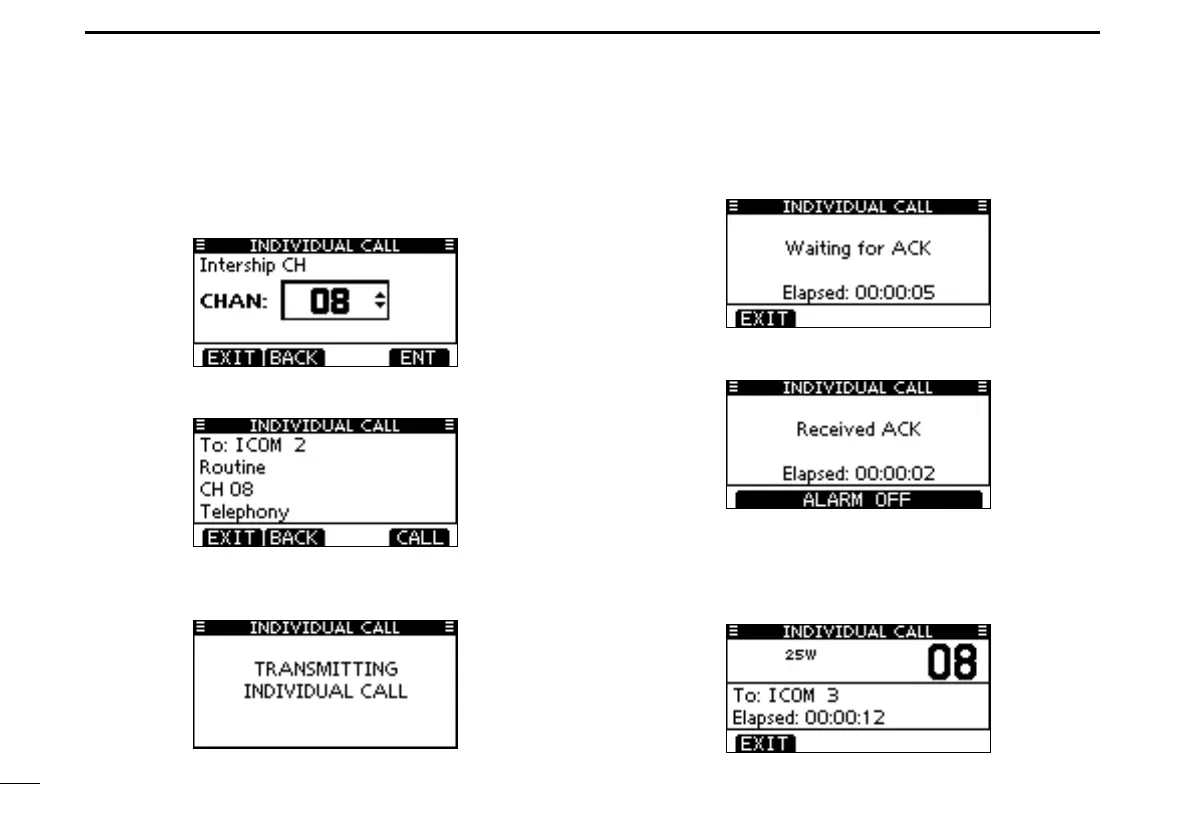
Select a desired intership channel using Dial or [ e Y](CH)/
[Z](CH), then push [ENT].
•Intershipchannelsarealreadypresetintothetransceiverinthe
recommended order.
A confirmation screen appears. r
•Conrmthecallcontents.
Push [CALL] to transmit the Individual call. t
•IfChannel70isbusy,thetransceiverstandsbyuntilthechannel
becomesclear.
StandbyonChannel70untilanacknowledgementisre- y
ceived.
Whentheacknowledgement‘Abletocomply’isreceived, u
beepssoundandthescreenbelowisdisplayed.
Push[ALARMOFF]tostopthebeepsandthenselectthe
intership channel specified in step r.
•A different intershipchannel willbeselected ifthestation you
called cannot use the channel.
•Replyusingthemicrophone.Andgotostepo.



 To Next Page