48
7
DSC OPERATION
New2001
1
2
3
4
5
6
7
8
9
10
11
12
13
14
15
16
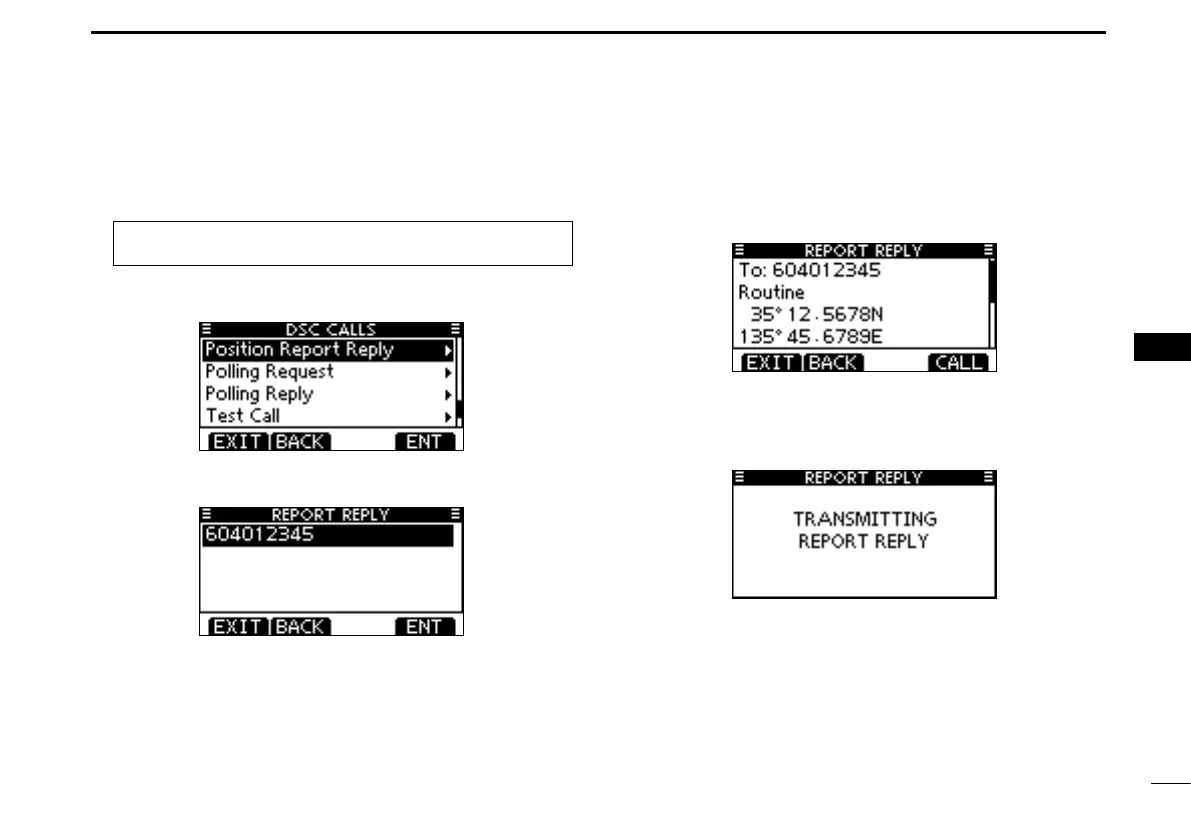
Manual Reply:
Enter “POSITION REPORT REPLY” in the DSC CALLS q
menu.
MENU ➪ DSC Calls ➪ Position Report Reply
(Push [MENU])
(Rotate Dial, then push [ENT].)
•IfnoPositionReportRequestcallhasbeenreceived,the“POSI-
TION REPORT REPLY” item will not be displayed.
Select a desired Position Report Request call to reply to, w
using Dial or [Y]/[Z], then push Dial or [ENT].
The Position Report Reply call confirmation screen is dis- e
played.
Push [CALL] to transmit the acknowledgement call.
While transmitting the reply call, the screen shown below r
is displayed, and then returns to the normal operating
mode.



 To Next Page