14
1
7
4
10
15
18
2
8
13
5
11
16
3
9
14
6
12
17
BASIC OPERATIONS
4
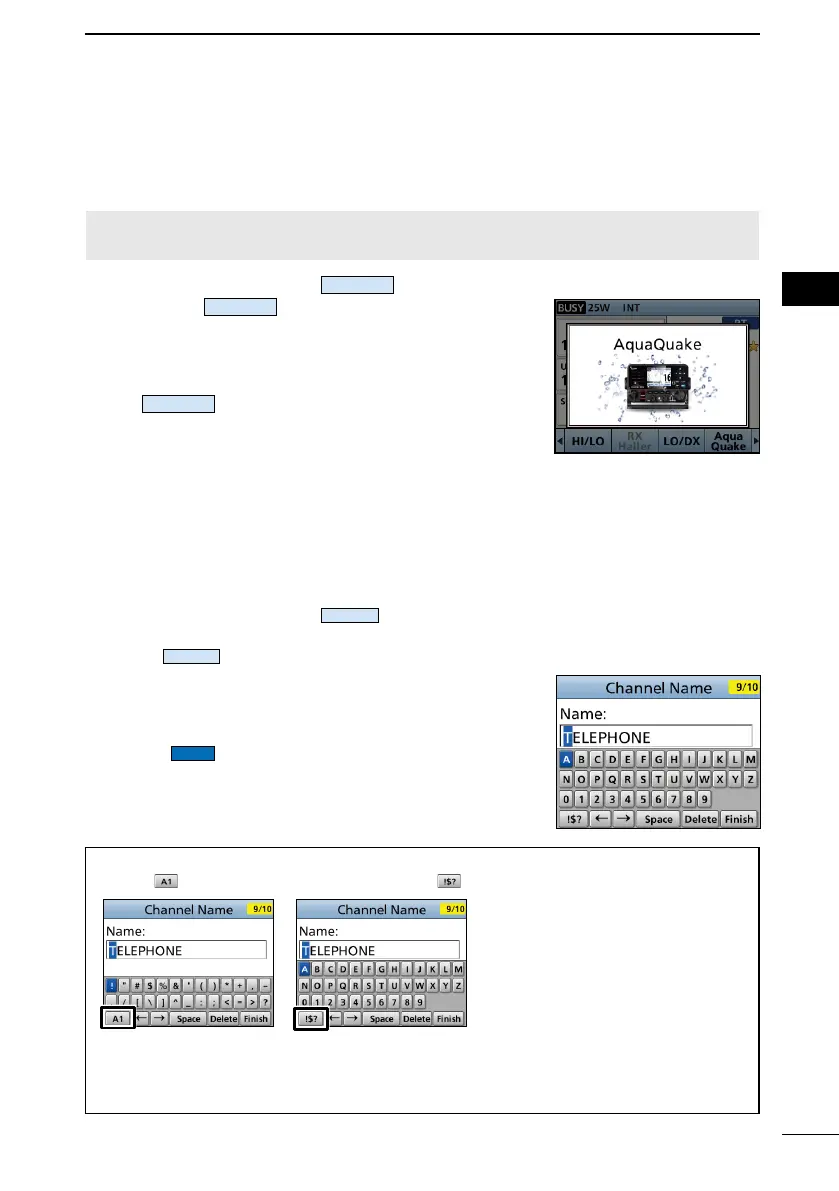
■ AquaQuake Water Draining function
Water in the speaker grill may muffl e the sound coming from the speaker. The
AquaQuake Water Draining function removes water from the speaker grill by vibrating the
speaker cone.
CAUTION: DO NOT use the AquaQuake Water Draining function when an external
speaker is connected.
1. Push [◄] or [►] to display
.
2. Hold down
to turn ON the function.
• A low frequency vibration beep sounds to drain the
water, regardless of the volume level setting.
L This function is activated for a maximum of 10
seconds, even if you continue to hold down
.
3. Release the key to turn OFF the function.
■ Editing a channel name
You can edit the name of each operating channel and weather channel, using numbers,
uppercase letters, symbols, and a space. This enables easy recognition of the channels
or stations. All VHF marine channels are set with default names.
1. Push [▲] or [▼], or rotate [CH/ENT] to select the channel to edit.
2. Push [◄] or [►] to display
.
L You cannot edit a channel name during Dualwatch, Tri-watch, or a scan.
3. Push
.
• The “Channel Name” screen is displayed.
4. Edit the channel name.
5. Select
, and then push [ENT] or [CH/ENT] to
save the edited name and return to the operating
screen.
TIP:
• Select
to enter numbers and letters, and to enter symbols.
• Select a number, character, or space using [▲], [▼], [◄], and [►].
• Push [ENT] or [CH/ENT] to enter the selected number or character.
• Select “←” or “→” on the screen or rotate [CH/ENT] to move the cursor, or to select
the entered character.



 To Next Page