62
1
7
4
10
15
18
2
8
13
5
11
16
3
9
14
6
12
17
9
OTHER FUNCTIONS
■ Waypoint
Waypoints are GPS position data points of places you want to go to, the position of your
vessel, or a vessel you received a DSC call from. You can enter up to 100 waypoints with
names of up to 15 characters. You can enter your current position data, or add one as a
destination or landmarks you often go to, for easy access.
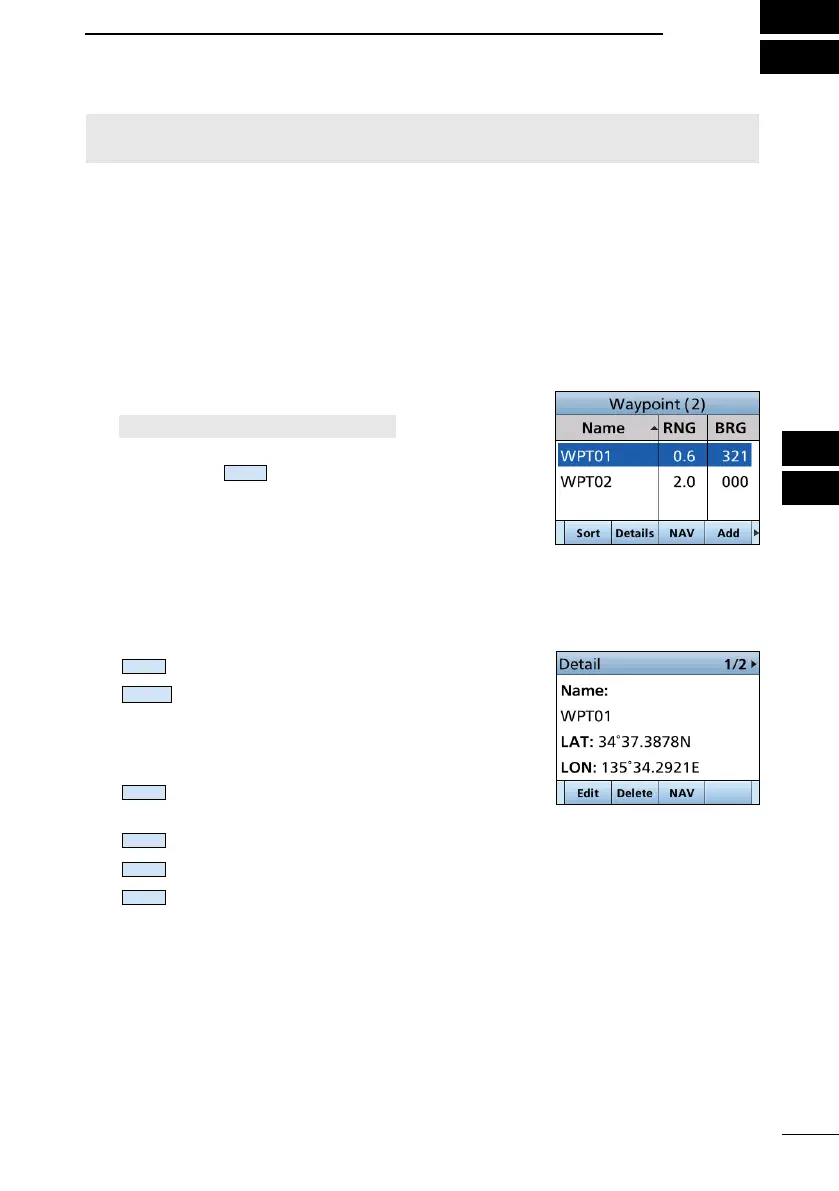
D Using the Waypoint list screen
The transceiver saves up to 100 waypoints in the Waypoint list.
1. Open the “Waypoint” screen.
[MENU] > Navigation > Waypoint
L You can also add your current position as a waypoint
by pushing
.
2.
waypoint.
3. Push the Software Key below for your next operation.
:
Sorts the waypoints by Name or Range.
:
Displays the details on the selected
waypoint.
L You can also edit or delete the
waypoint, or start navigating to the
waypoint on the “Detail” screen.
:
(Navigation)
Starts navigating to the selected
waypoint. (p. 64)
:
Enters a waypoint. (p. 63)
:
Edits the selected waypoint. (p. 64)
:
Deletes the selected waypoint. (p. 64)
NOTE: For the other functions, the transceiver must be receiving valid GPS signals, or
your position must be entered. (p. 20)



 To Next Page