66
1
7
4
10
15
18
2
8
13
5
11
16
3
9
14
6
12
17
9
■ Anchor Watch
Anchor Watch is the function to sound an alarm when your vessel is at anchor and has
drifted.
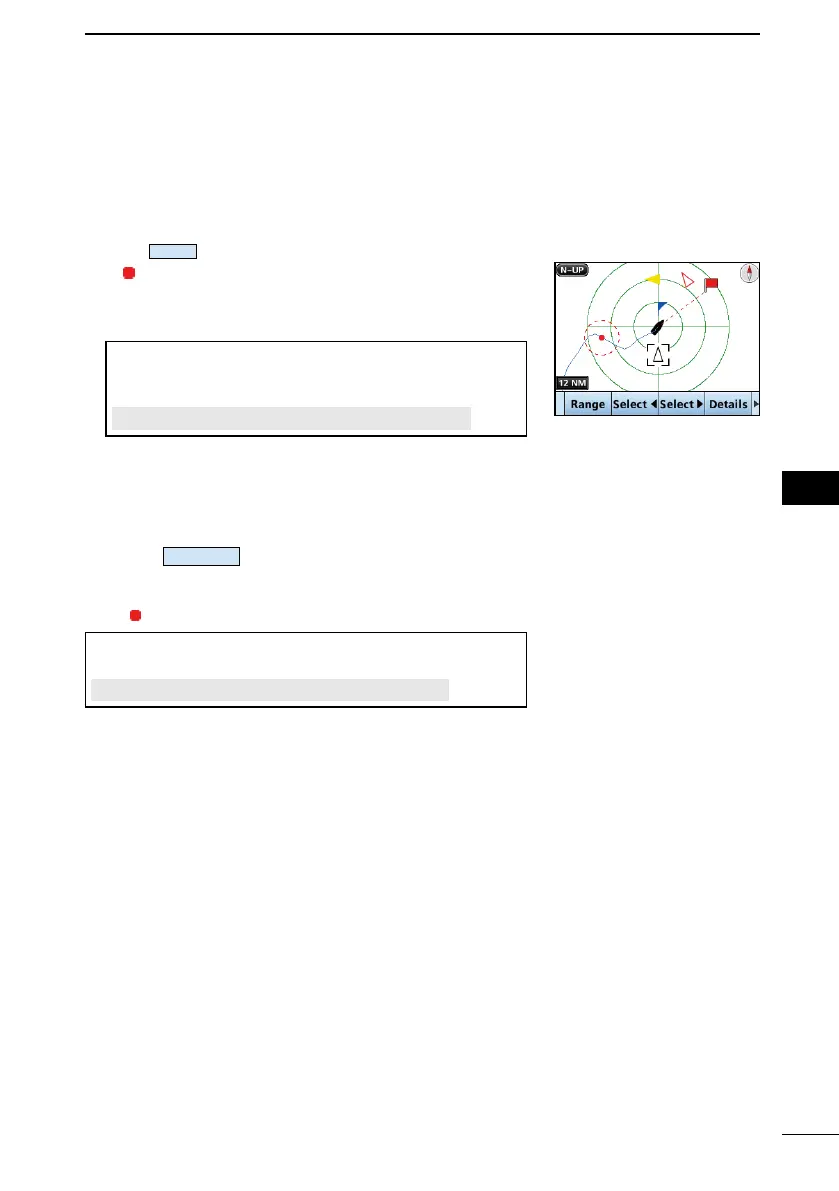
D Starting Anchor Watch
Push
to start the Anchor Watch mode.
• (a red circle) is displayed as the start position of
anchor watch.
• A red dashed is displayed as circle as the range of
anchor watch.
TIP: You can also start the Anchor Watch mode by
selecting the “Start Anchor Watch” item on the Menu
screen.
[MENU] > Navigation > Start Anchor Watch
L When your vessel exceeds the range of the anchor
watch, “Exceeded anchor radius!” is displayed.
D Stopping Anchor Watch
1. Push
to stop the Anchor Watch mode.
• “Deactivate anchor watch. Are you sure?” is displayed.
2. Push [OK].
• (a red circle) and a red dashed circle disappear.
TIP: You can also stop the Anchor Watch mode by
selecting the “Stop MOB” item on the Menu screen.
[MENU] > Navigation > Stop Anchor Watch



 To Next Page