ii
1
7
4
10
15
18
2
8
13
5
11
16
3
9
14
6
12
17
■ In Case of Emergency
If your vessel requires assistance, contact other vessels and the Coast Guard by sending
a distress call on Channel 16 or transmit your Distress call using Digital Selective Calling
(DSC) on Channel 70.
D Using Channel 16
1. Push [16/C] to switch to Channel 16.
2. While holding down [PTT], give the appropriate information as follows:
z “MAYDAY MAYDAY MAYDAY.”
z “THIS IS ” (name of vessel).
z Say your call sign or other indication of the vessel
(AND your 9 digit DSC ID, if you have one).
z “LOCATED AT ” (your position).
z State the nature of the distress and assistance required.
z Give any other information which might facilitate the rescue.
D Using Digital Selective Calling
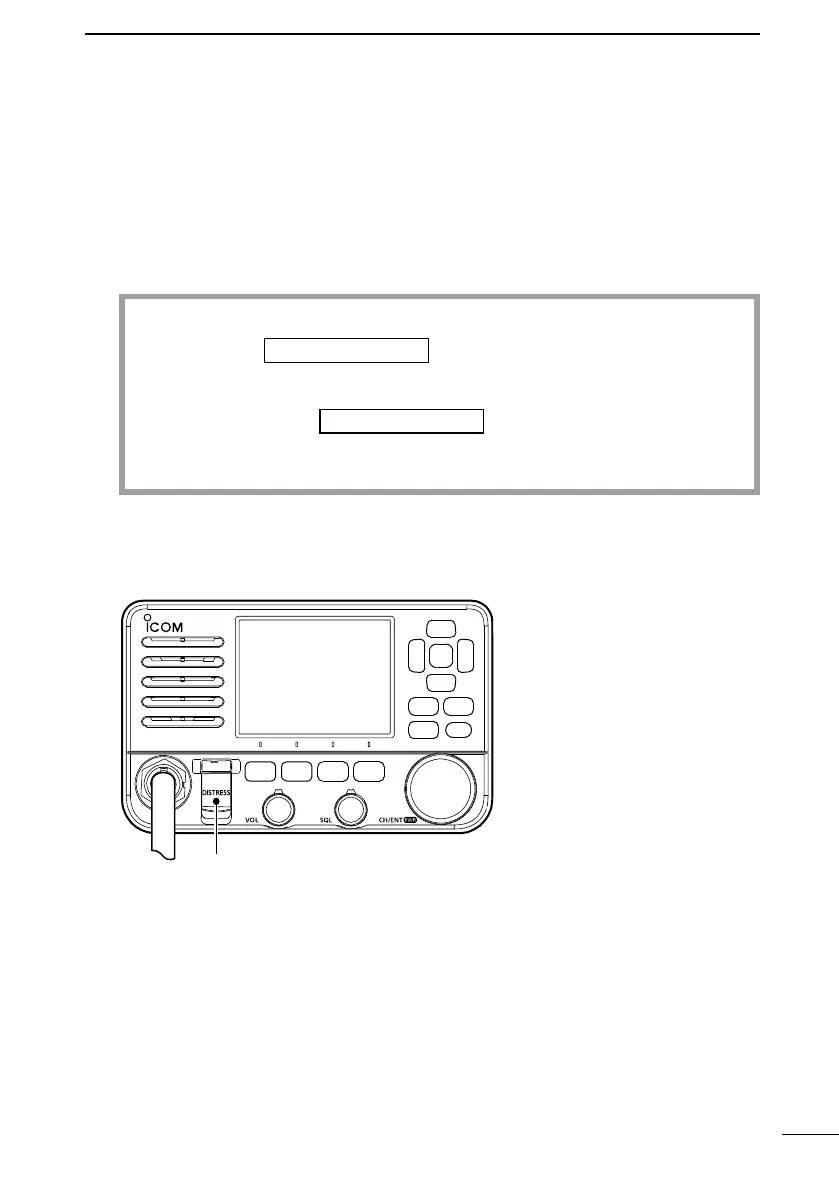
1. Lift up the key cover, hold down [DISTRESS] for 3 seconds until the 3 short beeps
and then one long beep sound.
P W R
2. Wait for an acknowledgment from another station.
3. After the acknowledgment is received, Channel 16 is automatically selected.
4. Hold down [PTT], then transmit the appropriate information as listed above.
Key cover



 To Next Page