Model 252
Label Printer/Applicator
Operators/Technical Manual
8
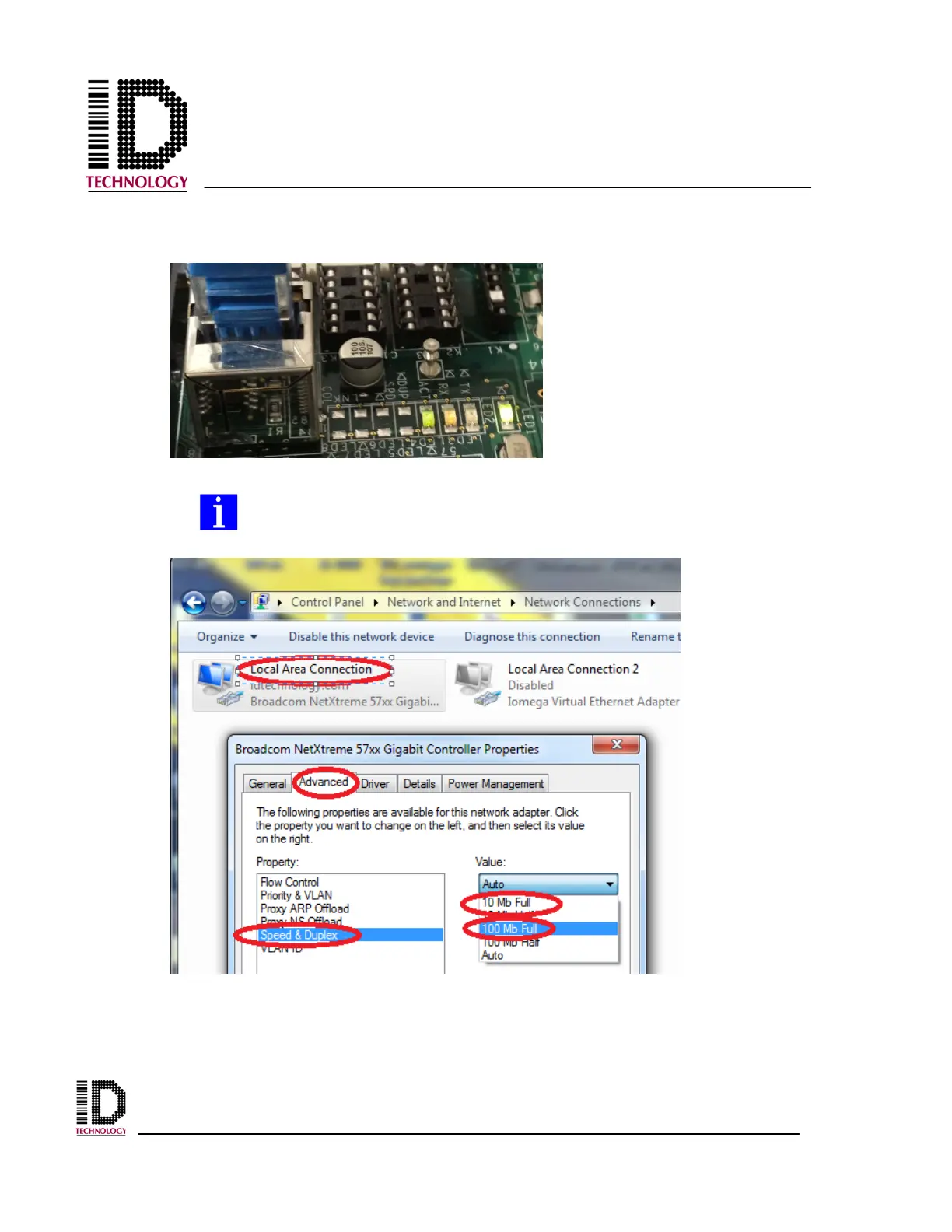
3) Power the unit on. A link is indicated on the RX and ACT LEDs near the
network connector.
When using a crossover cable it may be necessary to change the PC Ethernet
adapter settings in order to establish a connection. In the network adapter
settings, change the Speed from Auto to 10Mb Full or 100Mb Full



 To Next Page