Model 252
Label Printer/Applicator
Operators/Technical Manual
9
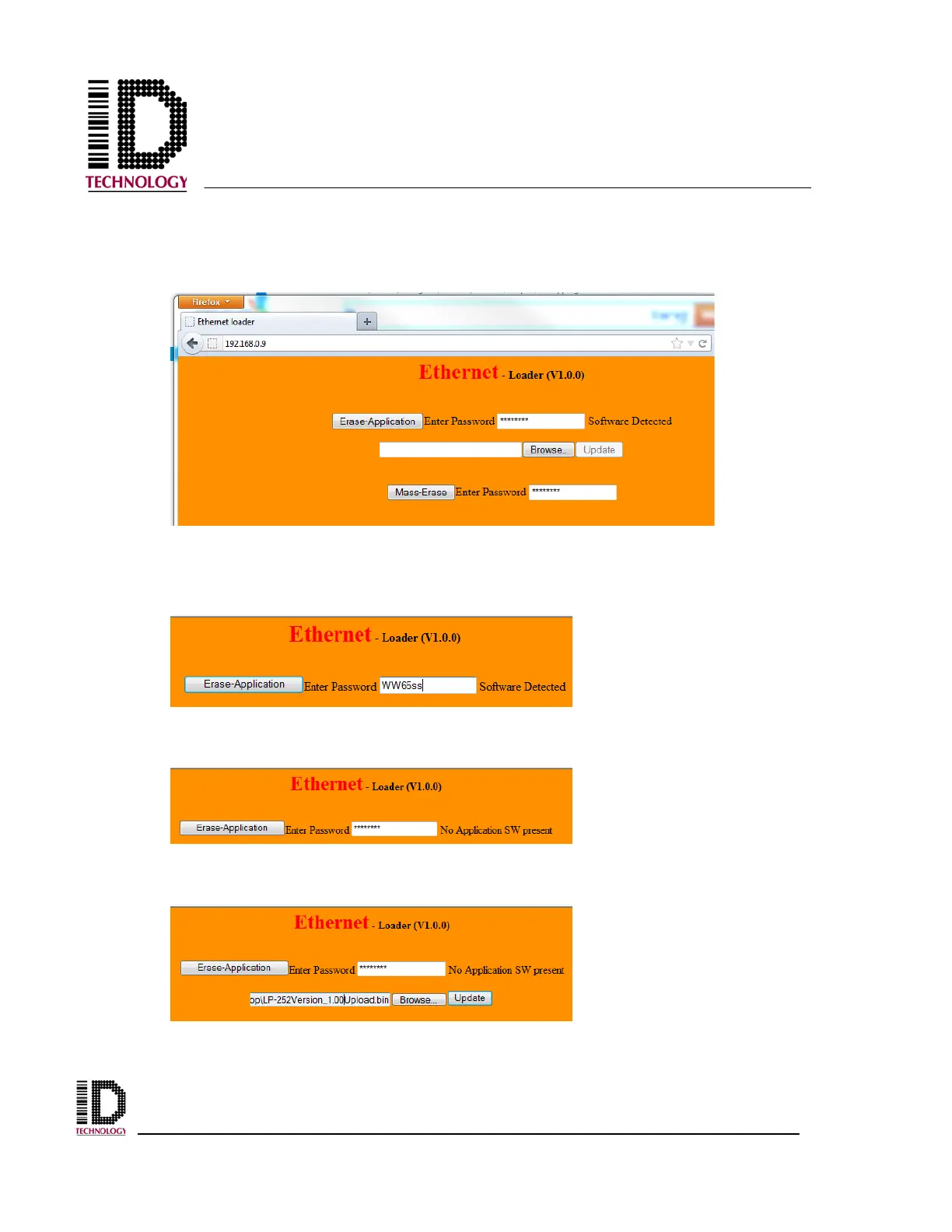
4) In a web browser, navigate to 192.168.0.9 to open the uploader. It may be
necessary to modify the computer’s IP address and subnet mask in order to
obtain a connection.
5) The existing firmware must first be erased. Enter the password WW65ss and
press “Erase Application”
.
6) After a successful erase, the page will show “No Application SW present”
7) Select the Browser button to locate the desired .bin file for the firmware
version being installed.



 To Next Page