IDEATEC S.A. - Z.I. de Noville-les-Bois - rue Léopold Génicot 19A - 5380 Fernelmont, Belgium - Tel: +32(0)81 42 00 10 - Fax: +32(0)81 57 91 70 - E-mail: info@ideatec.be
User Guide POLARIS V1.0 - Console V1.16 - Module V2.16
Page 49
SETTING - USER 1
SYSTEM OK
a
Fig.1
Code
******
21
3
4
5
6
7
8 9
0
CL
a
SETTING - USER 1
9.
ICON IS PROBABLY PROTECTED BY CODE AND DO NOT APPEAR ON SCREEN.
So click on icon to enter your access code then press on icon to validate.
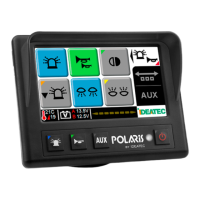
Then to access to the parameter section, please press on the logo as described on the picture (Fig.1) below :
Your warranty
Configuration (continued)
9.2 Touchscreen Console Configuration (continued)
9.2.2 Console address selection (continued)
If icon does appear directly when pressing on , you do not need to enter your code.


 To Next Page