IDEATEC S.A. - Z.I. de Noville-les-Bois - rue Léopold Génicot 19A - 5380 Fernelmont, Belgium - Tel: +32(0)81 42 00 10 - Fax: +32(0)81 57 91 70 - E-mail: info@ideatec.be
User Guide POLARIS V1.0 - Console V1.16 - Module V2.16
Page 6
3.
POSITIVE/NEGATIVE INPUTS
NEGATIVE OUTPUTS
MAIN NEGATIVE
POSITIVE OUTPUTS
CENTRAL
UNIT
POLARIS
SMALL & MEDIUM SIZES
CONSOLE 1
POLARIS
CONSOLE 2
POLARIS
CONSOLE 3
POLARIS
UNITHERM
-HD
INTERFACE
(option)
BUS CABLE
BUS CABLE
BUS CABLE
POSITIVE/NEGATIVE INPUTS
ANALOGUE INPUTS
NEGATIVE OUTPUTS
CANBUS CONNECTION
& MAIN NEGATIVE
POSITIVE OUTPUTS
MAIN POSITIVE INPUT
Product description (following)
3.2 Hardware Configuration Example
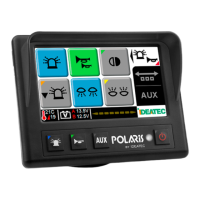
This typical hardware configuration POLARIS includes one Central Unit POLARIS, one touchscreen console - foot
mounting, two touchscreen consoles - panel mounting and one Unitherm-HD interface to control airco/heating system.
The minimal configuration requires at least one central unit and one console.POLARIS
BUS CABLE
LARGE & XLARGE SIZES
MAIN POSITIVE INPUT


 To Next Page