Page 64 of 116
©HALE PRODUCTS, INC. Our policy is one of continuous development. We therefore
reserve the right to amend specifications without notice or obligation.
USER MENU
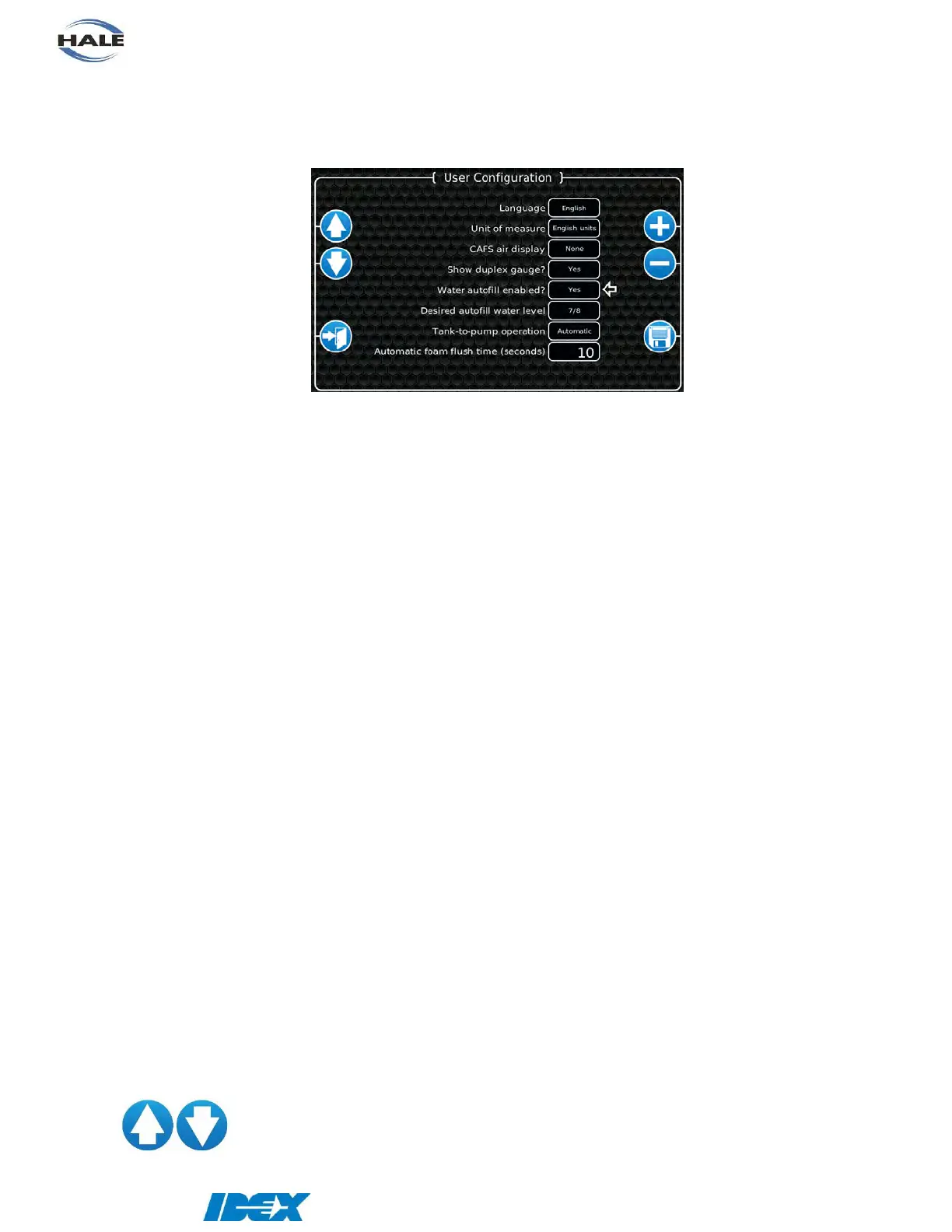
Enter the password 1849 in the system menu’s keyboard to open the user menu. The user
menu allows setting of user configurable items.
Language - select the desired language to show within the SmartCAFS Controller.
Default: English
Unit of measure - select the desired unit of measure for the system (English or metric).
Default: English units
CAFS air display - select the desired display to be shown for the air. This display is shown
beneath the water flow display (none, SCFM, ratio, or air pressure).
Note: SCFM will only be shown if a Hale air flow sensing valve is
installed.
Default: None
Show duplex gauge? - select whether to show the duplex gauge when additional information is
toggled.
Default: No
Water autofill enabled? - select whether to use auto-fill.
Default: No
Desired autofill water level - select the level to maintain in auto-fill (fill, 7/8, 3/4, 5/8, 1/2, 3/8,
1/4, 1/8, empty).
Default: 7/8
Tank-to-pump operation - select whether the tank-to-pump valve is operated manually or
automatically (or none if an air actuated tank-to-pump valve is not
installed).
Default: Automatic
Automatic foam flush time - number of seconds that the foam system must be flushed (2 to 60
seconds).
Default: 10 seconds
(y) UP/DOWN arrow buttons
Select the menu item. The white arrow points to the currently
selected menu item.


 To Next Page