Page 69 of 116
©HALE PRODUCTS, INC. Our policy is one of continuous development. We therefore
reserve the right to amend specifications without notice or obligation.
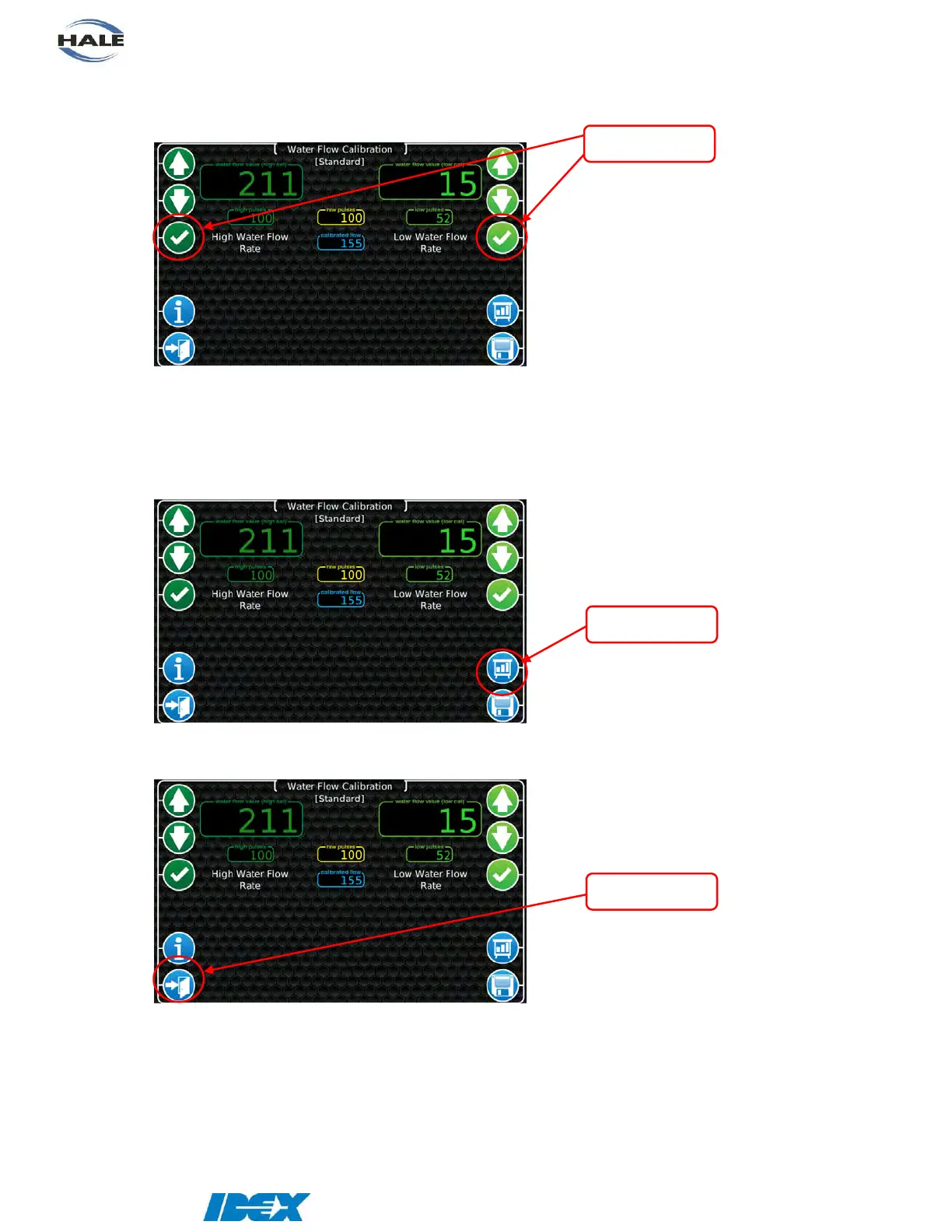
5. Press the “check mark” button on the desired side (high or low). Make sure that the value
in the yellow “raw pulses” display window is now in the green “high pulses” (or “low
pulses”) display window.
6. Perform these same steps for the other flow rate.
7. Press the “save” button to complete the calibration. Decrease the throttle and stop water
flow.
8. Press the “exit” button to return to the calibration menu.


 To Next Page