Page 71 of 116
©HALE PRODUCTS, INC. Our policy is one of continuous development. We therefore
reserve the right to amend specifications without notice or obligation.
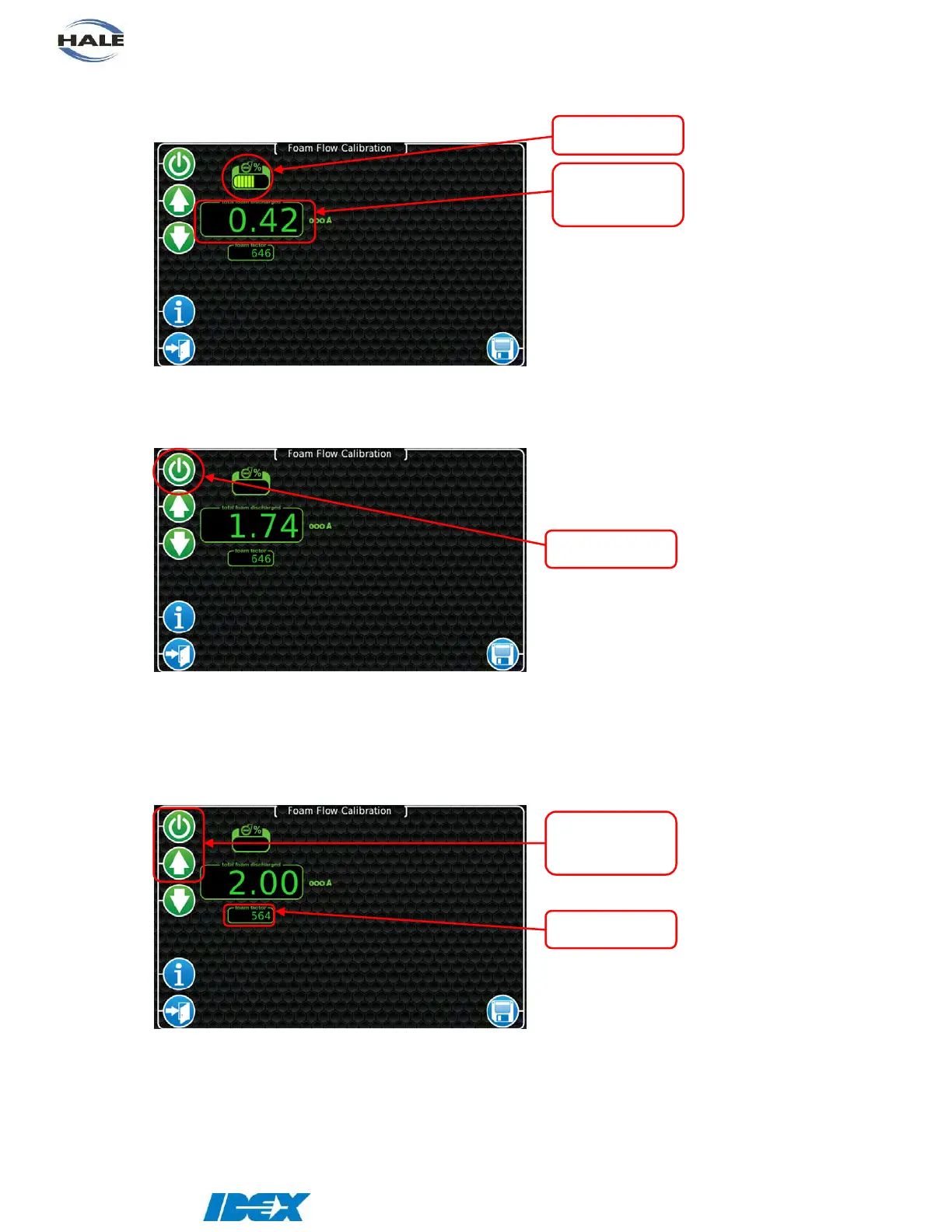
4. The bar graph will increase to indicate that the foam pump is running and the system will
begin discharging foam concentrate. The “total foam discharged” display will begin
incrementing.
5. When the foam concentrate has filled the container to a known level press the power
button again to stop the foam system.
6. Use the UP/DOWN arrow buttons to change the value shown in the “total foam
discharged” window to reflect the value actually collected in the container (the “foam
factor” value will be changing, but in the inverse direction).


 To Next Page