106 iDirect Satellite Router Installation and Commissioning Guide
iDX Release 3.3
Remote Installer Duties
After acquisition, record the baseline readings as outlined below. The data serves as a
reference in case the antenna is moved or some other service issue arises.
Baseline readings are checked periodically by the Network
Operator to ensure that the service
is not degrading. Many events such as bad weather, sand or dust storms, solar flares,
movement of the antenna, or aging can cause the levels to change. For transient events,
monitor the levels to confirm return to the baseline values.
Follow the procedure in “Recording Remote Status Using a Console Connection” to record the
baseline readings for all model types except for Evolution X1, X7, and e1
50 Satellite Routers.
For those models, follow the procedure in “Recording Remote Status Using Web iSite” on
page107 on page 107.
18.2.1 Recording Remote Status Using a Console Connection
Follow the steps in this section if commissioning an Evolution X3, X5, e8350, or e8xx Satellite
Router.
To Display Remote Status Messages:
1. Telnet to the Satellite Router or open a terminal session
to the Satellite Router. See
“Connecting to the Console Port” on page17 for details, including default passwords.
2. Log in as roo
t and telnet localhost to the admin account.
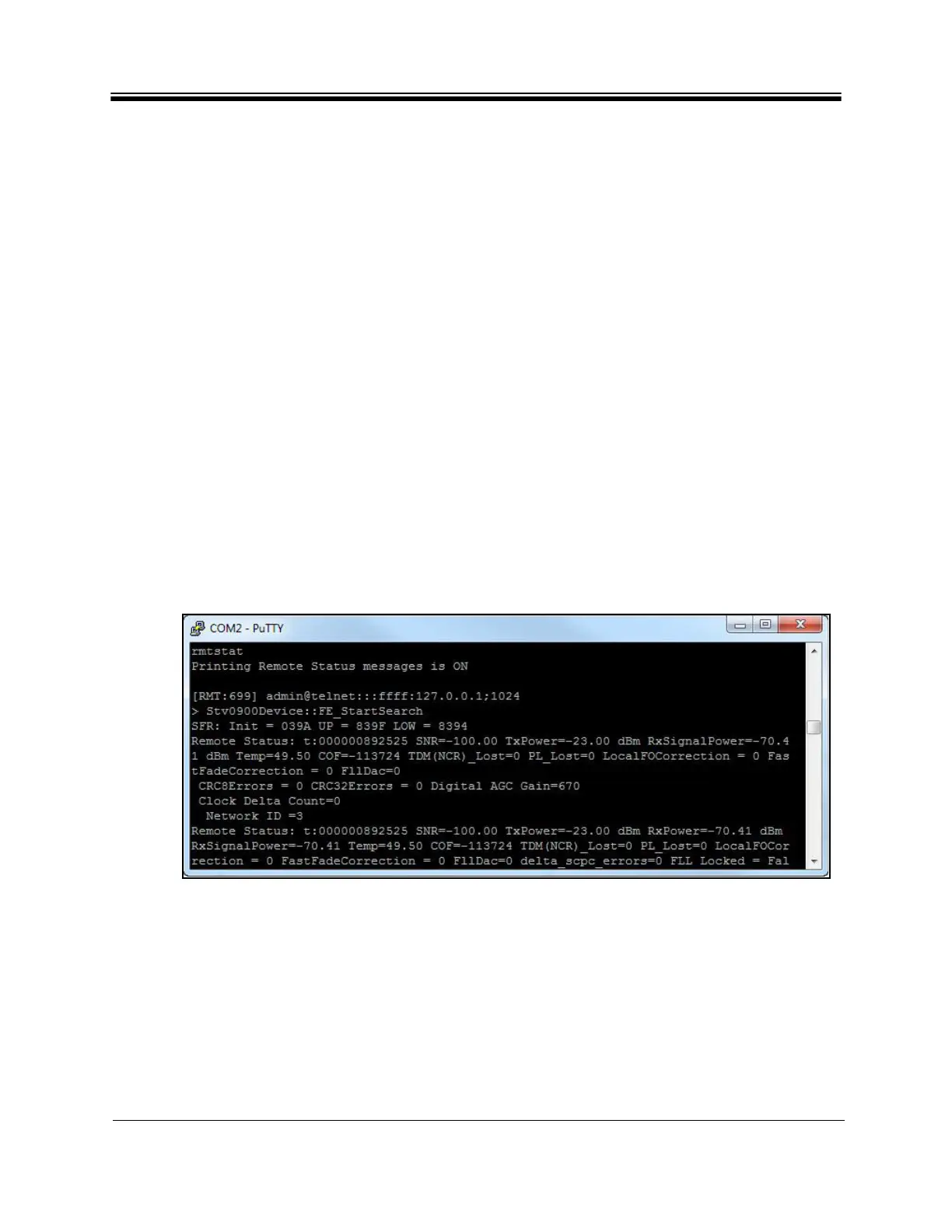
3. At the prompt, enter the rmtstat
command. The command toggles Status Message
printing On or OFF. Confirm that the return message is “Printing Remote Status
messages is ON”. See Figure 59.
Figure 59. Remote Status Message
4. Wait for R
emote Status: to display. The message updates periodically. Record the
following data from the remote status message:
a. SNR (Signal-to-Noise ratio of
downstream carrier)
b. TxPower (IF output power i
n dBm)
c. RxSignalPower
(Total composite input power seen by the receiver)
d. Temp (Operating temperature in degrees Celsius)
5. R
eport the readings to the Network Operator
, and save locally for future reference



 To Next Page