44 iDirect Satellite Router Installation and Commissioning Guide
iDX Release 3.3
Connecting with Web iSite
Note: For a complete description of X1 features, controls, and operational
characteristics, refer to the X1 Installation, Support, and Maintenance Manual.
Return to the procedures in this chapter beginning on page 41 to connect to the Satellite
Router. Note that if package and option
s files have b
een loaded previously, although ignored
while in the Factory Default mode, they will be made active following a return to the
operational mode.
When finished loading the software package and options files, restart the Satellite R
outer to
activate the files and return to the operational mode.
8.3.2 X7
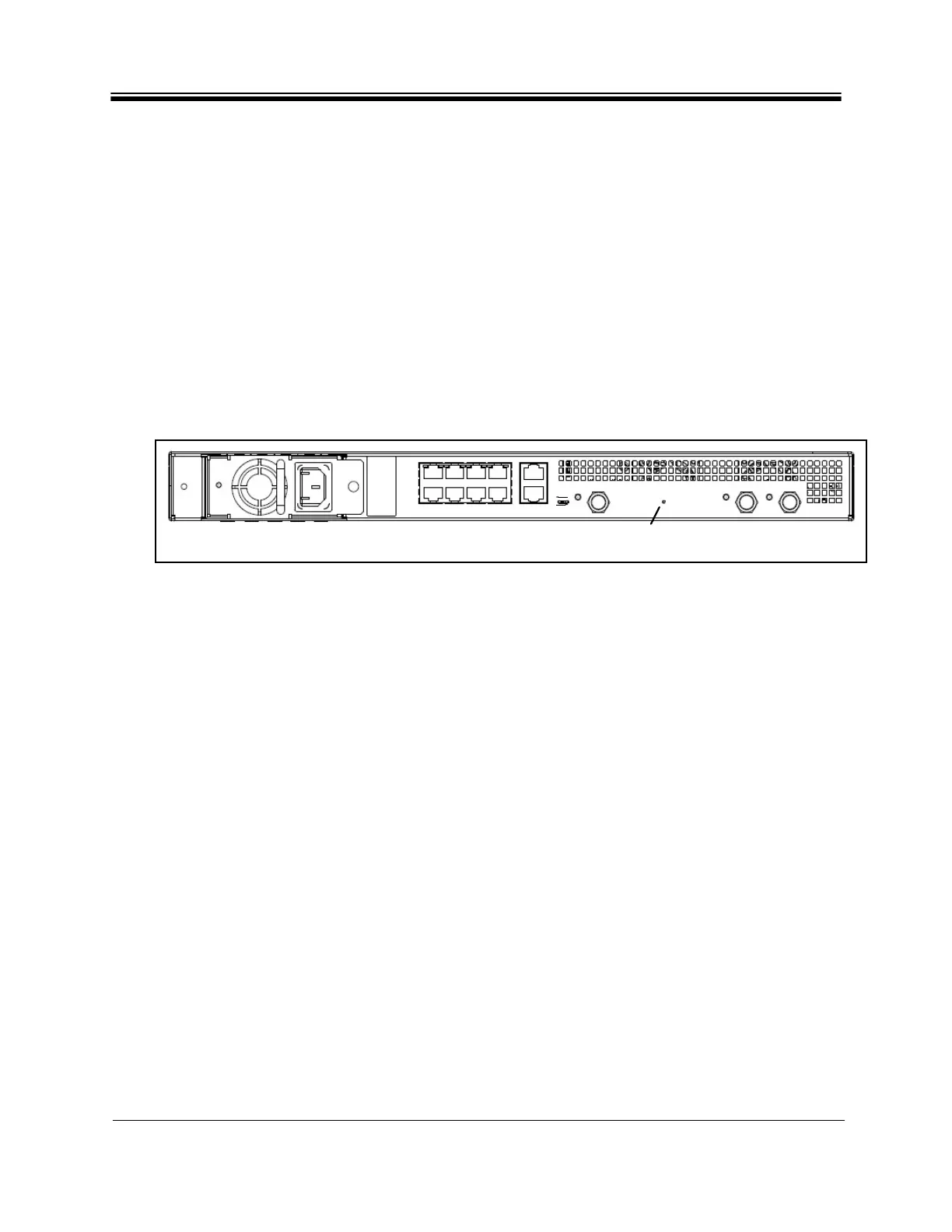
The Evolution X7 Satellite Router provides a manual reset button similar to the X1 Indoor. The
reset button of the X7 is located midway between the TX Out port and the RX1 In port. See
Figure 26.
Figure 26. Evolution X7 Reset Button: Location
To Restart an Evolution X7 Satellite Router in Factory Default Mode:
1. P
ress and hold the reset button for at least fifteen seconds.
2. Release the reset button.
Note:
For a complete description of X7 features, controls, and operational
char
acteristics, refer to the X7 Installation, Support, and Maintenance Manual.
8.3.3 e150
Factory default mode of the e150 is entered by applying a contact closure across the reset
lines of the J5 Reset Header for a minimum of eight seconds. The factory default mode
attributes are the same as for the X1 Indoor and Outdoor Satellite Routers. See the iDirect
e150 Satellite Router Integration Guide for details.
TX Out RX1 In
LNB1
PWR
BUC
PWR
+24V
+48V
LNB2
PWR
RX2 In
Console
BUC I/O
Reset Button
Access Hole
LAN
1
2
3
4
5
6
7
8



 To Next Page