iDirect Satellite Router Installation and Commissioning Guide 55
iDX Release 3.3
Loading Options Files with Web iSite
c. Execute the procedure “Loading the Package File” on page 49 a second time to load
the second flash partition with the current softwa
re package. It is not necessary to
reload the options file or restart the Satellite Router again before continuing to the
next procedure.
Note: iDirect recommends loading the X7 software p
ackage a second time.
This allows the Satellite Router to operate using the software in the
second partition in the unlikely event of an unrecoverable error in the
operational partition.
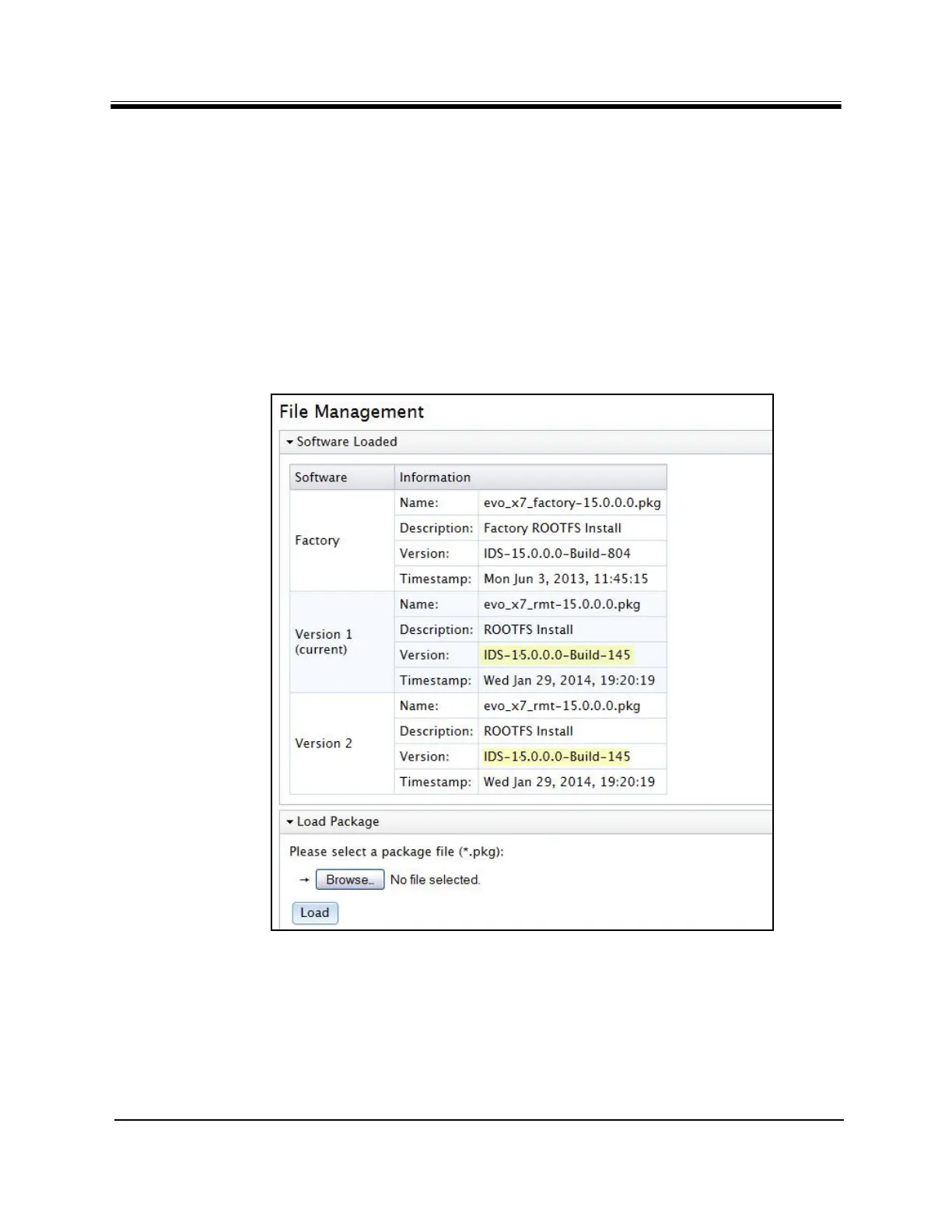
d. In the Software Loaded sec
tion of the Web iSite AdminFile Management page,
verify that both Version 1 and Version 2 have the latest software release and build
number in the Version field. Figure 35 shows an X7 Satellite Router with the same
software package loaded in both partitions.
Figure 35. Evolution X7 with Latest Software in Bo
th
Partitions
Proceed to “Pointing the Antenna with Web iSite” on page 59.



 To Next Page