iDirect Satellite Router Installation and Commissioning Guide 25
iDX Release 3.3
Loading Packages with iSite
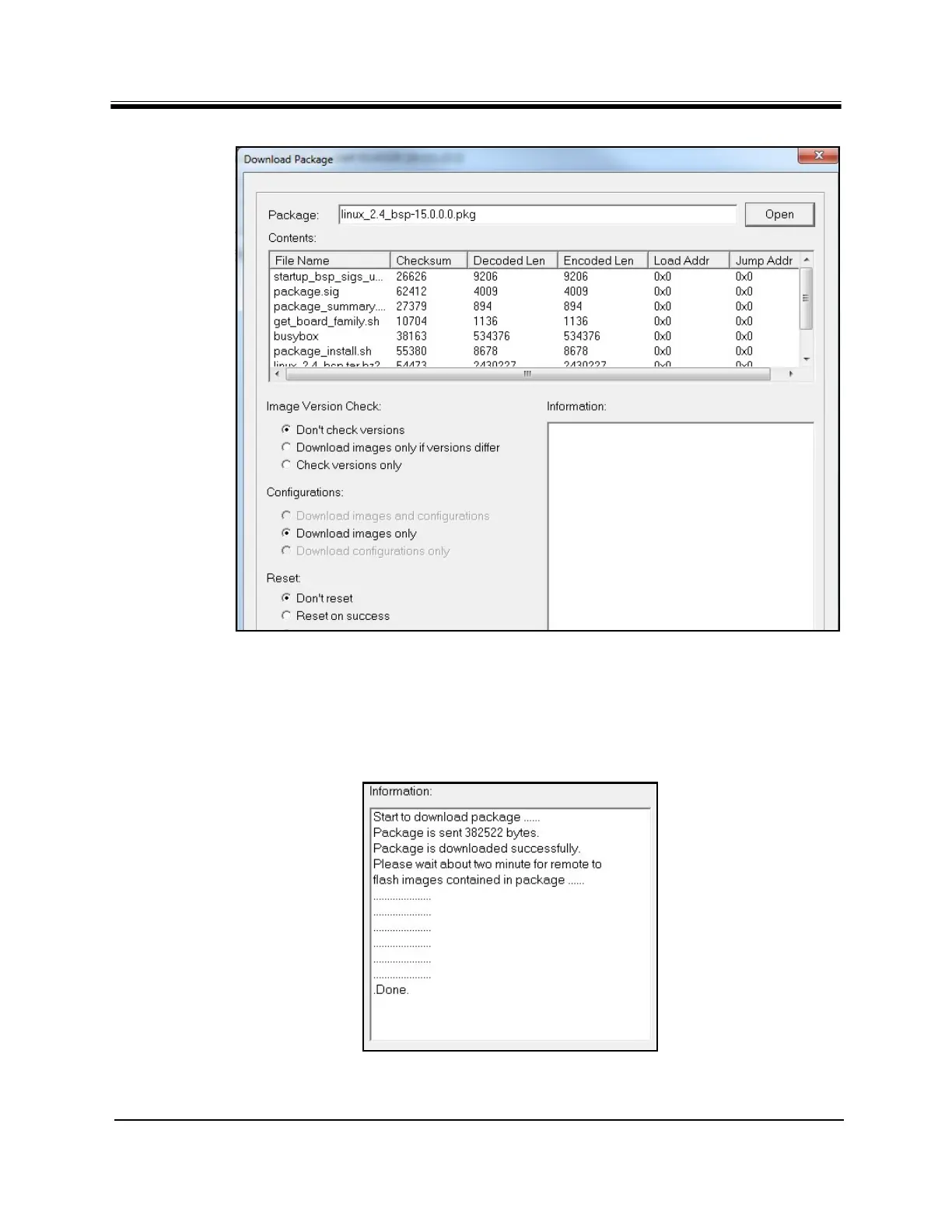
Figure 15. Download Package Dialog Box Settings
Note: For the following steps, additional (optional) confirmation of successful
package loading is available by monitoring execution in a Console session. See
“Connecting to the Console Port” on page17.
7. Click Start. The Dow
nload Package Information window displays the progress of the file
transfer and image flash. Wait until the word Done is displayed before proceeding.
Figure 16. Information Window: File Transfer Progress



 To Next Page