42 iDirect Satellite Router Installation and Commissioning Guide
iDX Release 3.3
Connecting with Web iSite
Note: After an options file has been loaded on the Satellite Router, the factory
default admin password, IP address, and DHCP configuration update to the
values in the options file.
When shipped, the X1, X7, and e150 DHCP servers are enable
d with a single client IP address
enabling connection without modifying the IP address on the local PC. If DHCP is disabled on
the Satellite Router, or if the local PC uses static IP addressing, follow the steps in “Local Area
Connection” on page 14 to reconfigure the local IP settings.
If the IP address of an Evolution X1, X7, or e150 Satellite R
outer is unknown, follow the
procedure in “Restoring Factory Defaults” on page 42 to restore the factory default IP
address.
After determining the IP address, continue to “Loading Packages with We
b iSite” on page 47.
8.3 Restoring Factory Defaults
An Evolution X1, X7, or e150 Satellite Router may be restarted in a factory default mode to
restore the factory default settings. Uses of the factory default mode include:
• Connecting to a Satellite Router with an unknown IP address
• Reloading the factory software ima
g
e for troubleshooting purposes
Restart the Satellite Router in the factory default mode if a connection cannot be established
or so
ftware loading fails. An operator must be physically present at the Satellite Router
location to press the reset button.
To enter the factory default mode, press the reset button
on the Satellite Router for a
minimum specified period of time as described in the following sections.
Note: For the Evolution X7 Satellite Router only, ent
ering Factory Default Mode
deletes all previous user configurations. Reload the package and options files
after invoking Factory Default Mode. For Evolution X1 and e150 satellite
routers, the package and options files are not deleted.
8.3.1 X1 Indoor/Outdoor
The reset buttons of the indoor and outdoor versions of the X1 are in different locations:
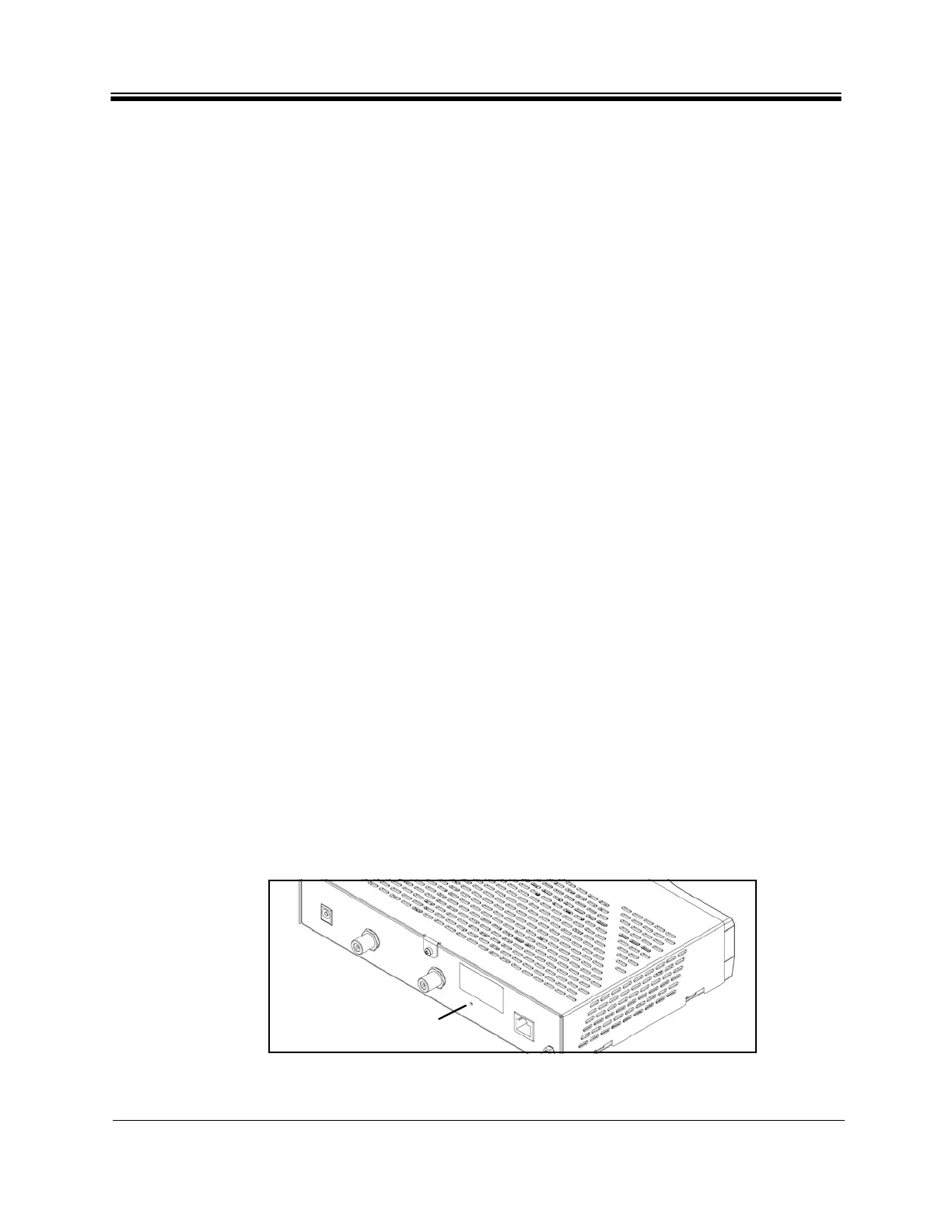
On the Evolution X1 Indoor Satellite Router, the reset button is accessed through a
small hole
between the Rx In port and the LAN port. To press the reset button, insert a paper clip or
similar tool into the access hole and press gently. See Figure 24.
Figure 24. X1 Indoor Rear Pa
nel: Reset Access Hole



 To Next Page