iDirect Satellite Router Installation and Commissioning Guide 43
iDX Release 3.3
Connecting with Web iSite
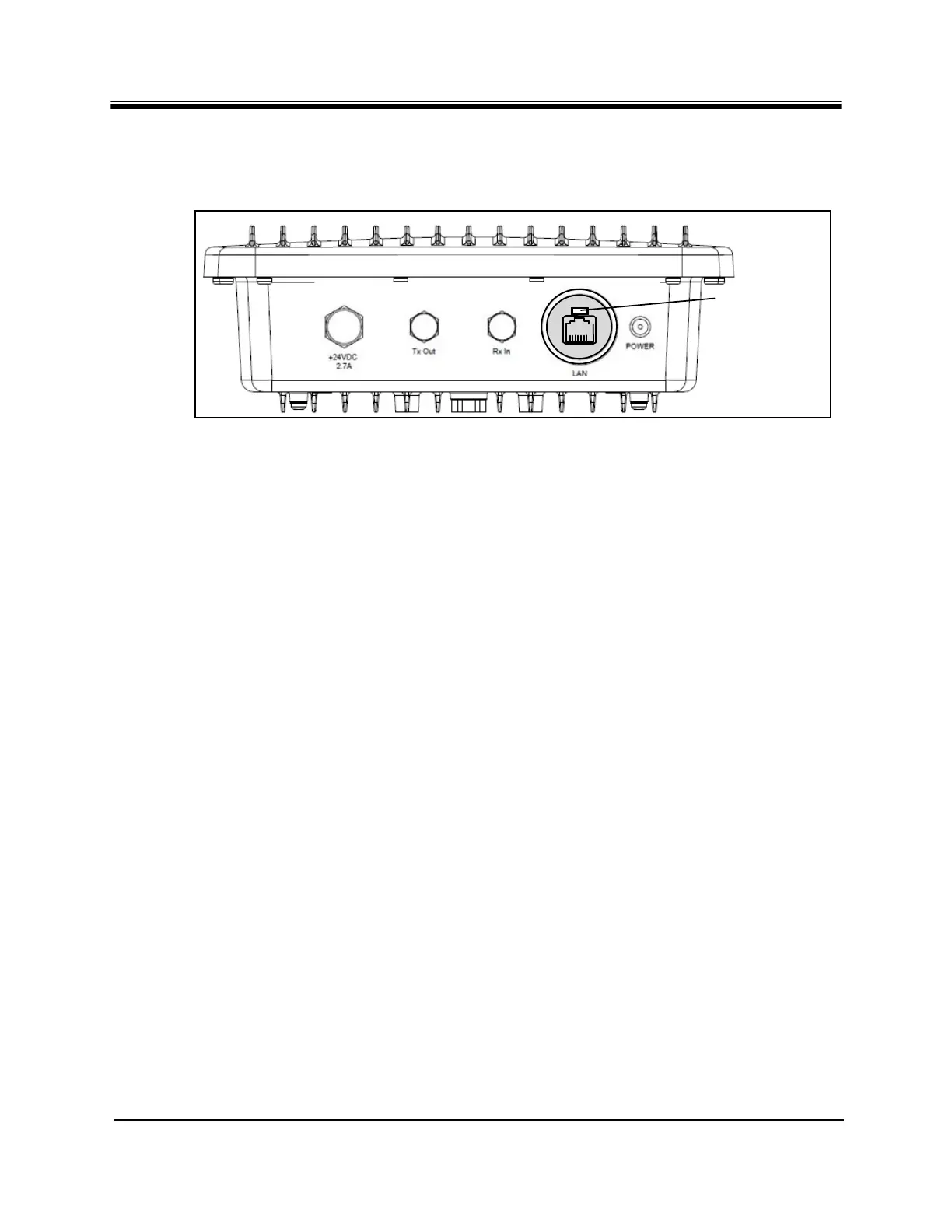
On the Evolution X1 Outdoor Satellite Router, the reset button is located immediately above
the RJ-45 connector of the LAN port. Use a small, flat-blade screwdriver or similar tool to
press the button. See
Figure 25.
Figure 25. X1 Outdoor Front Panel: Reset Button
Note: To access the LAN port and reset button on an Evolution X1 Ou
tdoor Satellite
Router, remove the M25 Cable Gland covering the LAN port.
The reset button has two uses:
• Press the reset button for less than eight seconds to restart
the Satellite Router in the
operational mode. This is identical to a power-on restart.
• Press the reset button for eight seconds o
r longer to restart the Satellite Router in the
factory default mode.
When in the factory default mode, the Satellite Ro
uter executes the factory firmware using
the default settings even if a software package and/or options file have been loaded on the
Satellite Router previously.
The default settings are:
• LAN IP address: 192.168.0.1
• Subnet Mask: 255.255.255.0
• DHCP Server: enabled with a single c
lient address
of 192.168.0.2
• Password (for both user and ad
min accounts): iDirect
To Restart an Evolution X1 Satellite Router in Factory Default Mode:
1. Press and hold the reset button for at least eight seconds.
2. Release the reset button.
Alterna
te Procedure:
1. Remove power from the Satellite Router.
2. Press and hold the reset button.
3. Apply power to th
e Satellite Router.
4. Release the reset button after eight seconds.



 To Next Page