iDirect Satellite Router Installation and Commissioning Guide 49
iDX Release 3.3
Loading Packages with Web iSite
WARNING! Always load the software package regardless of the Software Version shown
in the dashboard. Load the new package even if the Release Number and/or
Build Number displayed for the Software Version is identical to the software
package downloaded from the TAC Web site for this release.
9.2 Loading the Package File
After establishing communications via Web iSite and logging in, the remote software package
file is loaded on the Satellite Router. If using a Downstream Template to load both software
and options file, skip to “Downstream Template” on page 56.
Ta b l e 5 identifies the folder names containing the package files, and the
contents of each
folder. The Imag
es folder is in the location on the local PC created by the unzip operation.
To Load the Package File:
1. In the top navigation bar in We
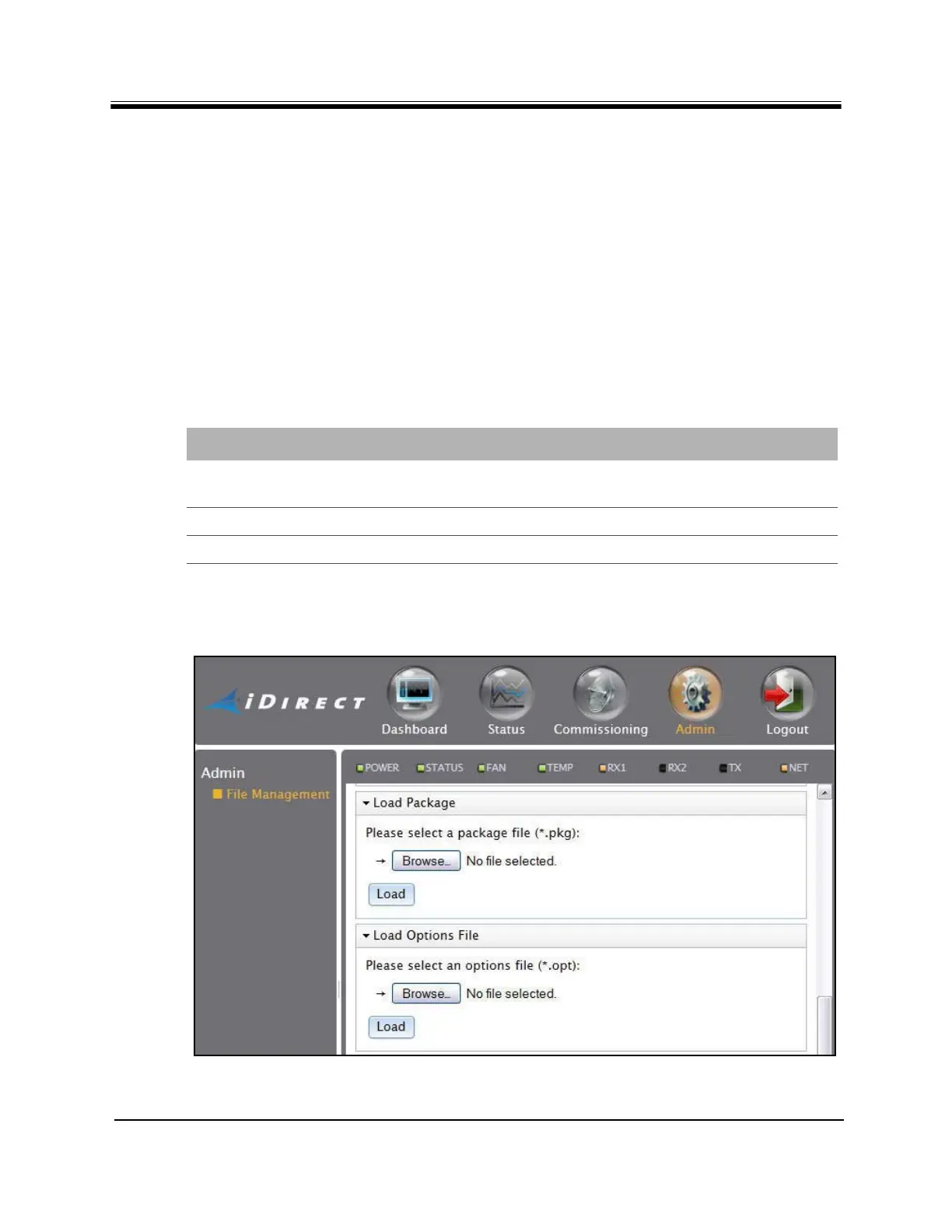
b iSite, click the Admin button. The File Management
page appears by default (Figure 30). If not, click the File Management link on t
he left.
Figure 30. Web iSite File Management Pa
ge: Load Sections
Table 5. iDX Release 3.3 Remote Software Packages
Satellite Router Location Packages to Download
X1 /Images/Remote_Evolution_X1_e150 evo_x1_indoor_rmt-15.0.0.0.pkg
evo_x1_outdoor_rmt-15.0.0.0.pkg
X7 /Images/Remote_Evolution_X7 evo_X7_rmt-15.0.0.0.pkg
e150 /Images/Remote_Evolution_X1_e150 evo_e150_rmt-15.0.0.0.pkg



 To Next Page