6 MOVING THE ROBOT WITH IRC
• "Programs & Variables": displays the current values of the program variables.
• "Cameras": Images of the connected cameras and detected object positions.
• "Statistics": Statistics about the system and the running robot program.
The "Help" icon in the lower right corner contains links to the wiki pages ("Online Doc-
umentation", "Software Updates", "Examples", "Troubleshooting") and a link to "Con-
tact Support". The log files of iRC and the integrated controller can also be accessed
here.
6.1.1 Selecting the type of robot
iRC provides project-related settings for different robot types, such as gantries, robot arms or delta
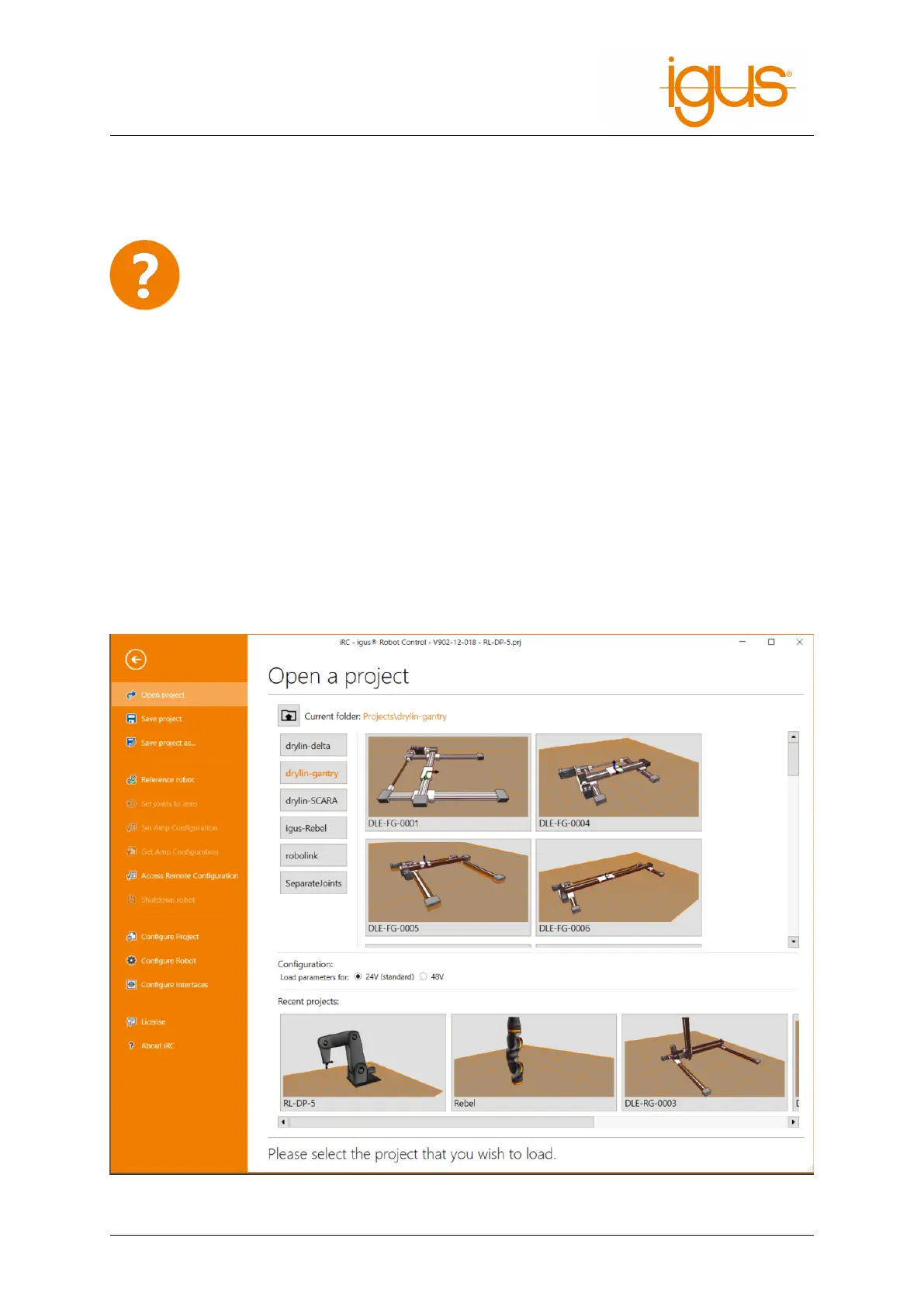
robots. Figure 4 shows the project open area, which can be used to load the corresponding project.
1. Click on the "File" tab in the upper left corner and select "Open Project".
2. Select the robot group, e.g. "robolink".
3. Make sure that the parameter set matching the operating voltage of the robot is selected. This
will affect the speed and acceleration.
4. Now click on the entry that matches your robot, e.g. RL-DP-5.
Figure 4: Selection of the robot type via the menu item "File" → "Open Project"
©2022 igus® GmbH 15



 To Next Page