7 PROGRAMMING A ROBOT WITH IRC
7.3.5 Relative Motion
The Relative command allows to move the robot relative to its current position. It can be called from
the menu items under "Action" → "Relative Motion".
Under "Type" the following modes of relative movement can be selected:
• "Joint": The relative offset is specified in axis coordinates. The motion speed is specified by
"Speed" in percent of the maximum allowed motion speed for the respective robot axes.
• "Linear - Base": A linear motion is performed with an offset specified in Cartesian coordinates.
The coordinate system used for the offset is the robot coordinate system. The velocity is speci-
fied by "Velocity". It is measured in mm/s, if it exceeds the maximum allowed motion speed of
the robot, it will cause a kinematic error during execution.
• "Linear - Tool": A linear movement is performed with an offset specified in Cartesian coordi-
nates. The coordinate system used for the offset is tool coordinates. The speed of movement
is specified by "Speed". It is measured in mm/s. If it exceeds the maximum permissible move-
ment speed of the robot, this will result in a kinematic error during execution.
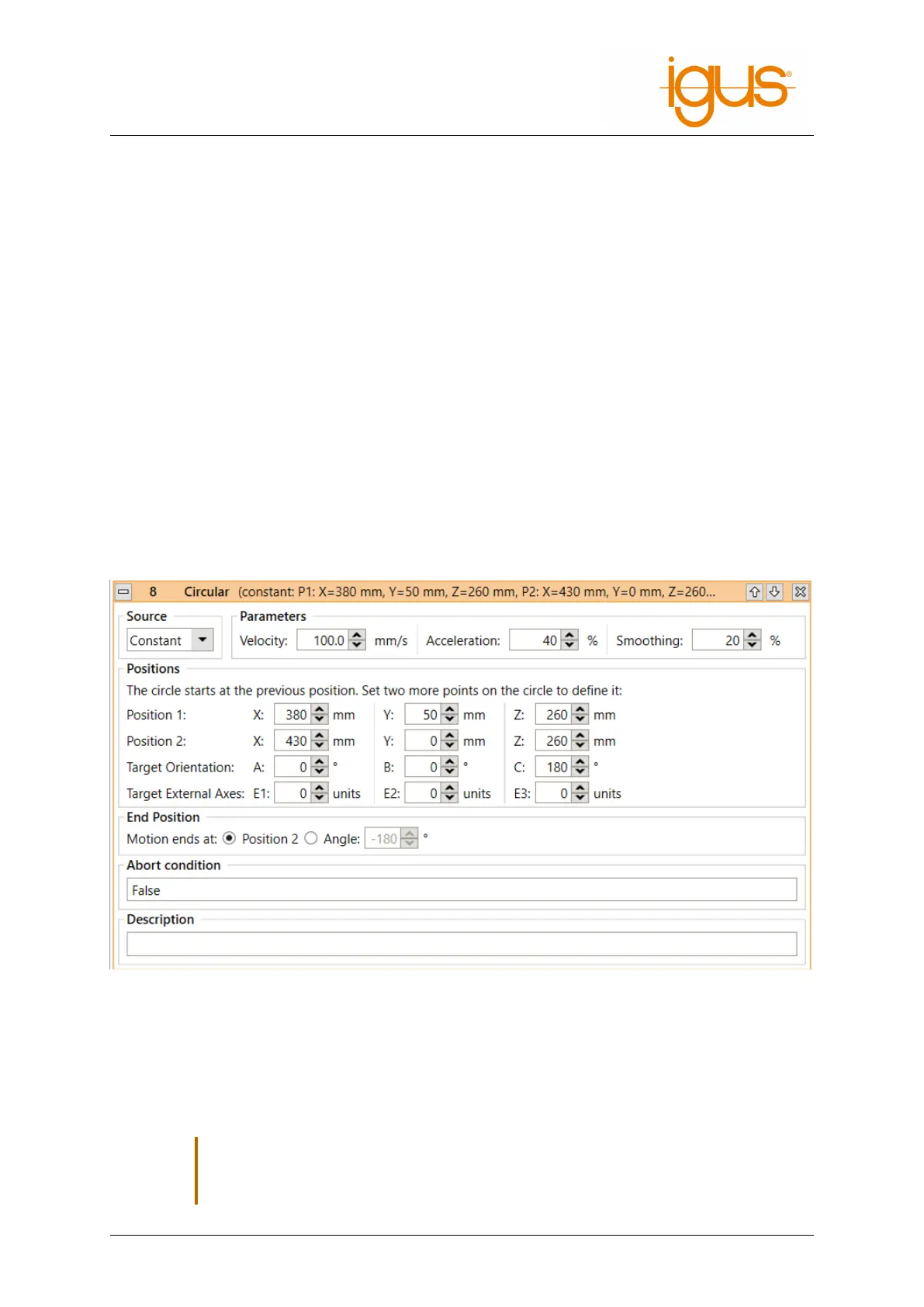
7.3.6 Circular Motion
The instruction "Circular Motion" enables movements along a full or partial circular path. It is com-
patible with linear movements, so that the transition from and to linear movements can be smoothed.
The circular path is defined by three points and optionally a target angle. The starting point is the po-
sition before the start of the circular command, usually the target position of the previous instruction.
Position 1 is a helper position on the circular path. Position 2 is the target position on the circular path.
If a target angle is specified, the movement can stop before reaching the points or go beyond them.
If angles greater than 360° are specified, the circle is moved several times, negative angles reverse the
direction of the motion.
,
The circular motion should not be the first motion instruction in the robot program. If
the program starts at an unexpected position, the circle may become larger or smaller
than expected.
©2022 igus® GmbH 27



 To Next Page