6 MOVING THE ROBOT WITH IRC
– Once (the program stops after a single cycle).
– Repeat (the program stops only by "Stop" or "Interrupt").
– Single step (this is useful for debugging a program).
6.6 Digital inputs and outputs
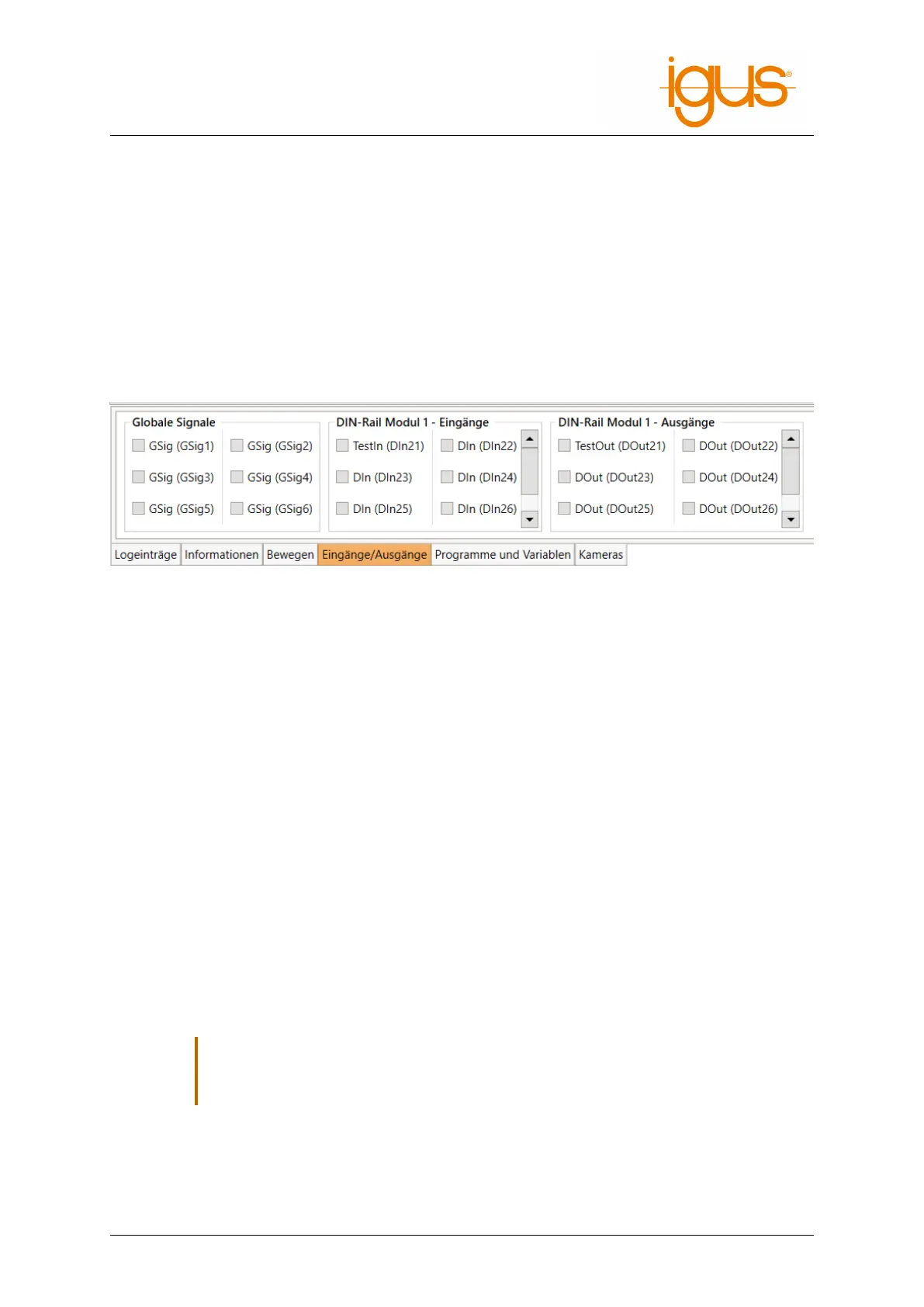
The status of the inputs and outputs can be monitored under "Inputs/Outputs". Both inputs and
outputs can be manually activated or deactivated:
• Outputs can be set manually when no program is running.
• Inputs can only be set in simulation when no robot is connected. So you can test the reaction
of programs to different inputs even without the corresponding hardware.
Figure 11: Input/output area of the iRC - igus Robot Control.
The configuration of the inputs and outputs is described in section 8.1.
6.7 Software interfaces
The robot controller provides various interfaces:
• PLC interface for control via the digital inputs and outputs. Especially for easy starting and
stopping of programs via a PLC or pushbutton.
• Modbus TCP interface for control via a PLC or PC.
• CRI Ethernet interface for control and configuration via a PLC or PC. This interface offers the
widest range of functions, but requires individual implementation.
• ROS interface for operating the robot via the Robot Operating System (www.ros.org).
• Interface for object detection cameras.
• Cloud interface for monitoring the robot state.
See section 9.2 for the configuration of these interfaces.
6.8 Updating the software
Updates of the iRCsoftware can be found at the following address: h ttps://wik i.cpr-robots.co
m/index.php/IgusRobotControl-EN.
,
Create a backup because files can be overwritten during the update!
Rename your old iRC-Folder (z.B. C:\iRC-igusRobotControl) before starting the instal-
lation. This way you can go back to the old version.
The following may need to be copied from the previous installation:
• The created robot programs
• Changes in the project or in the robot configurations.
©2022 igus® GmbH 21



 To Next Page