6 MOVING THE ROBOT WITH IRC
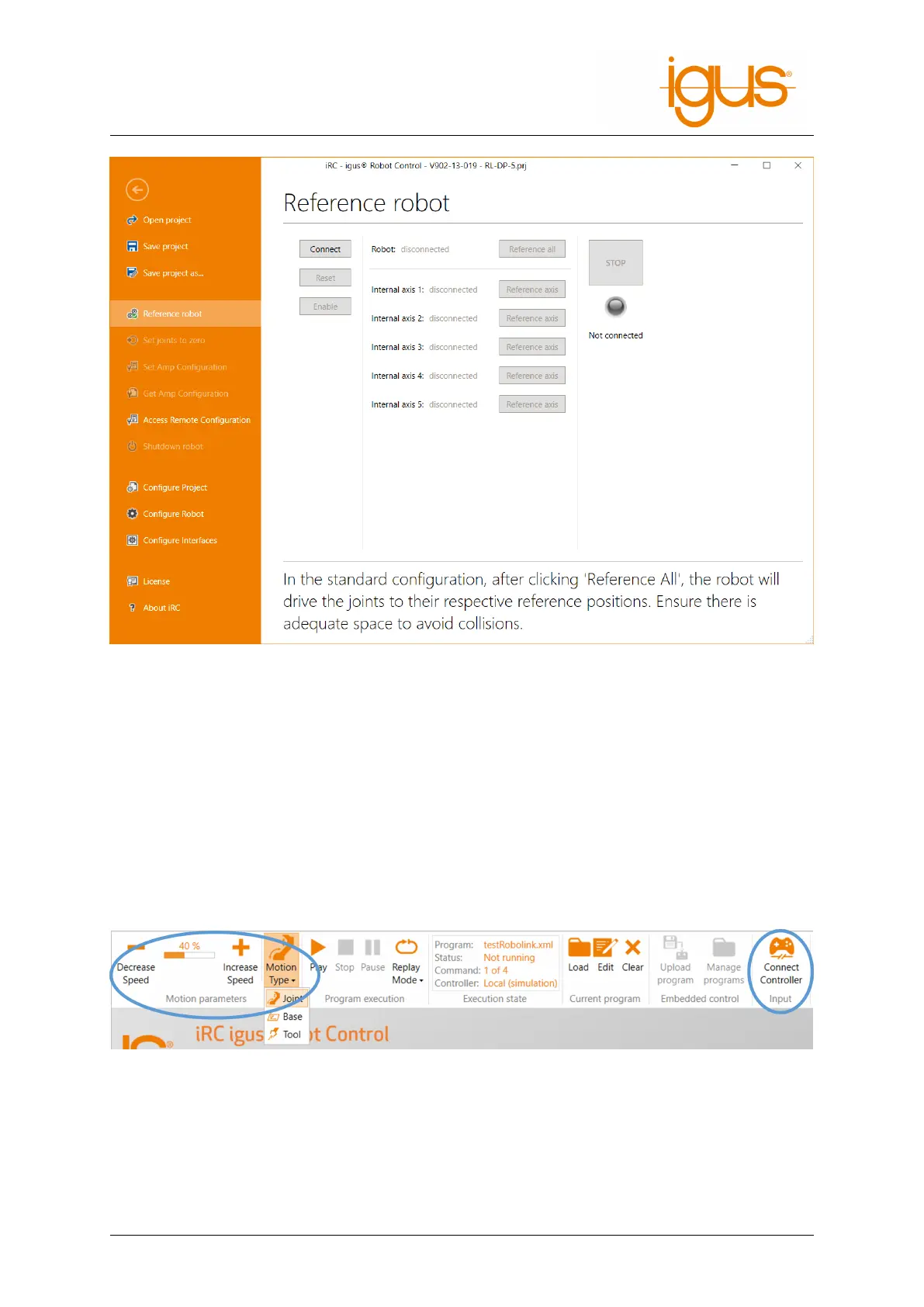
Figure 6: Referencing of the axes.
6.4 Moving the robot
The robot can be moved manually (or "jogged") when no program is running. The following options
are available for this purpose:
• Software keys
• dragging joints in 3D area
• gamepad
The most important settings can be found in the "Movement" tab (see Fig. 7):
• "Input": Connecting a gamepad
• "Motion parameters": Selection of movement modes and speed
Figure 7: Control panels for moving the robot (highlighted in blue).
A gamepad is possibly the most intuitive way to move the robot. The fig. 8 shows the key assignment.
Pressing "Connect Gamepad" will connect iRC to a gamepad. If the connection is successful, an OK
sign will be displayed under the icon. The device must be of type "Joystick" or "Gamepad". For more
information about the connection, see the "LogMessages" tab (at the bottom of the window area).
©2022 igus® GmbH 18



 To Next Page