7 PROGRAMMING A ROBOT WITH IRC
7.5.4 Wait
The Wait command instructs the robot to wait until a specified amount of time has passed or a condi-
tion is met. It is accessible via the menu items under "Program Flow" → "Wait" in the program editor
of the iRC.
The different modes can be selected under "Type":
• "Timeout": The time specified in "Timeout" will be waited.
• "Condition": Waits until the condition specified in "Expression" evaluates to "true".
7.5.5 If-then-else
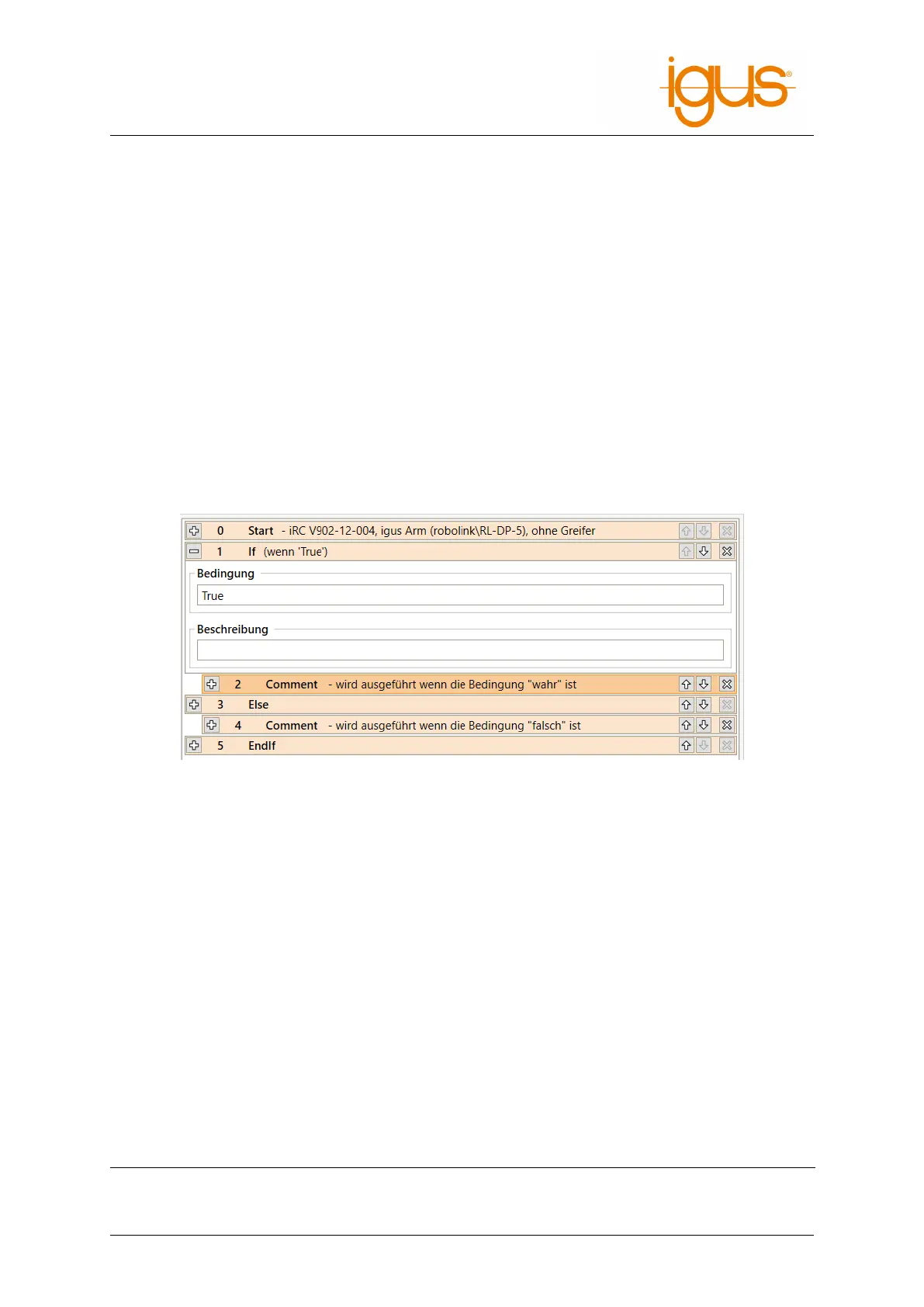
The If command branches the execution of the program depending on the value of a conditional
expression. It is accessible through the "Flow" → "If...then...else" menu item in the iRC program
editor.
The specified condition must conform to the syntax described in section 7.5.1. The statements be-
tween "If" and "Else" will be executed if the condition evaluates to true. Otherwise the statements
between "Else" and "EndIf" will be executed.
Figure 16: The If statement branches the program flow.
7.5.6 Loops
The Loop command allows the definition of execution loops. Under "Type" you can choose between
the following loop types:
• "condition": The loop is repeated until the specified condition evaluates to "true". It must
conform to the syntax described in section 7.5.1.
• "counter": The loop will repeat the number of times specified in "repeats".
The loop command is accessible through the menu items "Flow" → "Loop".
7.5.7 Matrices / Palettizing
The matrix instructions calculate positions aligned to a grid, e.g. as gripping or depositing position
for palletizing tasks. Figure 17 shows a motion pattern that can be executed by using the raster in-
structions.
iRC provides two approaches to program this:
Statement type Description
Matrix loop Executes a statement block for each raster position.
©2022 igus® GmbH 30



 To Next Page