7 PROGRAMMING A ROBOT WITH IRC
Statement type Description
Matrix definition and raster query Allows to calculate arbitrary raster positions based on an in-
dex variable.
The matrix loop is suitable for simple use cases where the positions are processed strictly in their
order. The loop starts with the first position and is left after the last position. The matrix definition and
query is more flexible, several grids can be used at the same time and the positions can be retrieved
in any order, but the index variable must be counted by additional logic. This allows e.g. to start with
a partially filled palette or to skip positions.
The matrix loop can be added via the menu item "Program flow" → "Loop" → "Raster". Matrix defi-
nition and matrix query are located in the menu "Special commands" → "Raster".
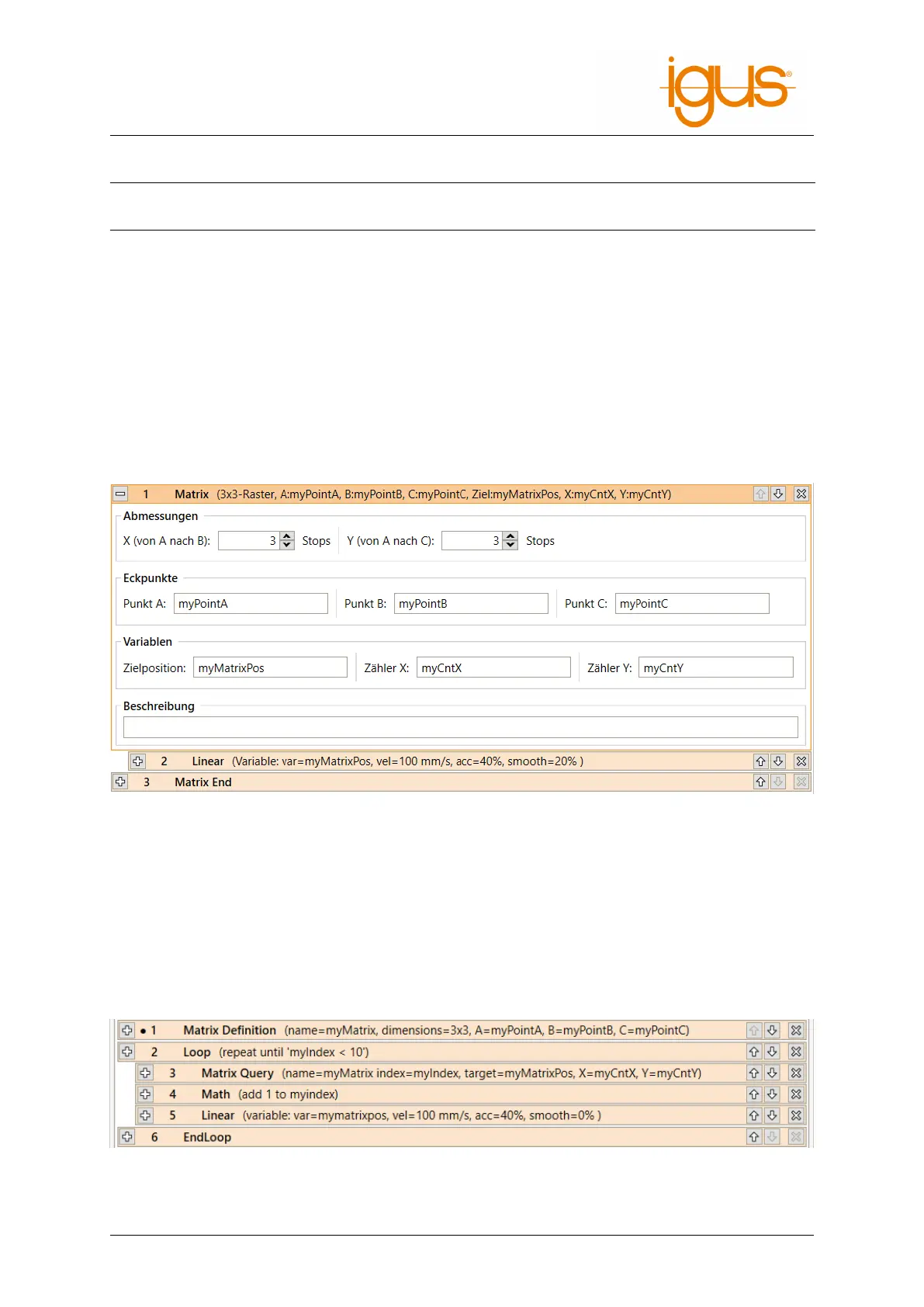
The position variables specified as "Point A", "Point B" and "Point C" define the corners of the area
covered by the raster loop (see figure 17). The number of steps to be taken is specified by "counter X"
(from A to B) and "counter Y" (from A to C). For example, in the figure above, X=4 and Y=3.
Figure 18: Definition of a matrix loop
The block between "Matrix" and "Matrix End" is executed for each step. The position variable "Tar-
getPosition" contains the position of the current target point for the respective step. Row and column
of the current step are stored in the number variables given to "Counter X" and "Counter Y" respec-
tively.
The matrix definition and query instructions use the same parameters: The dimensions and positions
are specified in the raster definition, and the index and output variables are specified in the raster
query. Different rasters are identified by a name.
Figure 19: Usage of matrix definition and matrix query commands. The definition of variables is
omitted.
©2022 igus® GmbH 31



 To Next Page