7 PROGRAMMING A ROBOT WITH IRC
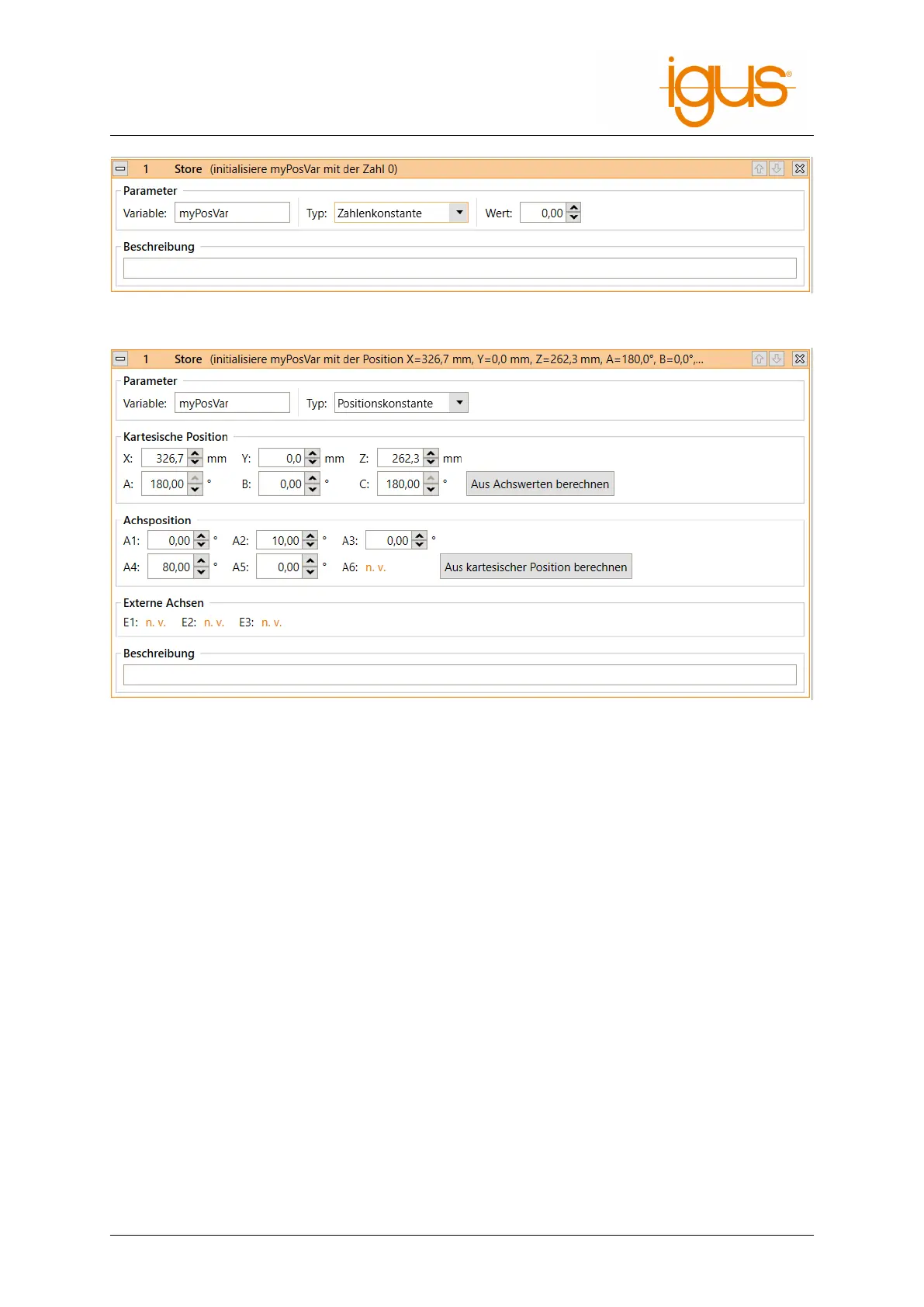
Figure 20: Definition of a number variable.
Figure 21: Definition of a position variable.
sition" and "External Joints" (see fig. 21). Depending on the kinematic model of the current
robot, certain axes may not be available.
The name of the variable can be set under "Variable". If a variable with the same name is already
defined, its value and type will be overwritten. All variables are global, i.e. they are also accessible
from subroutines.
7.6.2 System Variables
The following predefined variables are available without having to define them:
• #position: The current position of the robot.
• #programrunning: 1 if the robot program is running, otherwise 0.
• #logicprogramrunning: 1 if the logic program is running, 0 otherwise.
Note that the system controls the values of predefined variables - they cannot be changed by the
program. The names of predefined variables always start with "#"
7.6.3 Accessing Elements
Position variables contain the following elements:
• Position: x, y, z
• Orientation: a, b, c
• Joint positions: a1, a2, a3, a4, a5, a6, e1, e2, e3
The elements are accessed by appending them with a dot, e.g. "myvariable.x" or "myvariable.a3".
©2022 igus® GmbH 33



 To Next Page