Chapter 2 Getting Started
Starting the Instrument 8
Customize System Settings 8
Customize Run Settings 9
User-Supplied Consumables and Equipment 10
Starting the Instrument
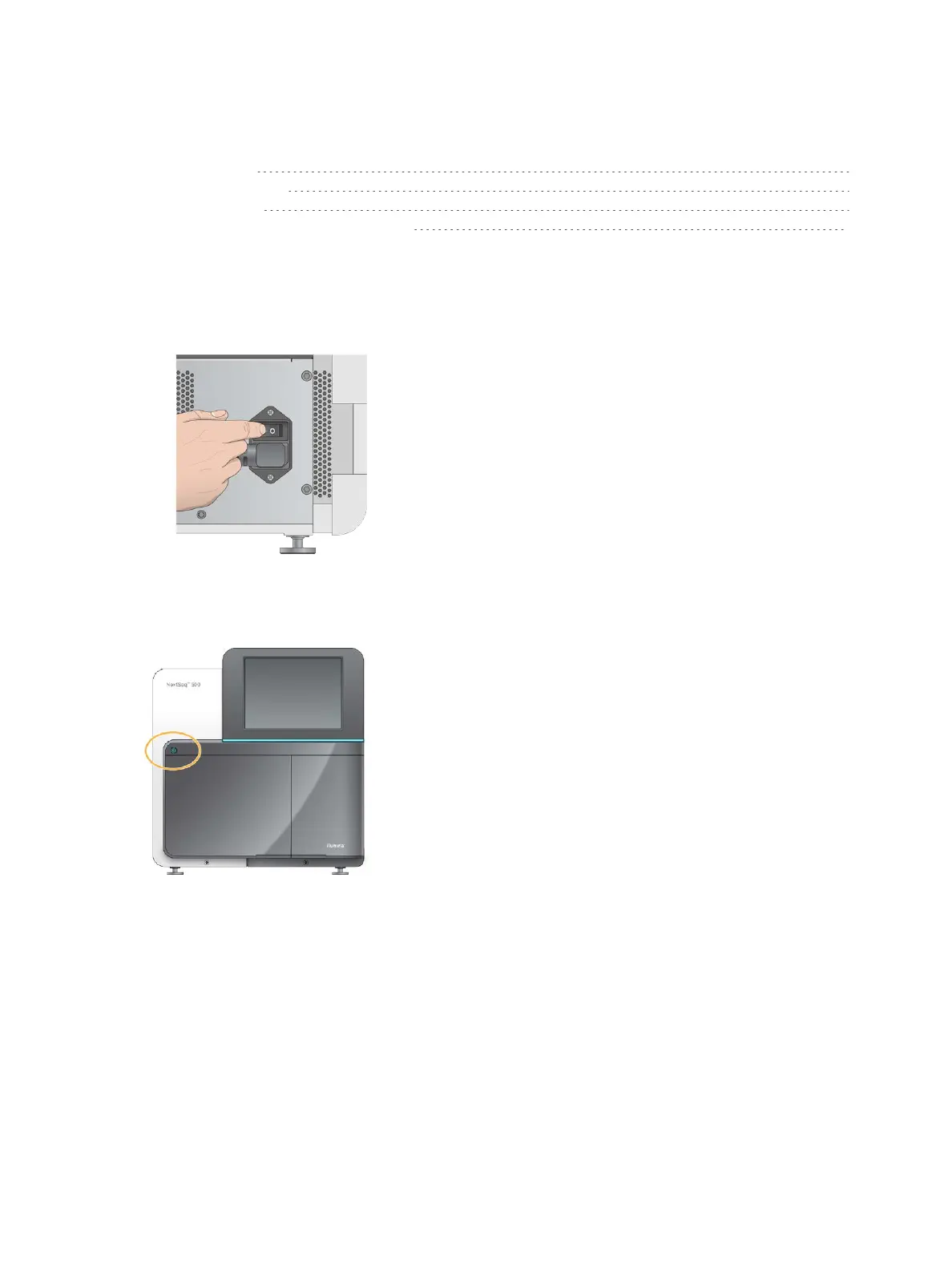
Turn on the power toggle switch to the I (on) position.
Figure 7 Power Switch Located on Back of Instrument
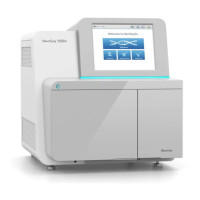
1 Press the power button above the reagent compartment. The power button turns on the instrument
power and starts the integrated instrument computer and software.
Figure 8 Power Button Located on Front of Instrument
2 Wait until the operating system has finished loading.
The NextSeq Control Software (NCS) launches and initializes the system automatically. After the
initialization step is complete, the Home screen opens.
3 If your system has been configured to require login credentials, wait for the system to load, and then log
on to the operating system. If necessary, consult your facility administrator for the user name and
password.
Customize System Settings
The control software includes customizable system settings for start-up options, input preferences, audio
settings, and instrument name.
Document # 15046563 v04
For Research Use Only. Not for use in diagnostic procedures.
8


 To Next Page