Chapter 4 Maintenance
Introduction 24
Perform a Manual Wash 24
Software Updates 26
Shut Down the Instrument 27
Introduction
Maintenance procedures include manual instrument washes and system software updates when available.
u Instrument washes—An automatic post-run wash after each sequencing run maintains instrument
performance. However, a manual wash is required periodically under certain conditions. See
Perform a
Manual Wash
on page 24.
u Software updates—When an updated version of the system software is available, you can install the
update automatically through a connection to BaseSpace or manually after downloading the installer from
the Illumina website. See
Software Updates
on page 26.
Preventive Maintenance
Illumina recommends that you schedule a preventive maintenance service each year. If you are not under a
service contract, contact your Territory Account Manager or Illumina Technical Support to arrange for a
billable preventive maintenance service.
Perform a Manual Wash
Manual washes are initiated from the Home screen. Wash options include the Quick Wash and the Manual
Post-Run Wash.
Wash Types Description
Quick Wash
Duration: 20 minutes
Flushes the system with a user-supplied wash solution of laboratory-grade water and
Tween 20 (buffer wash cartridge).
Required every 14 days that the instrument is idle or after a shutdown.
Manual Post-Run Wash
Duration: 90 minutes
Flushes the system with a user-supplied wash solution of laboratory-grade water and
Tween 20 (buffer wash cartridge) and 0.12% sodium hypochlorite(reagent wash
cartridge).
Required if the automatic post-run wash was not performed.
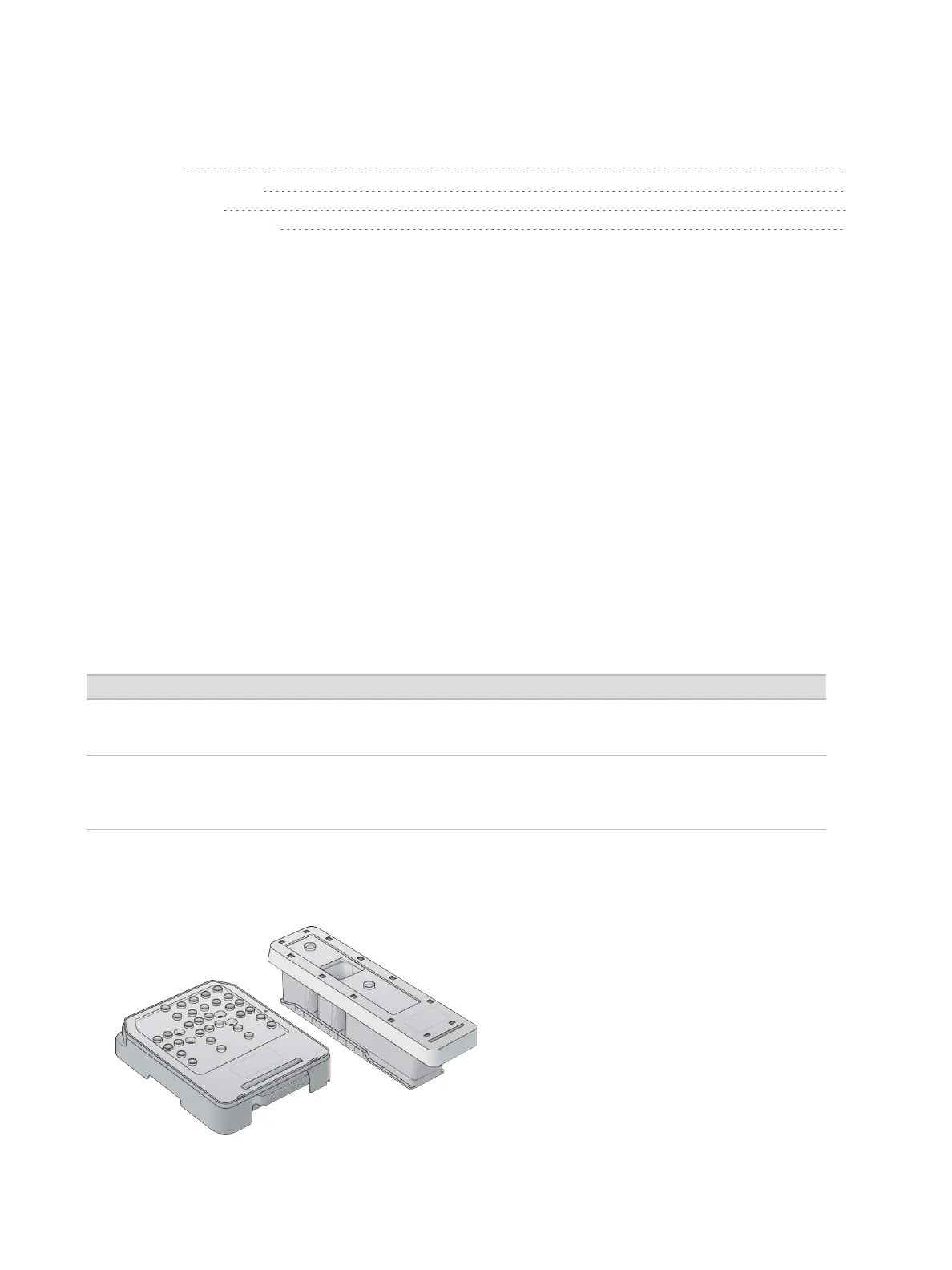
A manual wash requires the reagent wash cartridge and buffer wash cartridge provided with the instrument,
and a used flow cell. A used flow cell can be used up to 20 times for instrument washes.
Figure 19 Reagent Wash Cartridge and Buffer Wash Cartridge
Document # 15046563 v04
For Research Use Only. Not for use in diagnostic procedures.
24


 To Next Page