4 Remove the spent reagents container and discard the contents appropriately, and then reload the
empty container.
5 Load the new buffer cartridge and reagent cartridge.
6 From the Run Setup screen, select from the following options:
u BaseSpace or BaseSpace Onsite—Select the run and confirm run parameters.
u Standalone—Enter the name of the run and specify the same parameters as the original run.
7 Select Next to proceed to the pre-run check and start the run.
Custom Recipes and Recipe Folders
Do not modify original recipes. Always make a copy of the original recipe with a new name. If an original
recipe is modified, the software updater can no longer recognize the recipe for later updates, and newer
versions are not installed.
Store custom recipes in the appropriate recipe folder. Recipe folders are organized as follows.
Custom
High—Customized recipes used with a high-output kit.
Mid—Customized recipes used with a mid-output kit.
High—Original recipes used with a high-output kit.
Mid—Original recipes used with a mid-output kit.
Wash—Contains the manual wash recipe.
System Check
A system check is not required for normal operation or instrument maintenance. However, an Illumina
Technical Support representative might ask you to perform a system check for troubleshooting purposes.
NOTE
If an instrument wash is due, perform the wash before starting a system check.
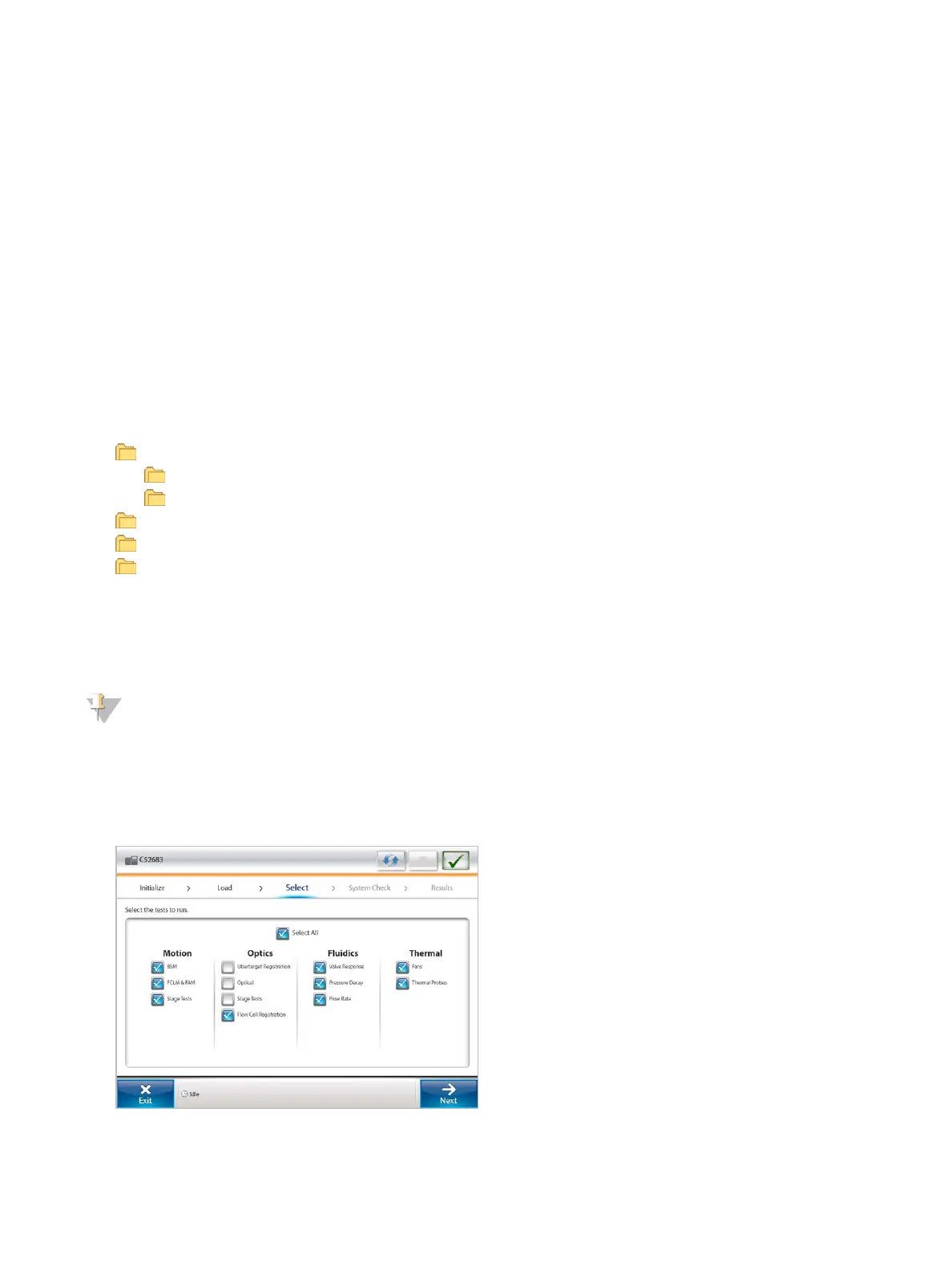
Starting a system check automatically closes the control software and launches the NextSeq Service
Software (NSS). The service software launches and opens to the Load screen, which is configured to use the
advanced loading option.
Figure 21 Available System Checks
Document # 15046563 v04
For Research Use Only. Not for use in diagnostic procedures.
33
NextSeq 500 System Guide


 To Next Page