15
Navigating in the Graphical User Interface
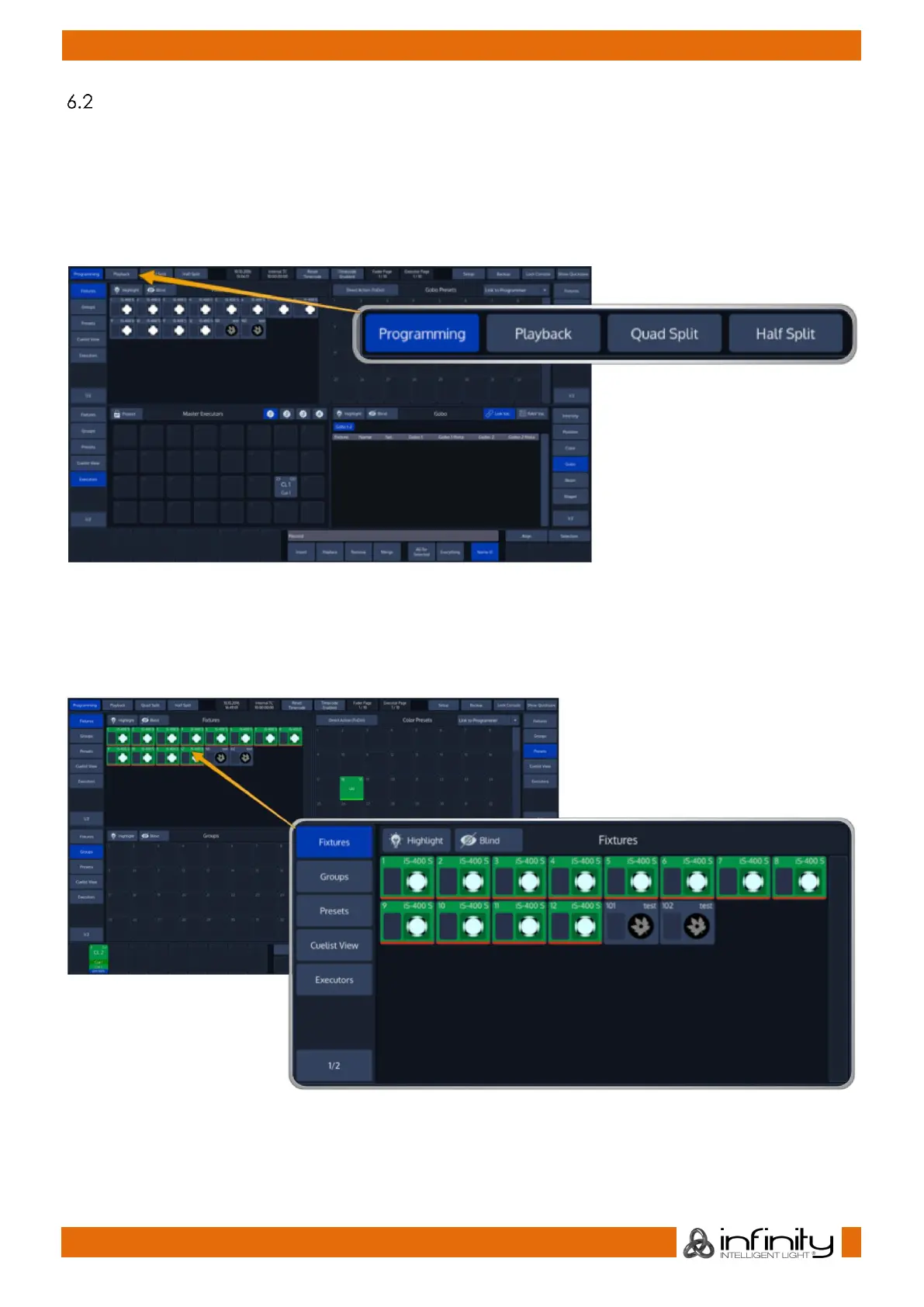
You already learned that the top menu bar is used to navigate through the different predefined windows
which are used to setup, program or playback your show. Let’s take a closer look the the buttons found
in the left part of the Top Menu bar.
These are predefined windows. They behave very similar, except the fact that programing is the only
view to show the Programmer, which is used for value entry. The other views have been added for your
conveniance and may be setup in the way you need them.
Fig. 12: Main View Buttons
6.2.1 The different Split Widgets
Lets call any of the split items in the Content Area a “Split Widget”.
Each of the Split Widgets behaves in the same way. They do have a Menu bar on the left (or right,
dependant on the position of the widget).
Fig. 13: Example Split Widget



 To Next Page