27
12 Create Fixture Groups
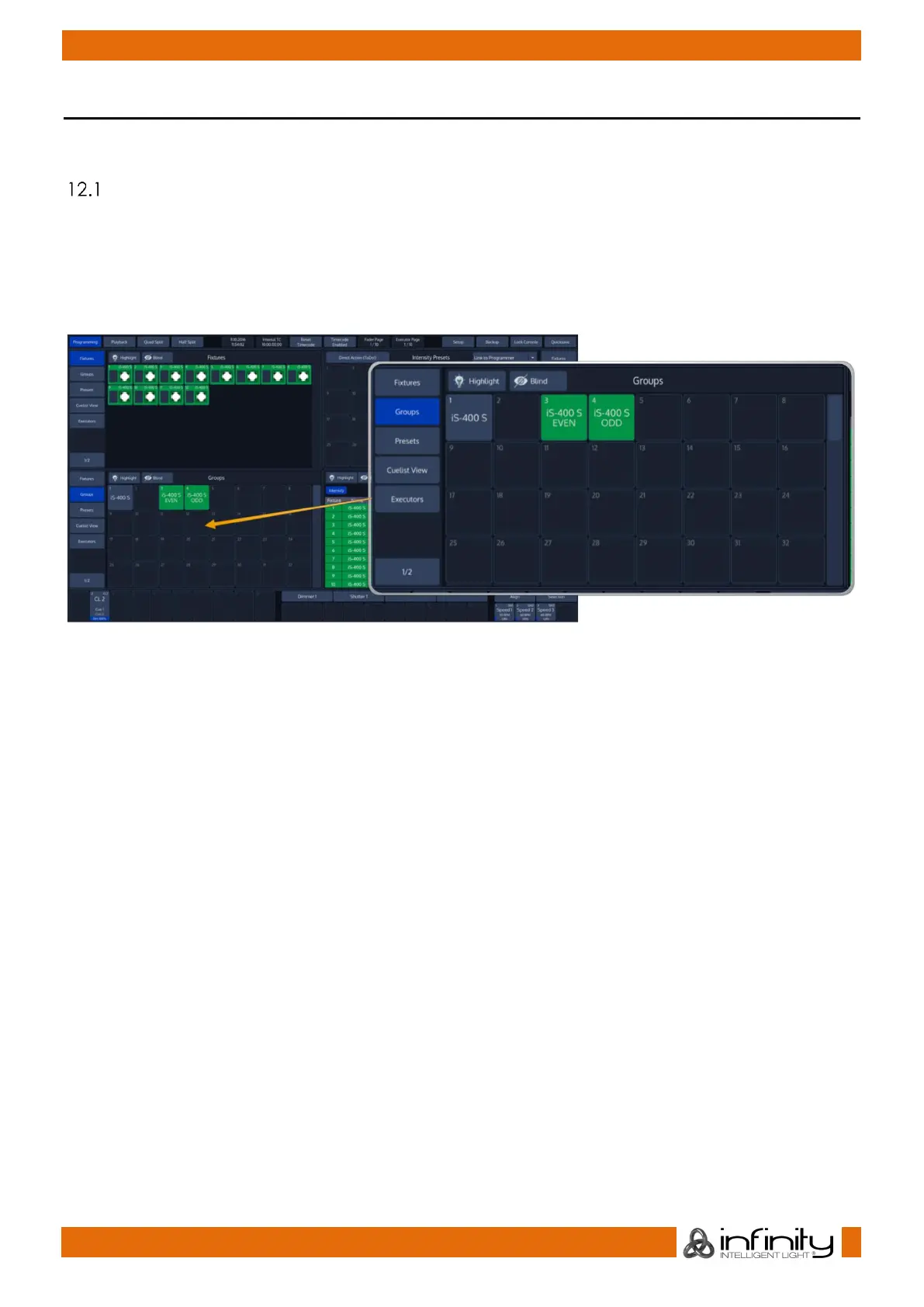
Groups are meant as a programming aid and are a quick way to access specific groups of fixtures.
To record a group, first select fixtures 1 thru 12 by using the Keypad.
Record a Group
There are different ways to record groups. You may either use the visual approach by clicking on items,
or the command line approach by entering the command manually.
12.1.1 Store a group using the “Group Pool” –window
Once you have made a selection you would like to store as a group, Press the [Rec] key found in the
programming section of the frontpanel and select an empty item from a Group Split Widget.
12.1.2 Store a group using the command line interface
As soon as you selected some fixtures, press the [Rec] -key followed by the [Group] -key. Now just type the
number of the memory you would like to store to on the keypad, Ie. [1] followed by [Enter].
For example:
[Rec] [Group] [1] [Enter]
The record toolbar contains a button called Name It! – If this button is active, the console will
automatically ask for a name after you stored the Item.
If you decide to turn this function off, you may label any item by pressing the [Name] key on the faceplate
of the console. The commandline will read “Name”. Now select the Item you would like to label.



 To Next Page