8
3 About this Guide
Text Conventions
The following styles are used throughout this guide:
Front panel (faceplate) hard buttons or keys. Example: Press [Button] to operate or
select.
LCD display menu softkeys. These are buttons that appear on the LCD display
touchscreen. Example: Press Button to operate or select.
4 Console Backpanel
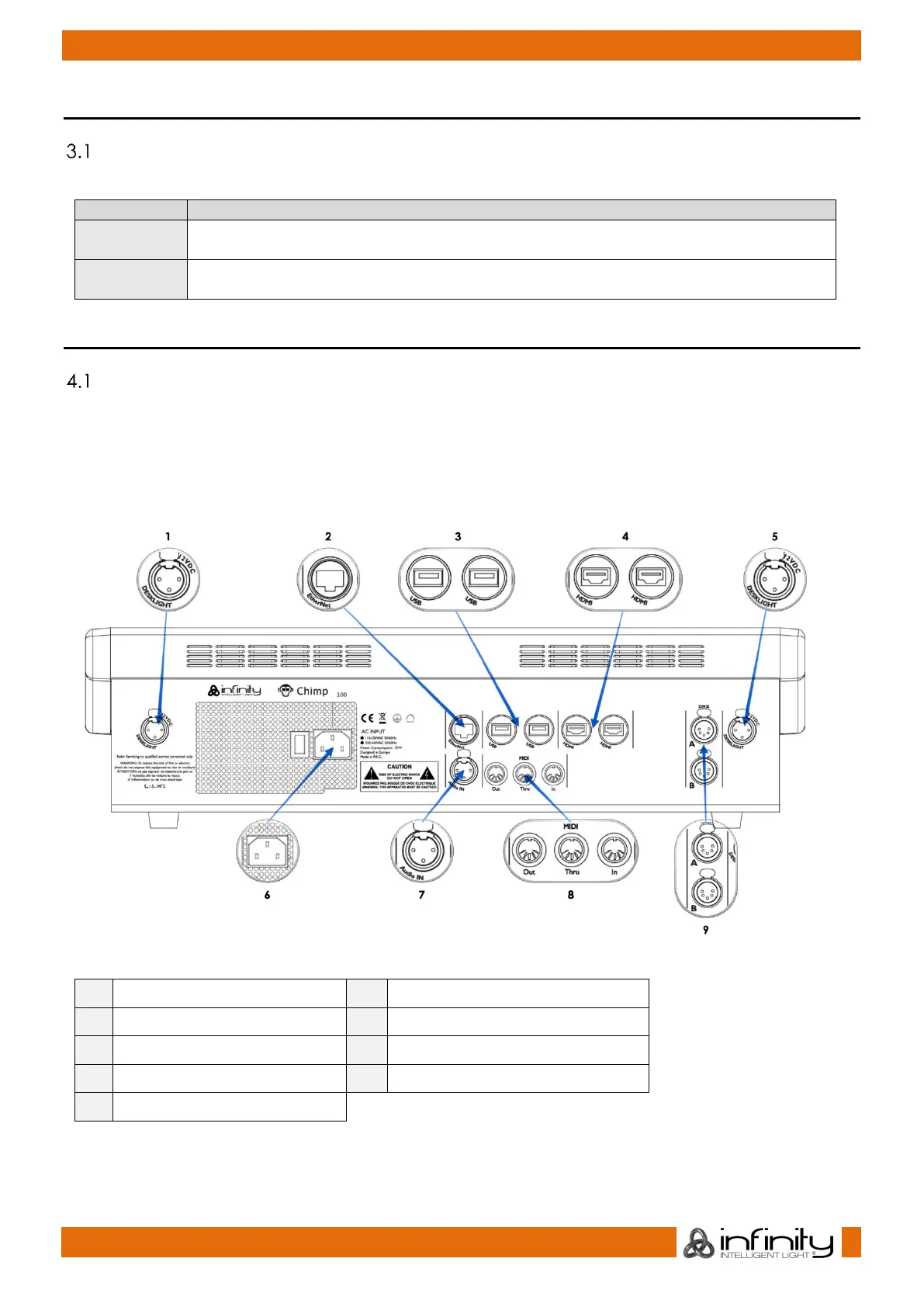
Chimp 100 Backpanel
Please make sure to connect your main Monitor to HDMI Port 1, as this will be the primary screen you are
interfacing with. If you are using one Touchscreen and one regular screen without touch fascilities,
connect the touchscreen monitor to this port. Make sure both displays support 1920 by 1080 pixel
resolution.
Connect both monitors prior to booting the console.
Fig. 1: Chimp 100 Backpanel



 To Next Page