26
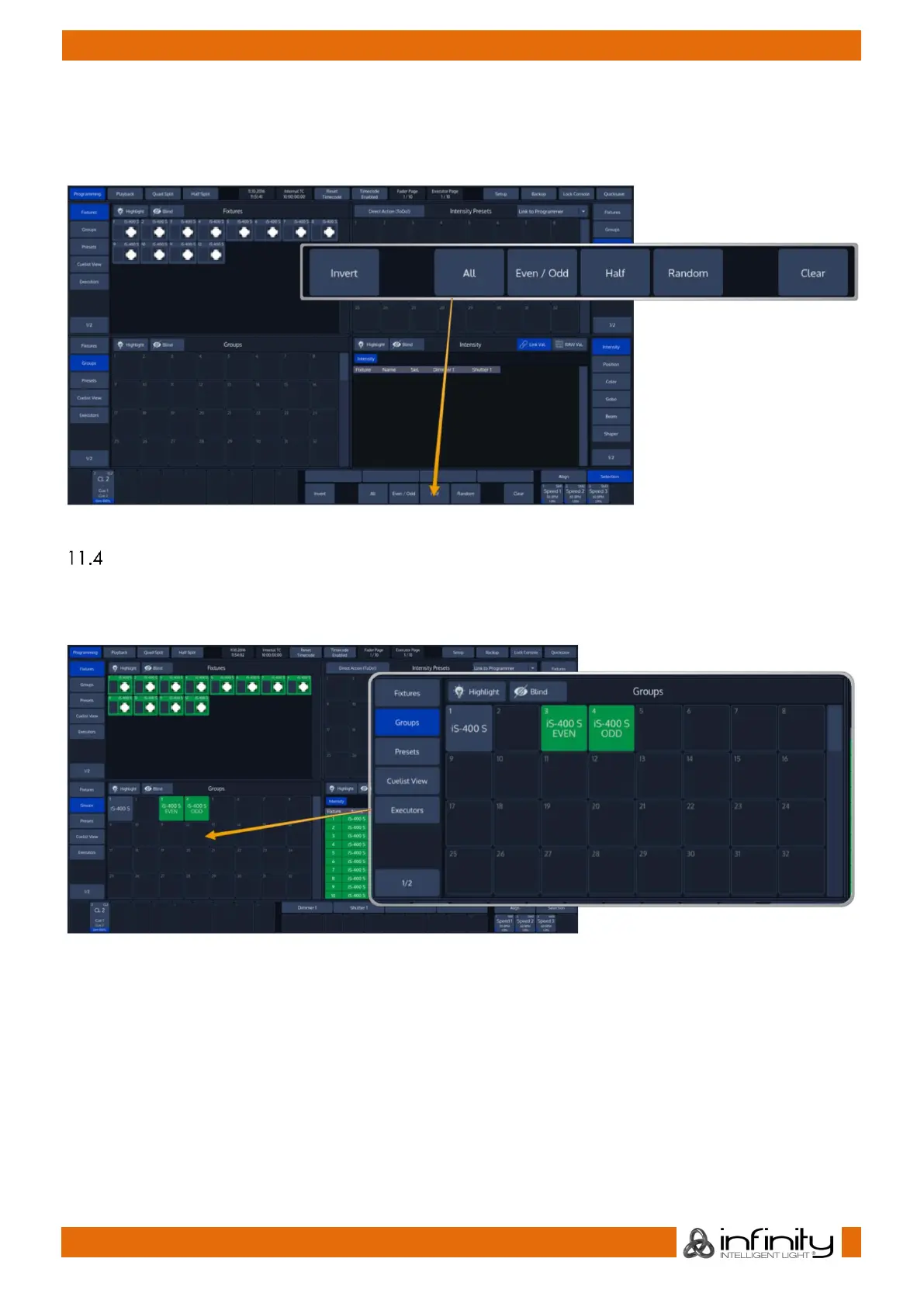
The “Selection” –toolbar can either be used if you do not have a current fixture selection – Selection will
then be applied to all fixtures. Alternatively, it may be used to alter the current fixture selection, ie.
provide quick access to “Even/Odd” fixture selection and allow you to quickly select all fixtures which
have been in your selection set before using and of the functions of the toolbar.
Fig. 30: Selection Toolbar
Select Fixtures using a Group Split Widget
Open a Group Split Widget by selecting the button Group from one of the side menus. In Programming
mode, the bottom left split will show Groups by default. To select a Fixture group you have created,
simply click on it.
Fig. 31: Group Split Widget



 To Next Page