16
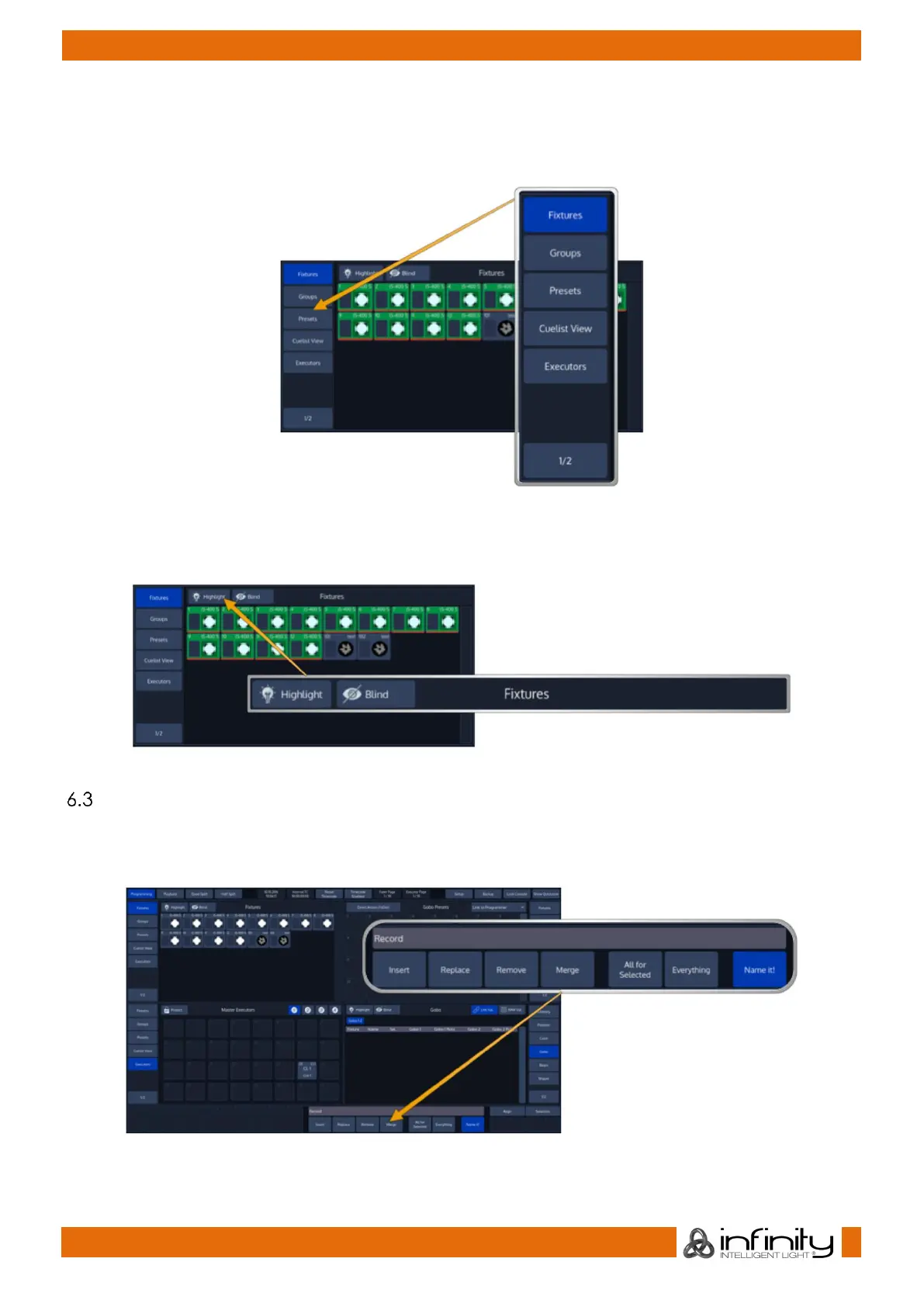
The Menu on the left (or right) is used to switch the type of that particular Split Widget to a different type.
Different Types are, for example: Fixtures, Groups, Presets, a Cuelist View Widget, Virtual Executors – and if
you look closely you may notice a Button that says 1/2. Pressing that button will open the second level of
the menu. If that button is missing – there is no second level fort hat menu.
The Title Bar of a Split Widget may also contain some buttons that toggle between contents of the
widget, or are used to trigger specific functions in the console.
Fig. 15: Split Widget Title Bar
Context Sensitive Graphical User Interface
Some of the buttons of the frontpanel correspond with the touchscreen interface, like the [Record] button
which is used to record memories. Pressing it will open a toolbar that contains options for the upcoming
operation.
Fig. 16: Context Sensitive GUI



 To Next Page