22
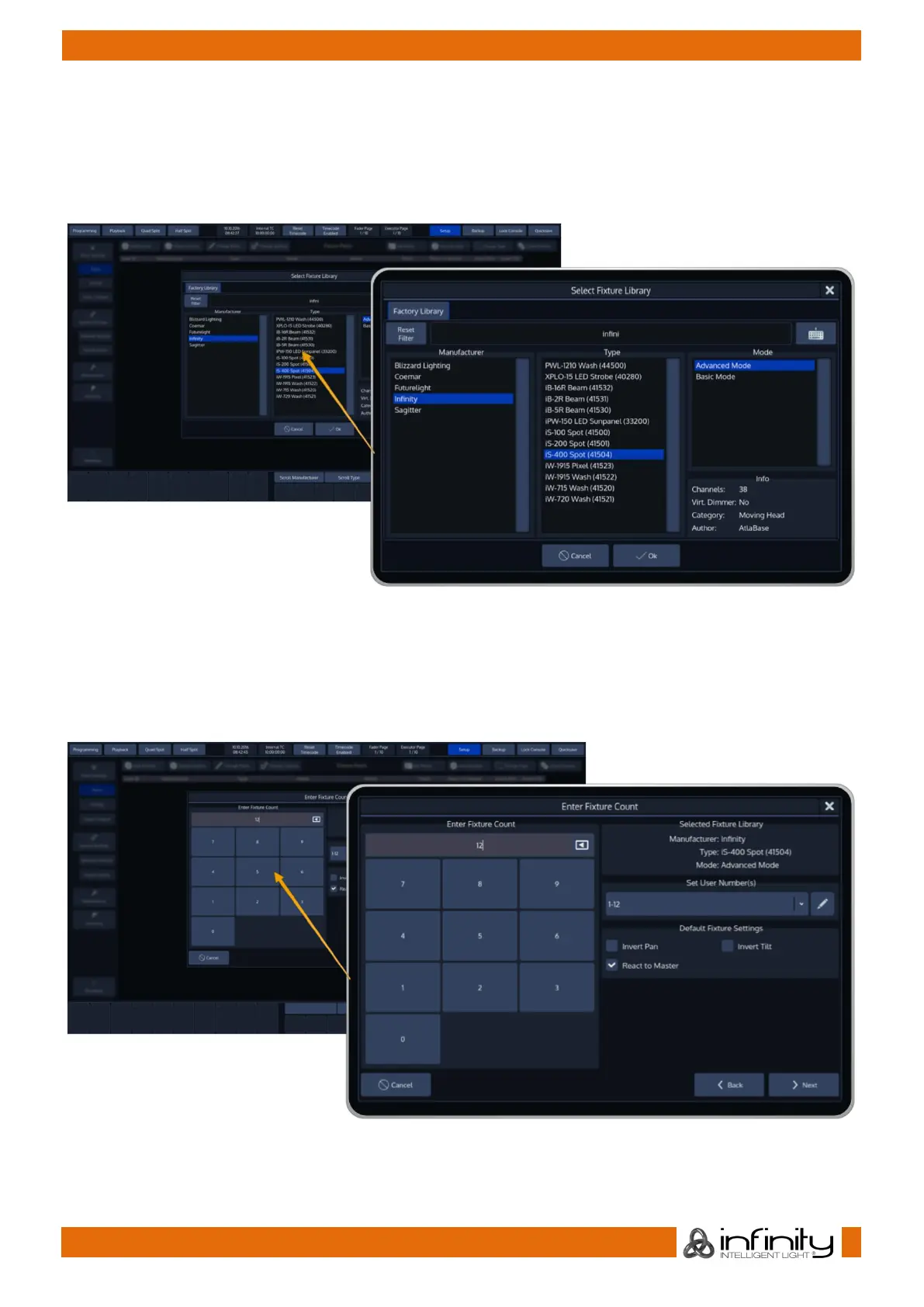
A new dialog screen will be shown.
For training purposes, we are going to pick “Infinity” as the manufacturer. Now select iS-400 Spot in
Advanced Mode from the list. You may also use the full text search provided.
Hit the Ok button as soon as you are done.
Fig. 24: Add Fixture Type to Show Library
You may now enter the fixture count, and more importantly, set a user number which will be the
“identifier” that is used to select these fixtures using the numberblock.
We are going to add 12 fixtures, with user numbers starting at 1.
Again, when you have done so, click on Next.
Fig. 25: Add Fixtures to Show: Enter Fixture Count



 To Next Page