40
English
User Controls
Each I/O has
dierent setting of
“Edge Mask”.
“Edge Mask” and
“Zoom” can’t work
at same time.
16:9 Screen 480i/p 576i/p 1080i/p 720p PC
4:3 1440 x 1080 center
16:9 1920 x 1080 center
LBX
1920 x 1440 center, then get the central 1920 x 1080
image to display
Native
1:1 mapping and centered.
No scaling will be made; the resolution is dependent on
which input source and is then displayed.
Edge Mask
Edge mask the image to remove video encoding noise on the
edge of video source.
Zoom
` Press the ◄ to reduce the size of an image.
` Press the ► to magnify an image on the projection screen.
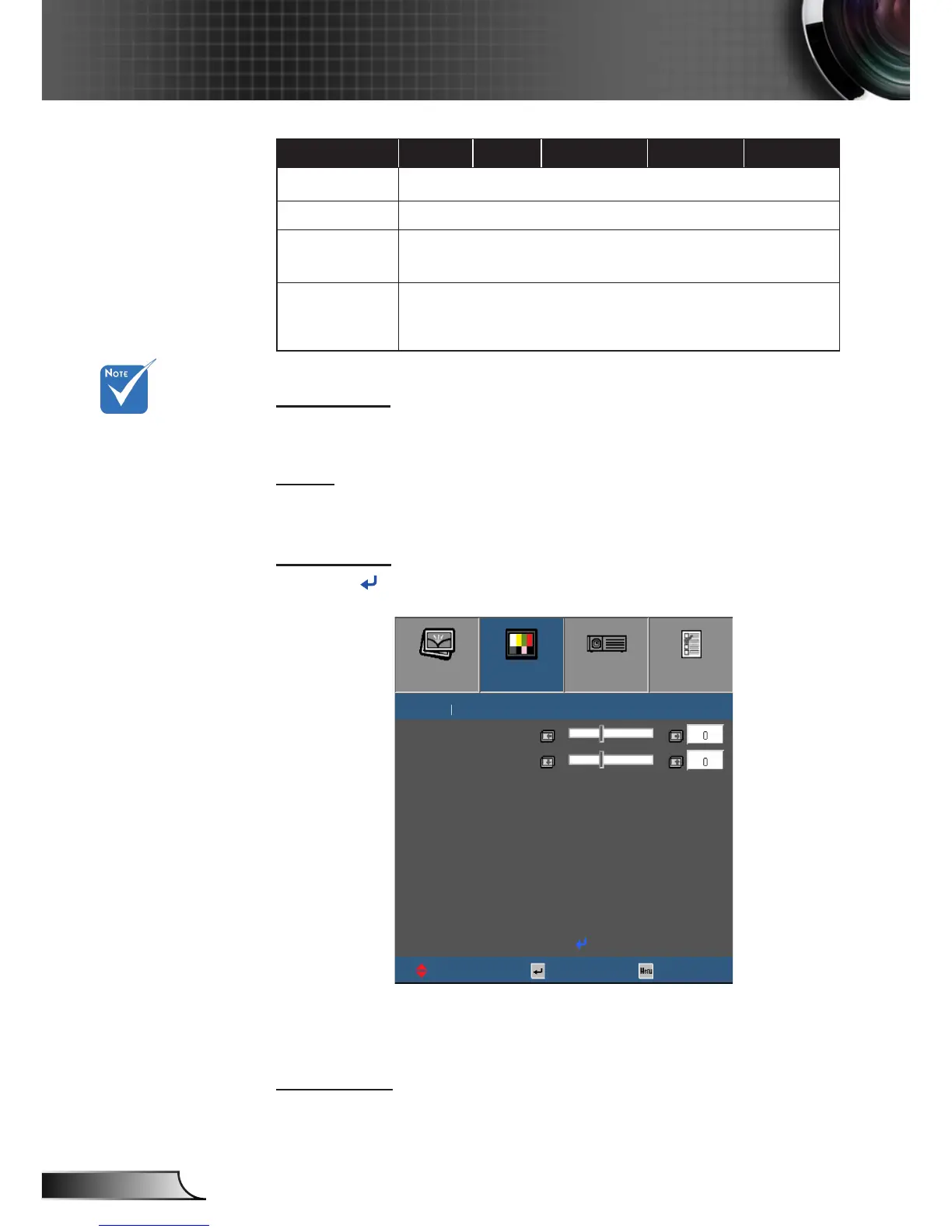
Image Shift
Press into the next menu as below and then use ▲ or ▼ to
select item.
IMAGE DISPLAY SETUP OPTIONS
H
Select
ExitUpDown
DISPLAY Image Shift
V
Exit
` H: Use the ◄ ► to shift the projected image position
horizontally.
` V: Use the ◄ ► to shift the projected image position vertically.
V Keystone
Press the ◄ or ► to adjust image distortion vertically and make a
squarer image.



 To Next Page