Optimas System Operator Manual
Section 4: Device Description
4.2 Front Panel and Operator Control Panel
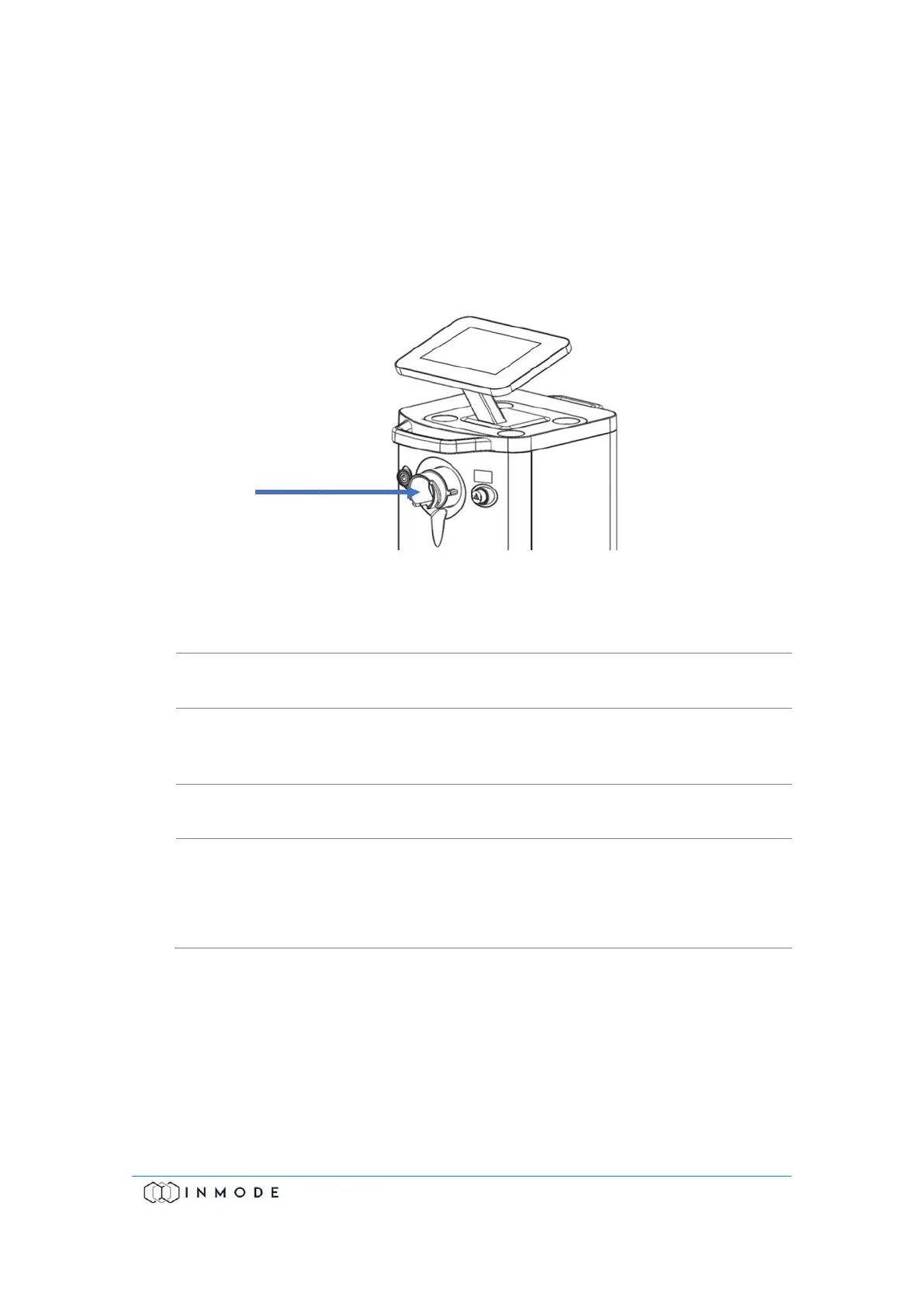
The Operator Control Panel is located on the upper side of the System. The Operator
Control Panel consists of an LCD touch screen.
On the front panel, there is a grey On/Off switch on your left, a red Emergency Stop
Button on the right, and a Handpiece connector (arrow) in the center for either
DiolazeXL, Vasculaze or Lumecca.
Figure 4-2: Front Panel and Operator Control Panel with Optical Handpiece connector
(Arrow)
Power switch turns System On and Off.
Optical
Handpiece
Connector
Located in the center of the front panel and connects to one of
the optical Handpieces.
Stops the power instantly in emergency conditions.
▪ The LCD screen shows information about the System mode
and treatment parameters.
▪ The panel allows changing treatment parameters and
System mode.
Power electronics is not activated if no Handpiece is connected to its connector on
the front or the rear panel. The System recognizes the connected Handpiece and
enables opening the relevant screen, except for Fractora and Forma that the user has
to ascertain the match between the Handpiece connected on the rear panel and the
screen.



 To Next Page