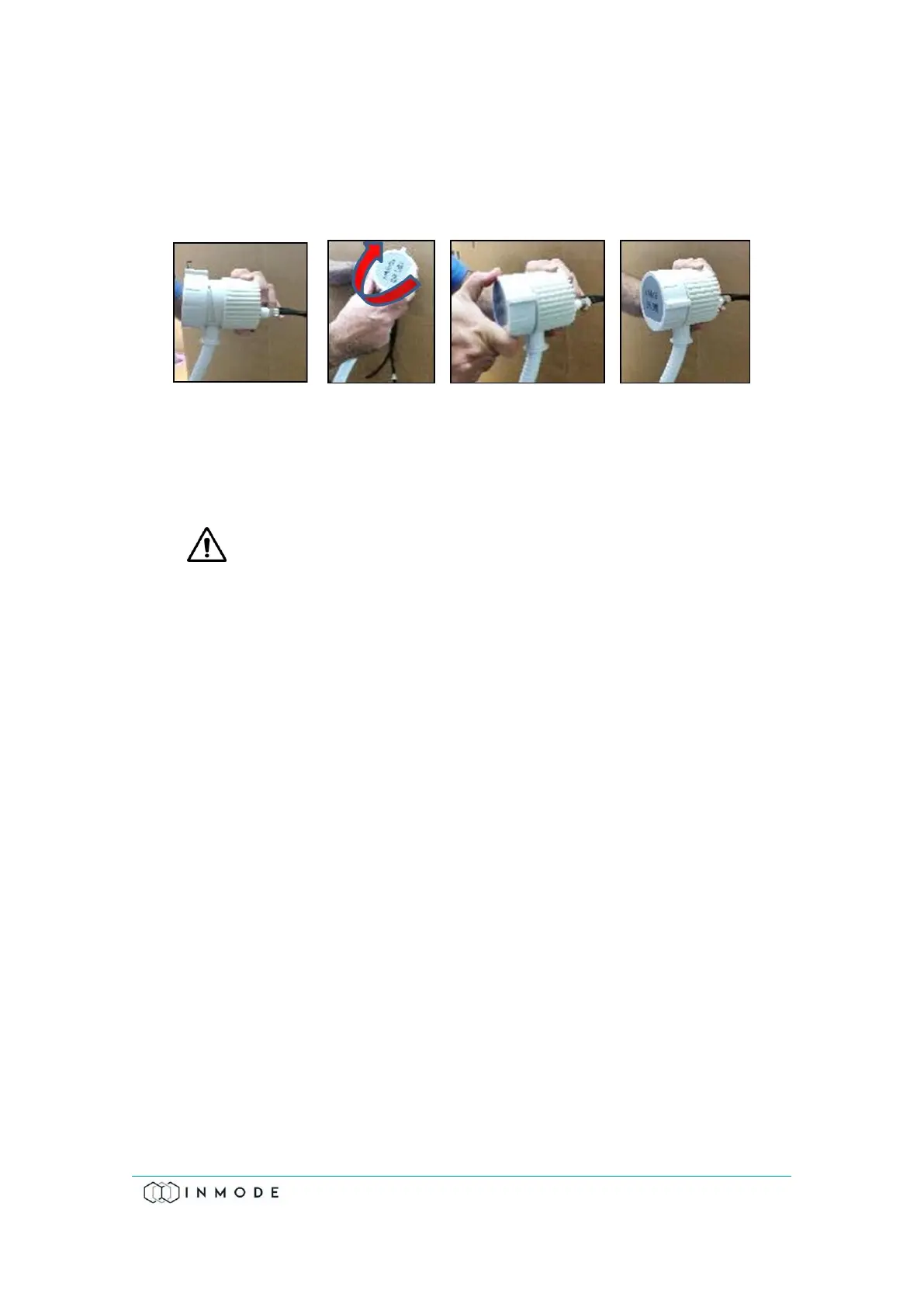
To drain the Handpiece:
1. Hold the water draining tool's connector and insert the Handpiece's connector
with the label at a 90° counter-clockwise angle (Figure 11.11), and twist it 90°
to the right, such that the label is straight.
Figure 11-11: Connecting the Handpiece to the Water Draining Tool
2. Hold the Handpiece and draining tool over a sink and start pumping air
through the Handpiece until no more water drains out.
3. Disconnect the Handpiece from the water draining tool.
Damage to the System or Handpieces by frozen water will not be covered
under System's warranty.
Only InMode draining mechanical hand pumps (InMode P/N AT604837x)
could be used to drain DiolazeXL, Vasculaze and Lumecca Handpieces.
To order the water drain tool contact our Service department.
11.9 Replacing the Deionizer Cartridge
For safety, and proper System performance, replace the cooling water with fresh
distilled water only.
To remove the Deionizer Cartridge:
1. Drain the water from the System following “Draining Water” procedure.
2. Turn the System off.
3. Push the slide latch of the bottle door down and remove the door.
4. Holding the bottle cover with one hand, loosen the bottle by turning it
clockwise.
5. Disconnect the Deionizer Cartridge from the water hoses by pressing the
Release Button on the upper part of the Deionizer (Figure 11.8).



 To Next Page