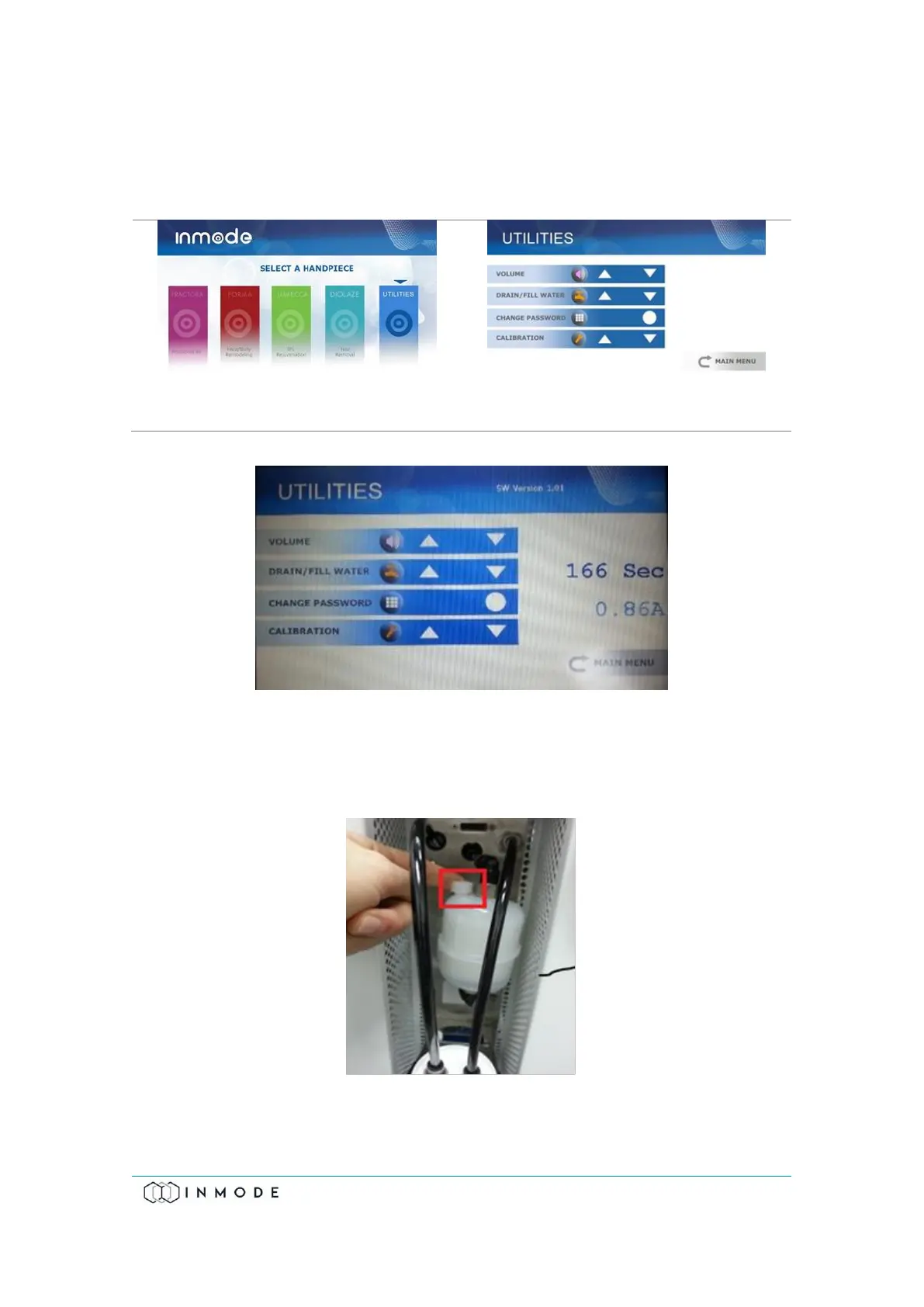
9. Select “Water Drain/Fill” (Figure 11.5).
10. Pressing the UP arrow will activate the pump and count down from 600
seconds (10 minutes) to 0 seconds (Figure 11.6).
Figure 11-6: Time Counter Water Pump Current Value
11. After 300 seconds (while the pump is working), unscrew the plastic cap on the
side of the Capsule Filter counterclockwise to release air. Afterwards, screw
the cap clockwise to close it (Figure 11.7). Ensure that no water is leaking.
Figure 11-7: Capsule Filter with Plastic Cap
12. Pressing the Down arrow will stop the Water Pump.



 To Next Page