Pattern Generator
This control specifies the test pattern to output to the monitor. The following choices
are available:
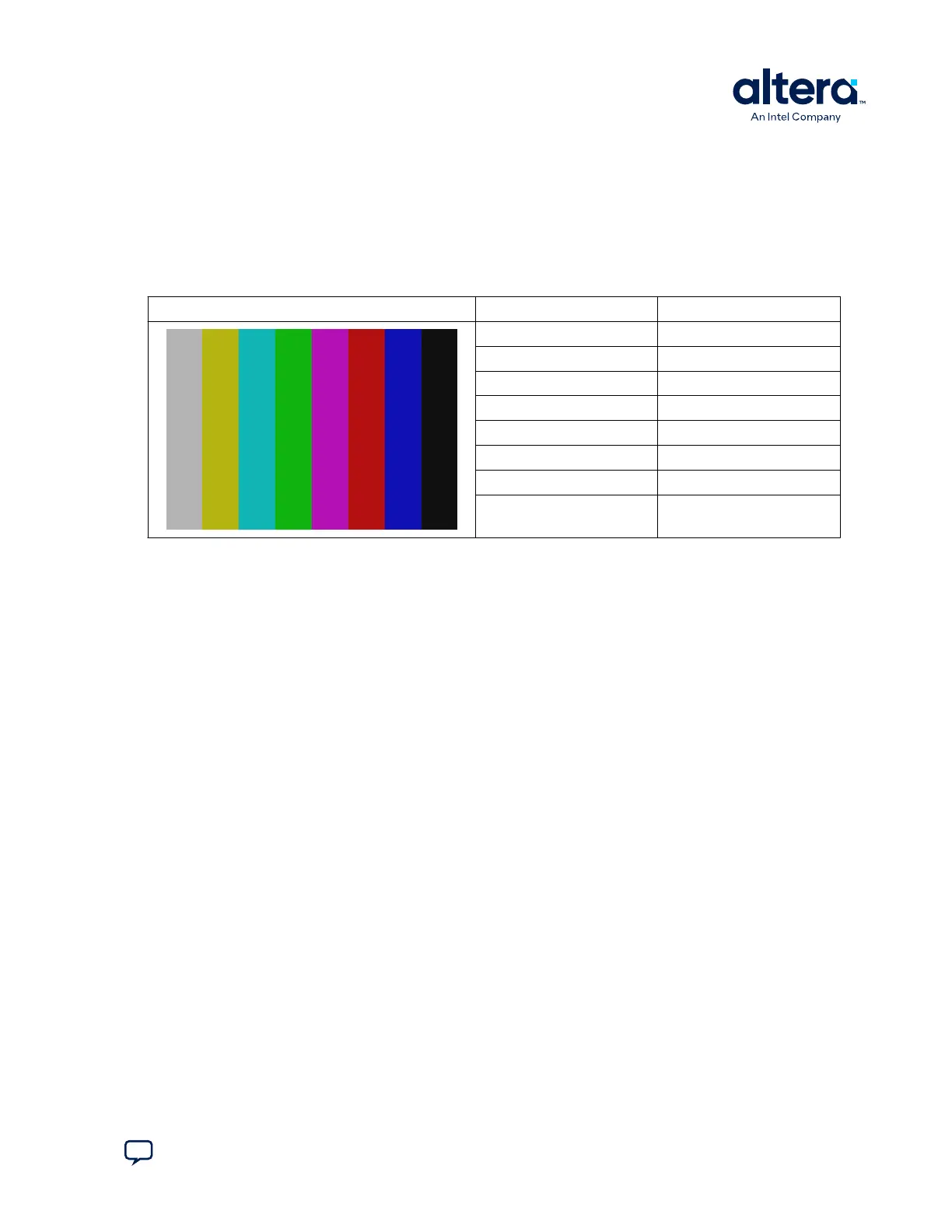
• Color bar: Specifies a video color bar pattern with eight vertical color bars as
shown in table below.
Table 12. HDMI Color Bar Test Pattern
Color Bar Color RGB Values
White/Grey 180,180,180
Yellow 180,180,16
Cyan 16,180,180
Green 16,180,16
Magenta 180,16,180
Red 180,16,16
Blue 16,16,180
Black 16,16,16
• Pathological: Specifies a video color bar pattern with two horizontal color bars
that stresses the receive PLL.
• PRBS: Specifies a pseudo-random bit sequence useful for electrical testing of the
interface for data integrity.
Intensity
Specifies the color intensity of the transmitted color bar pattern. The following choices
are available.
• 75%: Specifies 75% intensity.
• 100%: Specifies 100% intensity.
SDI Standard
Specifies the video standard used by the pattern generator on the SDI video stream.
The following choices are available:
• SD: Specifies a 270 Mbps data rate.
• HD: Specifies a 1.485 Gbps data rate.
• 3G HD: Specifies a 2.97 Gbps data rate.
Data Test
This group displays information about the SDI interface test when running in PRBS
mode in the patter generator
• Data rate: Displays the current SDI data rate in megabytes per second (MBps).
• Freq: Displays the data rate frequency in MHz which is equivalent to Mbps.
• Bits:Displays the number of bits transmitted since clicking Start.
5. Board Test System
830285 | 2024.10.07
Send Feedback
Cyclone
®
V SoC Development Kit User Guide
35















 To Next Page